


Create your First Document with ReportingCloud

ReportingCloud documentation now includes interactive tutorials for creating documents without code. Users enter an API key, choose a format such as PDF or DOCX, customize the merge data payload, and execute the HTTP request directly in the browser to download the generated result.

We recently released a new documentation hub for ReportingCloud that gives an overview of Web API endpoints, tutorials, concepts and typical tasks. Additionally, step-by-step, we are going to introduce interactive tutorials that allows you to play with the platform without any programming.
That way you can learn how to use specific endpoints or how to use reporting elements such as repeating merge blocks.
The first interactive tutorial is now live and shows how to create your first document based on the sample template that is automatically copied into your template storage when creating a new trial account. All you need to do is to create a trial account and to create your personal API Key.
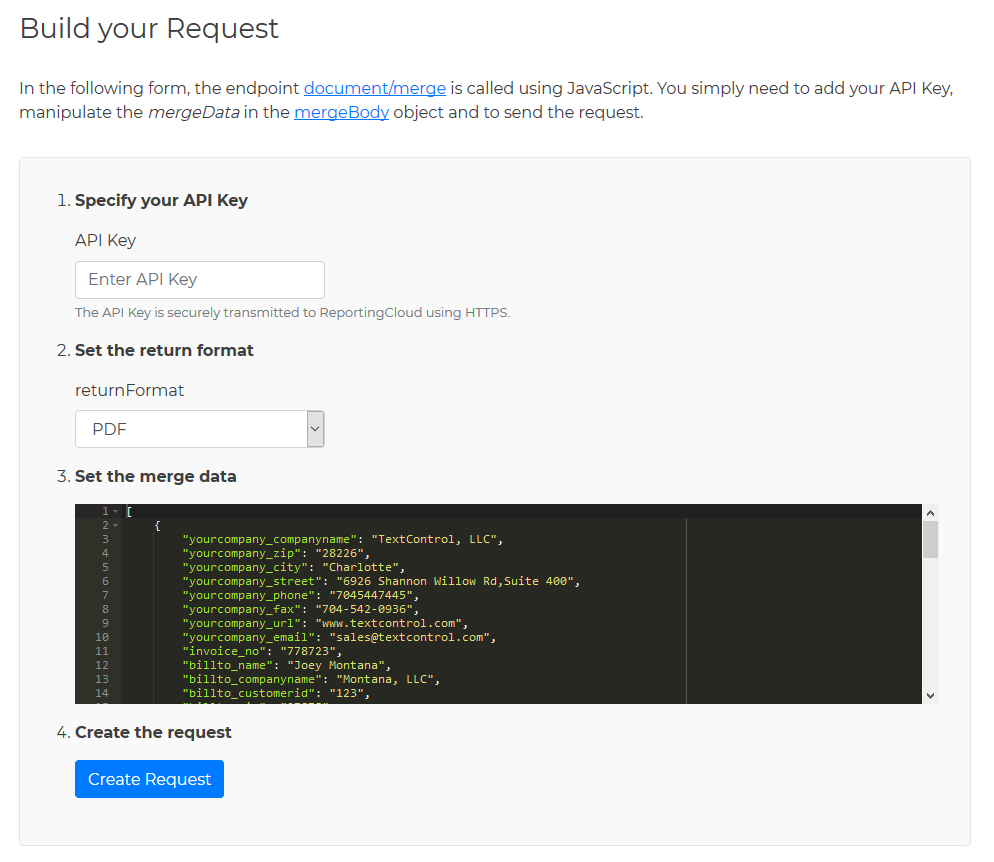
In the tutorial, you simply need to add your created API Key, set the required return format such as PDF or DOCX and you can change the merge data that is used to populate the fields in the sample template. The following screenshot shows this form of the tutorial:
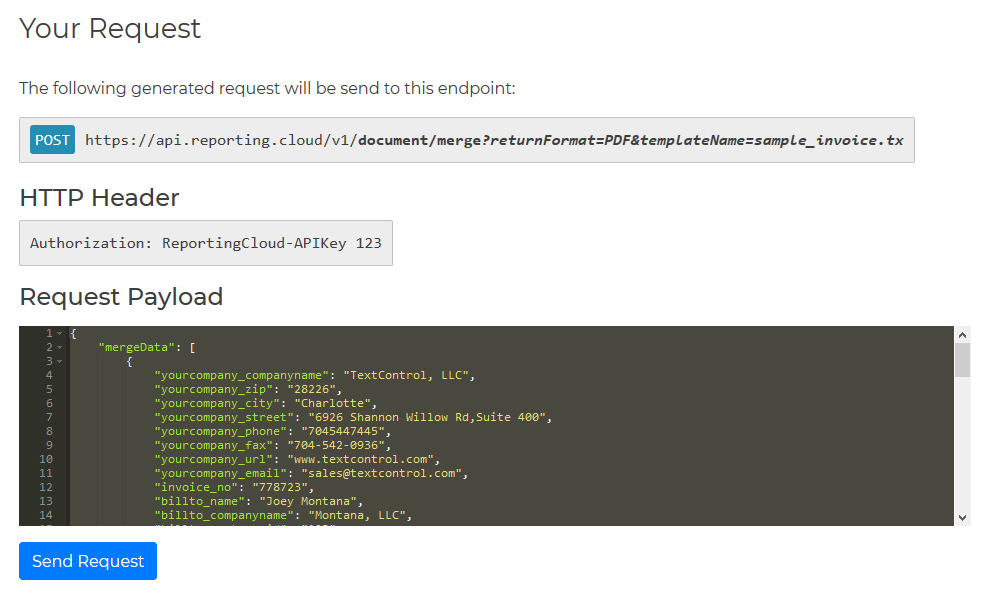
After clicking Create Request, the complete HTTP request is created for you. It shows the endpoint with the request parameters, HTTP headers for the authorization and the payload that includes the merge data object:
When the request is successful, the return value is shown in the ReportingCloud Response section:
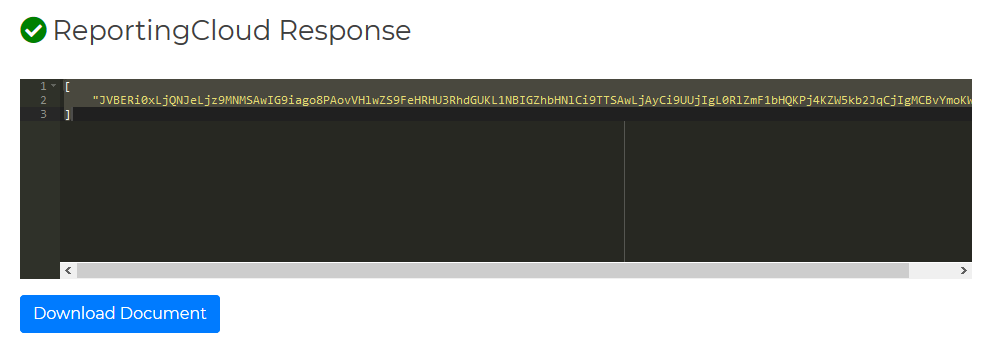
This represents the document encoded as a Base64 string. When clicking Download Document, this created document can be downloaded.
Try this on your own and create your trial account today:
Reporting
The Text Control Reporting Framework combines powerful reporting features with an easy-to-use, MS Word compatible word processor. Users can create documents and templates using ordinary Microsoft Word skills. The Reporting Framework is included in all .NET based TX Text Control products including ASP.NET, Windows Forms and WPF.
Related Posts
ReportingCloud: Open Source Documentation Released
The ReportingCloud documentation hub provides detailed endpoint references organized by group, getting started articles, and code samples for .NET, PHP, and Java. The open-source docs are hosted…
MailMerge: Starting Each Merge Block on a New Page
Merge blocks in TX Text Control repeat based on matching data rows. Applying ParagraphFormat.PageBreakBefore to the first paragraph of a block forces each repetition onto a new page. Section…
Creating Your First ASP.NET Reporting Application
The MailMerge and ServerTextControl components of TX Text Control .NET Server for ASP.NET enable server-side reporting in Web Forms. A template.docx merges with XML data via a button click…
ReportingReportingCloudTrack Changes
New Endpoint: Manipulating Tracked Changes in Documents
ReportingCloud adds API endpoints for manipulating tracked changes in documents. The trackedchanges endpoint retrieves metadata including change type, timestamp, and highlight color. A companion…
New Online Sample: Build your First Report
A new interactive online demo walks through building a report with TX Text Control in three steps: preparing JSON data in a live editor, creating a template with merge fields and repeating blocks,…