





Products Technologies Demo Docs Blog Support Company

Document viewer Document viewer

View, Fill, Sign, and Collaborate on Documents

Embed a professional document viewer into web applications for Word and PDF documents, forms, annotations, and secure workflows.

Start trialLaunch demo

TX Text Control document viewer

Trusted by leading enterprises worldwide

Document viewer

One viewer for every document workflow

Give users a fast, interactive way to view, complete, review, and sign business documents in any browser.

Smart forms

Smart forms

Create interactive documents with fillable fields, conditional logic, and guided workflows.

Annotations

Annotations

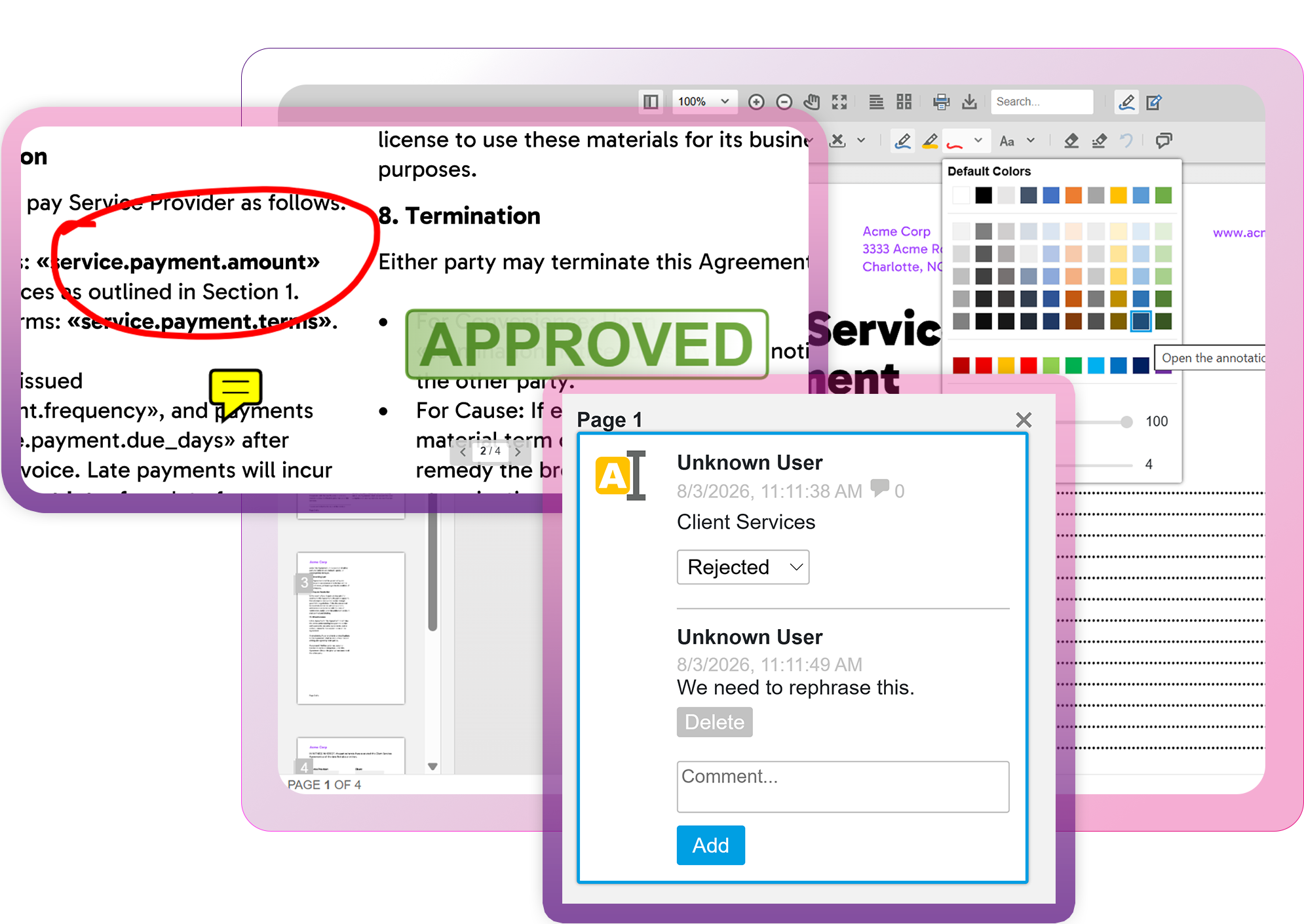
Add stamps, notes, drawings, comments, and other review tools without changing the original document.

Signing workflows

Signing workflows

Prepare, sign, and validate documents while keeping document processes inside your application.

Any device

Any device

Deliver consistent viewing, form filling, and signing experiences across desktop, tablet, and mobile browsers.

Viewer capabilities

One viewer. Every document workflow.

Embed professional document viewing, form completion, collaboration, and signing into your applications.

View capabilities

Display Word and PDF documents with a responsive, interactive viewer in any browser.

  • DOCX, DOC, RTF, and TX
  • PDF and PDF/A documents
  • Zoom, navigation, and search
  • Print and document export
  • Consistent rendering
  • Desktop and mobile browsers

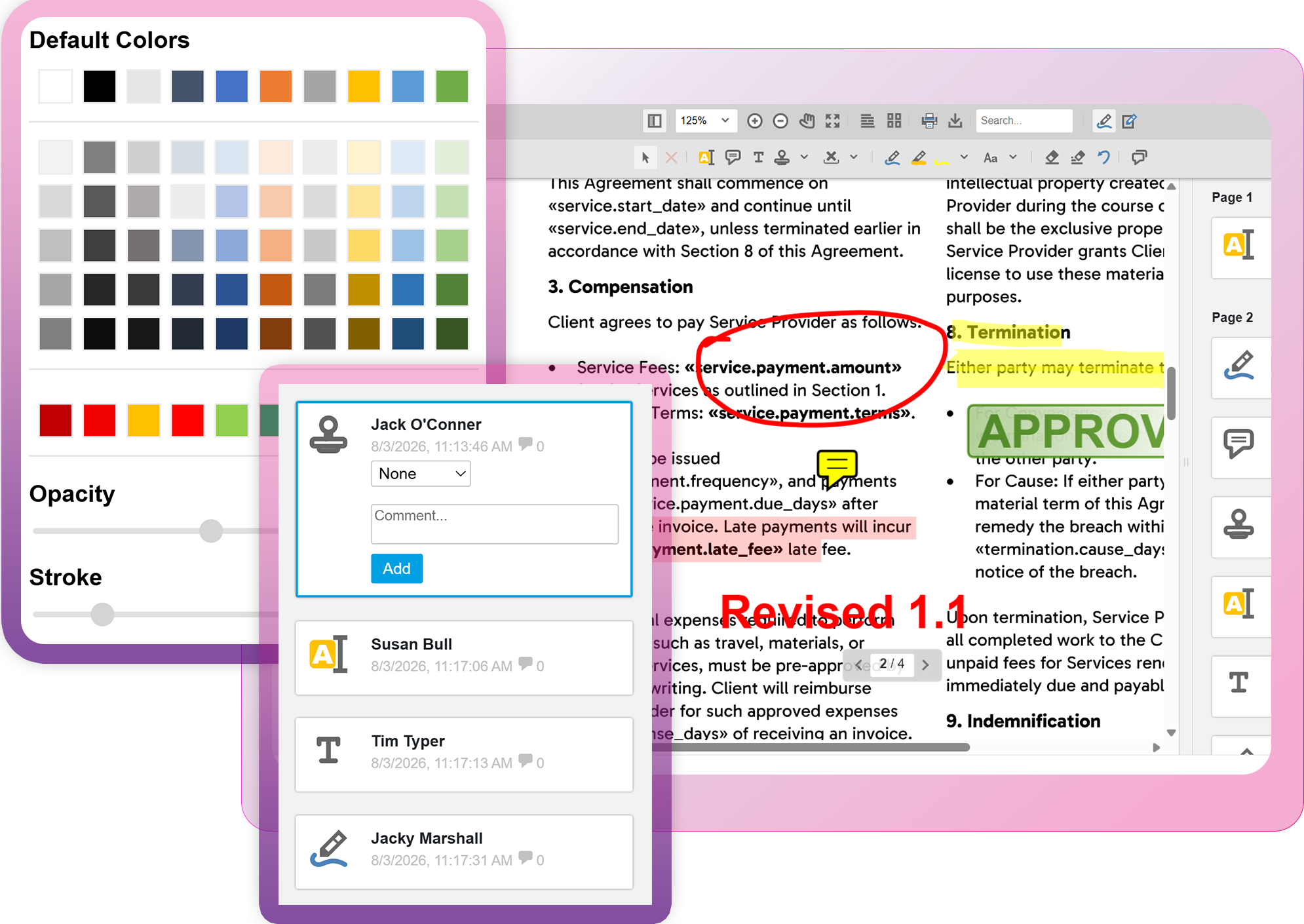
Review documents with annotations

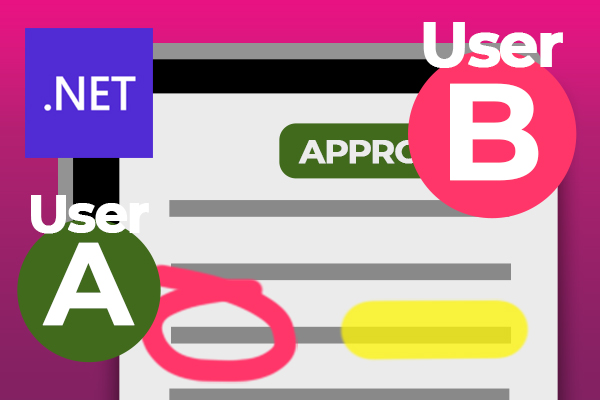
Streamline document reviews with comments, highlights, stamps, drawings, and text annotations without modifying the original document. Store, share, and synchronize annotations separately as JSON, enabling collaborative review workflows, version-independent markups, and seamless multi-user document collaboration.

Launch demo

Review documents with annotations
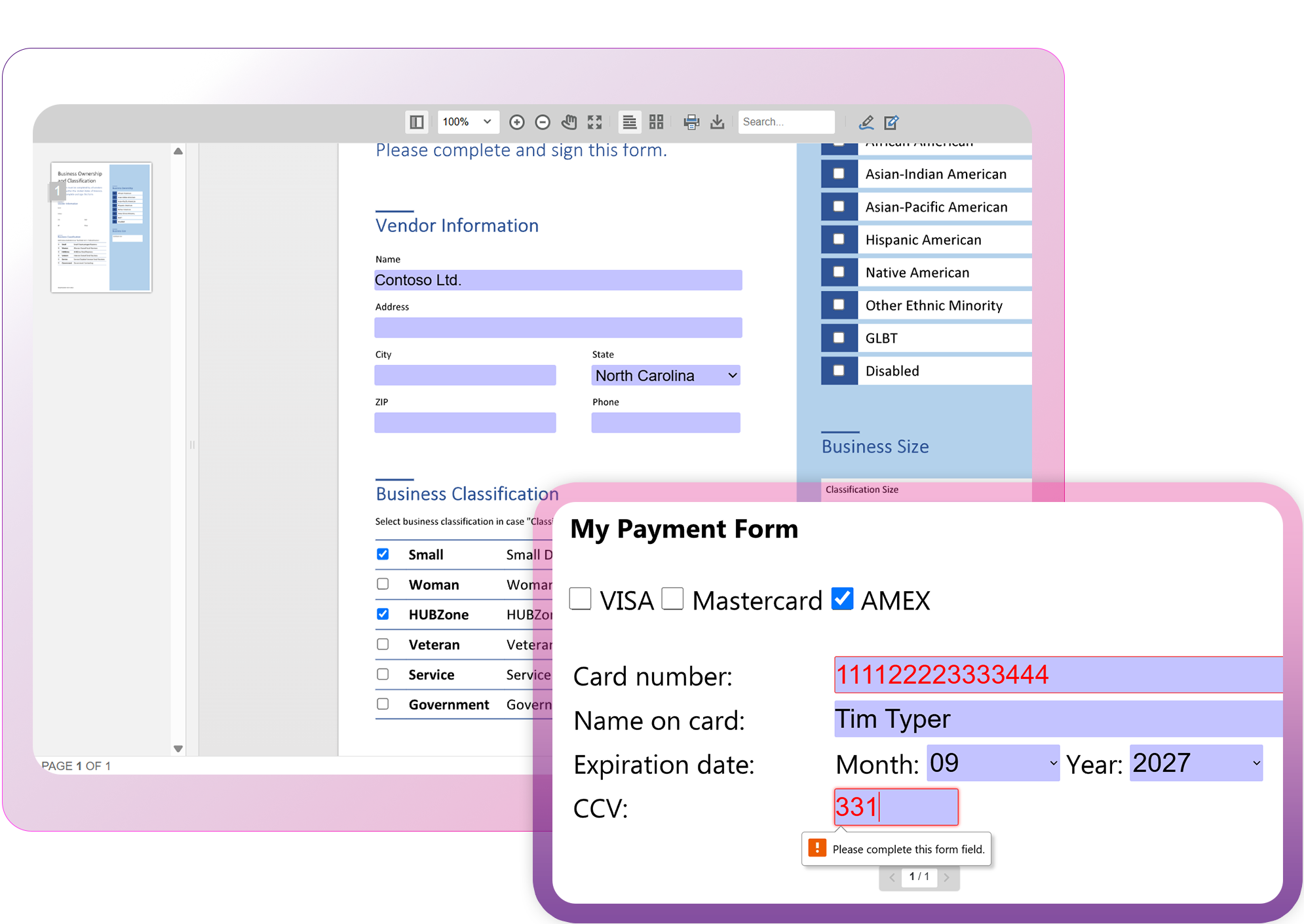
Build intelligent document forms

Build intelligent document forms

Transform documents into interactive workflows with smart form fields. Add text inputs, checkboxes, drop-down lists, date pickers, and other controls directly to documents in the viewer. Use conditional logic to create dynamic forms that guide users, simplify data entry, and adapt to complex business processes.

Launch demo

AI Ready

Designed for developersDesigned for devs
Ready for AI

Robot

AI coding assistants like ChatGPT, Claude, GitHub Copilot, and OpenAI Codex, along with autonomous development agents, are now part of modern software development.

TX Text Control is built to integrate seamlessly with them.

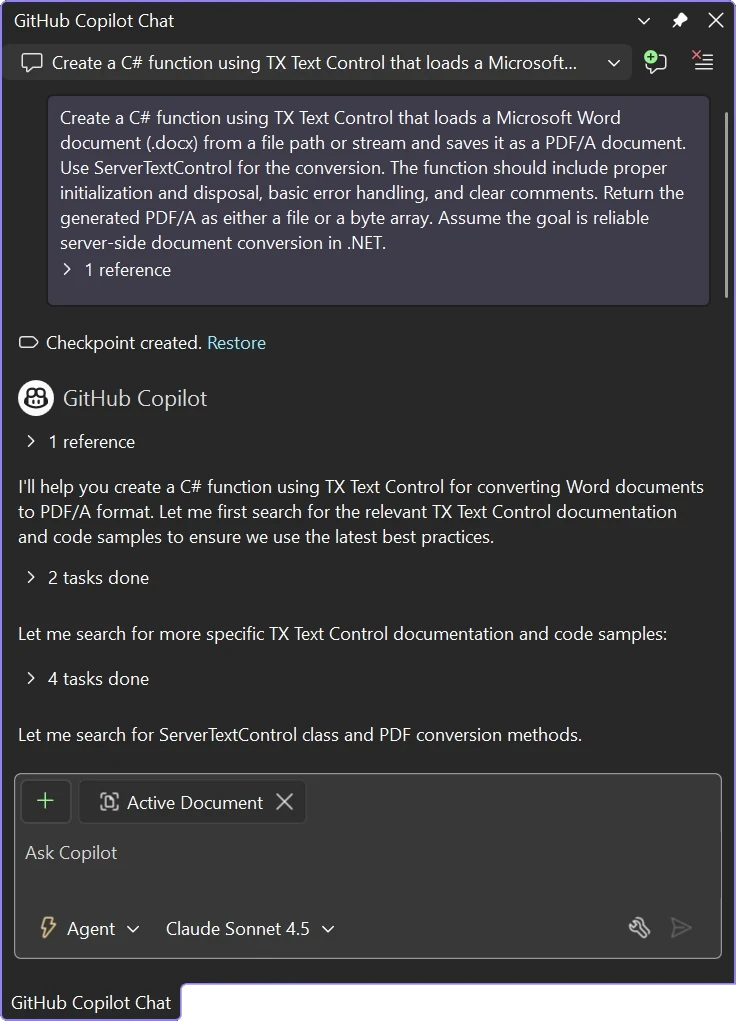
Chat with TX Text Control resources in GitHub Copilot

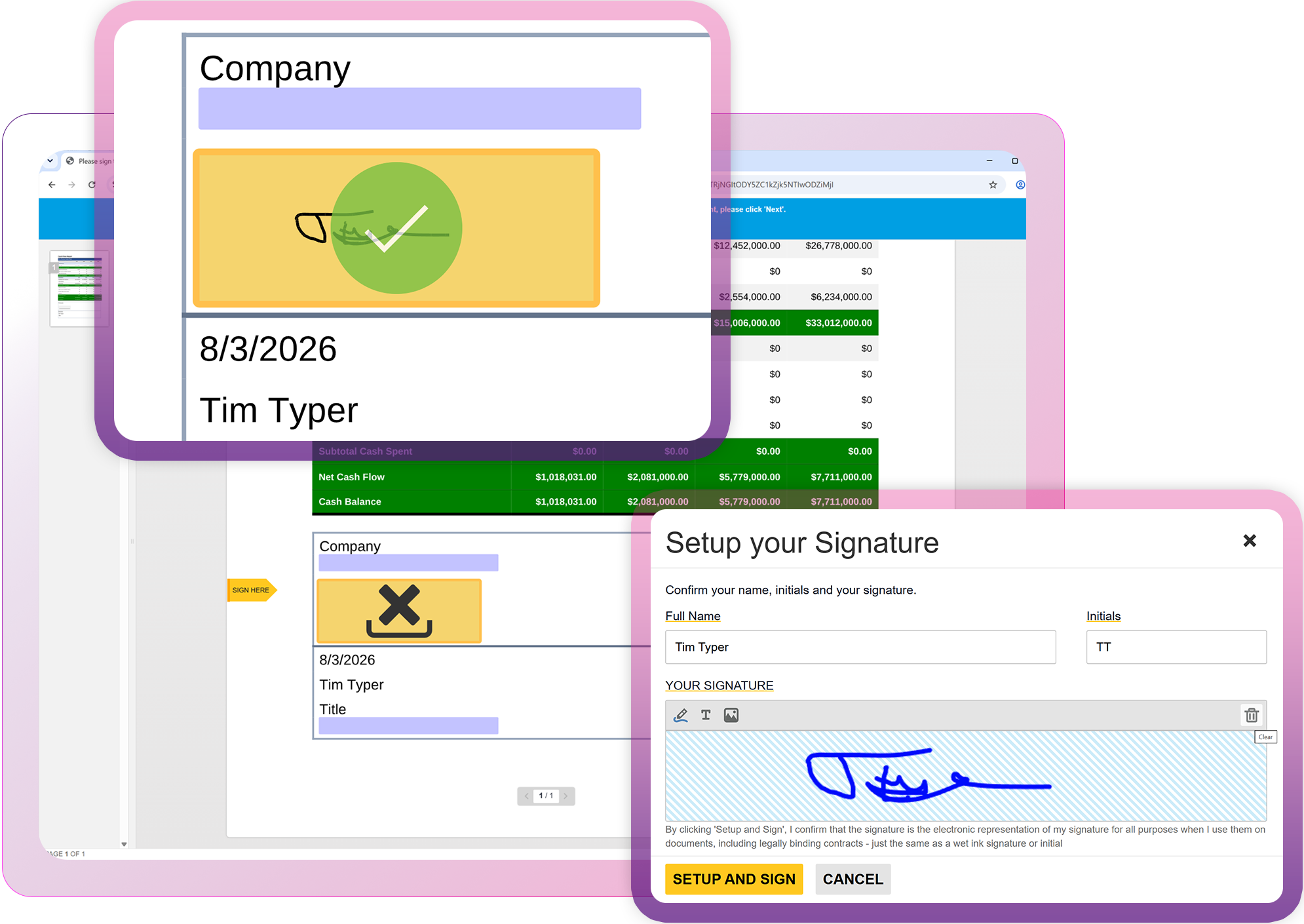
Keep signing workflows in your application

Create, review, and sign documents directly inside your application without relying on external services. Keep documents, form fields, signing requests, and completed workflows under your control while delivering a seamless, secure signing experience.

Launch demo

Keep signing workflows in your application

Technical Insights

Deep dive articles

ASP.NETASP.NET Core

Streamline Data Collection with Embedded Forms in C# .NET

Discover how to enhance your C# .NET applications by embedding forms for data collection. This article explores the benefits of using Text Control's ASP.NET and ASP.NET Core components to create seamless user experiences with PDF forms.

ASP.NETASP.NET Core

Optimizing Digital Signature Workflows: Starting with MS Word DOCX Files Instead of PDFs in C#

Starting a digital signature workflow with MS Word DOCX files instead of PDFs provides greater flexibility, ease of editing, and collaboration during the document preparation phase. DOCX files are easier to edit and allow multiple stakeholders to contribute without the need for specialized software.

ASP.NETASP.NET Core

View MS Word DOCX and PDF Documents using a .NET C# Document Viewer

Learn how to view MS Word DOCX and PDF documents using a .NET C# Document Viewer for ASP.NET Core and ASP.NET. This article shows how to integrate the TX Text Control Document Viewer into your ASP.NET Core and ASP.NET applications.

ASP.NETASP.NET Core

Adding and Sharing Annotations across Document Types using the Document Viewer in ASP.NET Core C#

Learn how to add and share annotations across different document types using the Document Viewer in ASP.NET Core C#. This article shows how to create a simple web application that allows users to view and annotate documents in a collaborative environment.

FAQ

Frequently asked

questions

Stay in the loop!

Subscribe to the newsletter to receive the latest updates.

Start a free 30-day evaluation today!

No credit card required