









Your Requirements - Our Features
These features are available in TX Text Control .NET for Windows Forms
MS Word
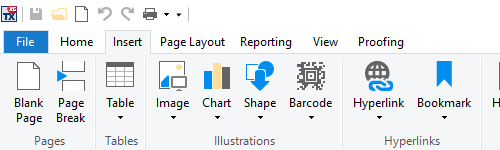
Add MS Word Inspired Look and Feel to your Applications
TX Text Control .NET for Windows Forms provides comprehensive, MS Word compatible text formatting, powerful mail merge features, and all document processing key concepts that you expect from a fully-featured word processor.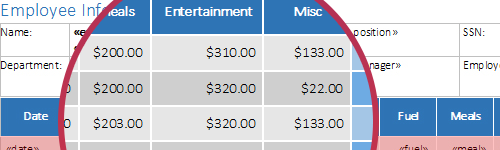
Reporting
Powerful Reporting Engine
TX Text Control Reporting combines the power of a reporting tool with an easy-to-use WYSIWYG document processor - fully programmable and embeddable in your Windows Forms application.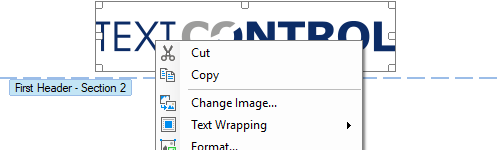
Core Processing
Advanced Document Editing Feature-Set
Integrate professional document processing features into your Windows Forms applications such as headers and footers, tables, page sections, background images, protected sections, hyphenation, and many more.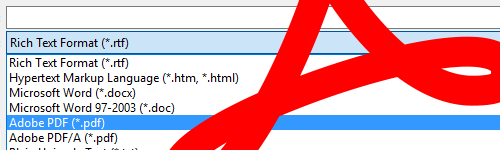
Browser
Create, Import, and Edit Adobe PDF & PDF/A
Using TX Text Control .NET for Windows Forms, you can create Adobe PDF and PDF/A documents, including document access security settings and digital signatures. Additionally, "digitally born" PDF documents can be imported, viewed, edited, and converted.Features in detail
| Feature description | Ent Enterprise | Pro Professional | Exp Express |
|---|---|---|---|
| 1D and 2D Barcode Support | | | |
| Bullets and Numbered Lists | | | |
| Character and Paragraph Formatting | | | |
| Clipboard Operations | | | |
| Document Sections | | | |
| Drawings and Shapes | | | |
| Footnotes | | | |
| Headers and Footers | | | |
| Hypertext Links | | | |
| Image Formats | | | |
| Images | | | |
| Integrated Dialog Boxes | | | |
| Loading from and Saving to Databases | | | |
| Multi-Level Undo and Redo | | | |
| Page Columns | | | |
| Page and Document Settings | | | |
| Print and Print Preview | | | |
| Search and Replace | | | |
| Spell Checking | | | |
| Stylesheet Formatting | | | |
| Table Headers | | | |
| Tables | | | |
| Text Frames | | | |
| Zooming | | | |
| Feature description | Ent Enterprise | Pro Professional | Exp Express |
|---|---|---|---|
| 64-bit Version | | | |
| Comments | | | |
| Control Settings | | | |
| Data Binding | | | |
| Data Source Manager | | | |
| Document Protection | | | |
| Excel Formulas | | | |
| Form Fields | | | |
| Line and Character Operations | | | |
| Marked Text Fields | | | |
| Merge Fields | | | |
| Page Rendering Engine | | | |
| Programming Paragraphs | | | |
| Reporting and Mail Merge | | | |
| Ribbon Control | | | |
| Stylesheet Programming | | | |
| Table of Contents | | | |
| Text Selections and Character Input | | | |
| Toolbars | | | |
| Track Changes | | | |
| XML Programming | | | |
| Feature description | Ent Enterprise | Pro Professional | Exp Express |
|---|---|---|---|
| Multi-Language Support | | | |
| Unicode | | | |
| Feature description | Ent Enterprise | Pro Professional | Exp Express |
|---|---|---|---|
| Adobe PDF/A-3a | | | |
| Adobe PDF/A-3b | | | |
| Adobe PDF/UA (PDF Universal Accessibility) | | | |
| Adobe Portable Document Format (PDF) Export | | | |
| Adobe Portable Document Format (PDF) Import | | | |
| Adobe Portable Document Format Archive (PDF/A) Export | | | |
| Cascading Style Sheet (CSS) | | | |
| Document Type Description (DTD) | | | |
| Extensible Markup Language (XML) | | | |
| Hypertext Markup Language (HTML) | | | |
| Markdown (MD) | | | |
| Microsoft Excel (XSLS) | | | |
| Microsoft Office Open XML (DOCX) | | | |
| Microsoft Word (DOC) | | | |
| Rich Text Format (RTF) | | | |
| Feature description | Ent Enterprise | Pro Professional | Exp Express |
|---|---|---|---|
| Microsoft C# .NET (2017, 2019, 2022) | | | |
| Microsoft Visual Basic .NET (2017, 2019, 2022) | | | |