


Setting the Interface and Control's Culture of Web.TextControl

Web.TextControl X13 localizes the interface by setting CultureName and UICultureName properties in Web Forms or via MVC HtmlHelper lambda expressions. The control adapts ribbon labels, dialog text, date formats, and ruler units to the specified locale, defaulting to browser settings.

Since version X13 (23.0), the control culture and UI culture of the HTML5 based editor Web.TextControl can be defined using the properties Culture and UICulture.
By default and if not specified by the above properties, the user language is defined by the client user settings. For example, if the user specifies a language in the browser language settings, the language of the editor is adapted automatically. The following screenshot shows the Languages dialog of the browser Firefox:
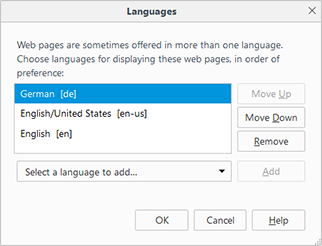
With the above settings, the interface and control language will be set to German automatically. The date and time string formats, the ruler bar units and the string resources such as ribbon bar titles and dialog boxes are localized:
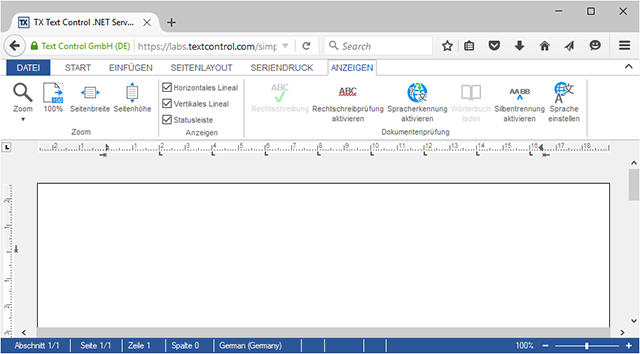
English and German resources are included by default and all other languages can be used by creating satellite assemblies using the TX Text Control resource kit. This is described in the following documentation article:
In the ASP.NET Web Forms (AJAX) control, the properties can be easily adjusted in the Properties Window:
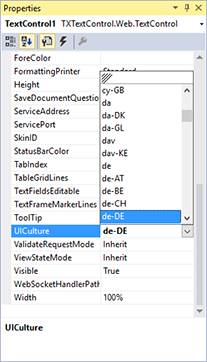
In the ASP.NET MVC version, these properties can be set using lambda expressions directly in the HtmlHelper:
@Html.TXTextControl().TextControl(settings =>
{
    settings.UICulture = System.Globalization.CultureInfo.GetCultureInfo("en-US");
    settings.Culture = System.Globalization.CultureInfo.GetCultureInfo("en-US");
}).Render()
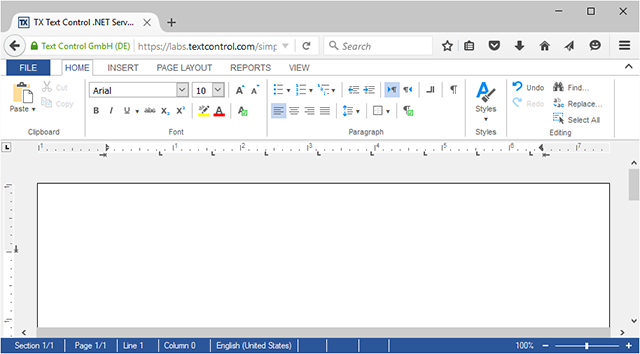
When these settings are set to English explicitly, the control is created with English settings and resources:
Reporting
The Text Control Reporting Framework combines powerful reporting features with an easy-to-use, MS Word compatible word processor. Users can create documents and templates using ordinary Microsoft Word skills. The Reporting Framework is included in all .NET based TX Text Control products including ASP.NET, Windows Forms and WPF.
Related Posts
Sneak Peek X15: Custom Field Overlays in HTML5-based Text Control
TX Text Control X15 introduces a bounds property on fields in Web.TextControl, returned through the textFieldEntered event. Developers can position custom HTML overlays at field locations to…
New ASP.NET MVC DocumentViewer Rolled out to the ReportingCloud Portal
The ReportingCloud portal now features an ASP.NET MVC DocumentViewer for previewing stored templates. It loads pages asynchronously, displays thumbnail navigation in a sidebar, supports text…
Updated MVC Sample: Loading Files from the Backstage Menu
The ASP.NET MVC backstage menu sample has been updated to TX Text Control X14 with the latest NuGet packages. The backstage view replaces the default file menu with a customizable, MS Word-style…
ASP.NETJavaScriptDocument Editor
Detect Toggle Button Changes Using a MutationObserver
This article shows how to detect changes of toggle buttons in the ribbon of the web editor using a MutationObserver. The state of a toggle button in the ribbon visualizes the state of a certain…
Implementing Conditional Table Cell Colors with MailMerge
This ASP.NET MVC sample shows how to implement conditional table cell colors using the online document editor and an ASP.NET backend.