





Products Technologies Demo Docs Blog Support Company

TX Text Control AI TX Text Control AI

Private AI for Real Document Workflows

Build .NET applications that understand, create, and edit documents. Combine local AI models, private reference knowledge, and TX Text Control document processing in your own environment.

SamplesLearn more

AI document workflows with TX Text Control

Trusted by leading enterprises worldwide

AI document capabilities

From a question to a finished document

Bring language understanding, private knowledge, and professional document operations into your application.

Create documents

Create documents

Turn a request into an editable proposal, report, invoice, or letter with professional document layout.

Understand content

Understand content

Summarize uploaded documents, ask questions about their contents, and explore the information they contain.

Edit with instructions

Edit with instructions

Rewrite selected text and apply requested changes to document styles, formatting, and structure.

Use private knowledge

Use private knowledge

Ground answers in approved policies, templates, and reference material, and compare them with a working document.

Extract structured data

Extract structured data

Extract document information into structured responses that your application can use in downstream workflows.

Deliver the result

Deliver the result

Let users review and edit the working document, then export it to PDF or another supported format.

Connected workflows

Understand. Create. Refine.

Combine AI assistance with document operations and approved reference knowledge in a workflow your application controls.

Understand capabilities

Explore document content and bring the relevant information into your application.

  • Document summaries and questions
  • Structured information extraction
  • Private reference collections
  • Keyword, semantic, and hybrid retrieval
  • Answers with source references
  • Comparison with approved wording
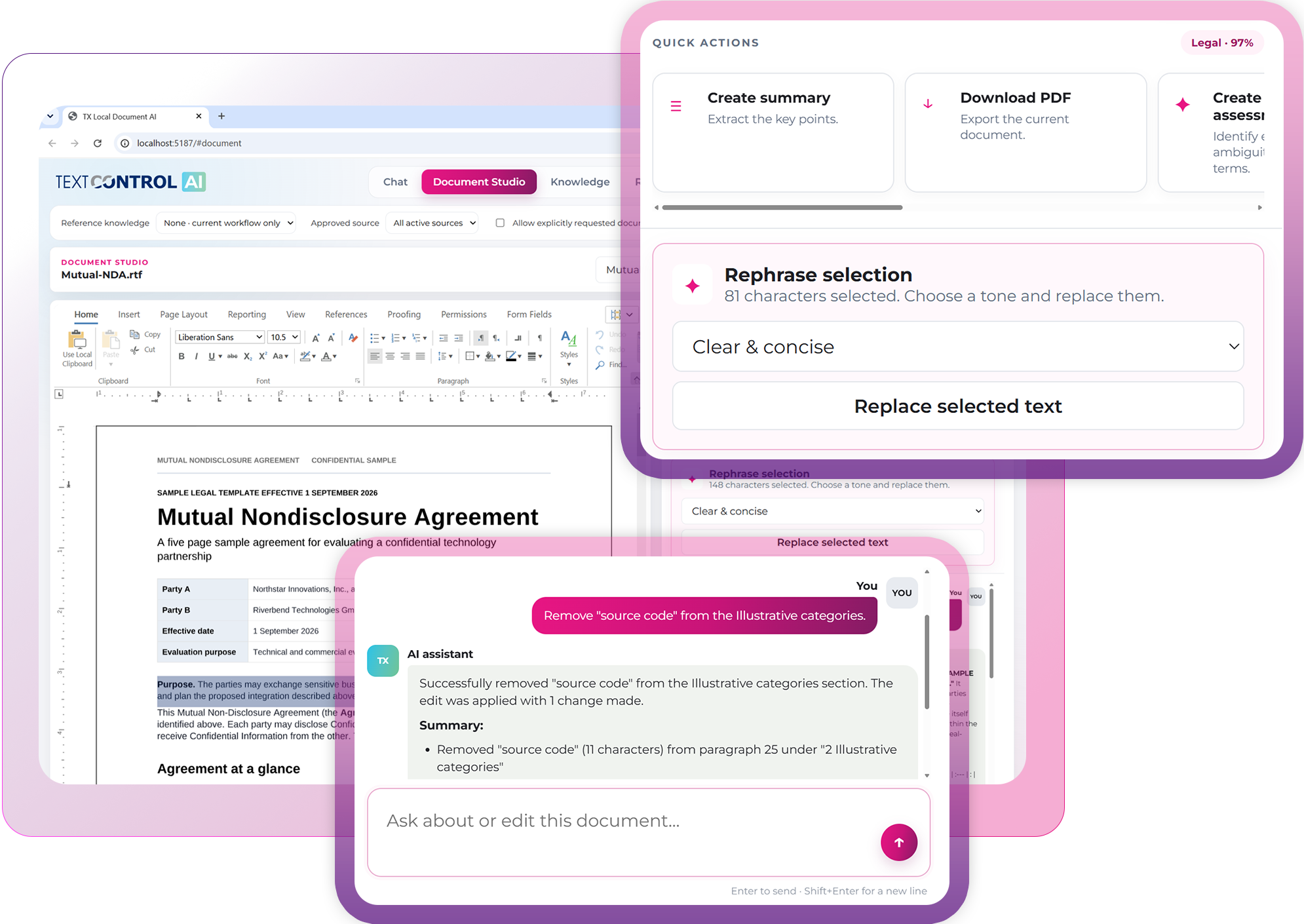
TX Text Control Document Studio with a document and AI conversation

Work on the document, right inside the editor

Give users AI assistance alongside their working document. Summarize content, rewrite a selection, or request a change to a named style. Supported edits are applied to the document and reloaded into the editor.

Create a draft, refine its content and formatting, and export the result. Users can review the document throughout the workflow and decide which changes to authorize.

Explore Document Studio

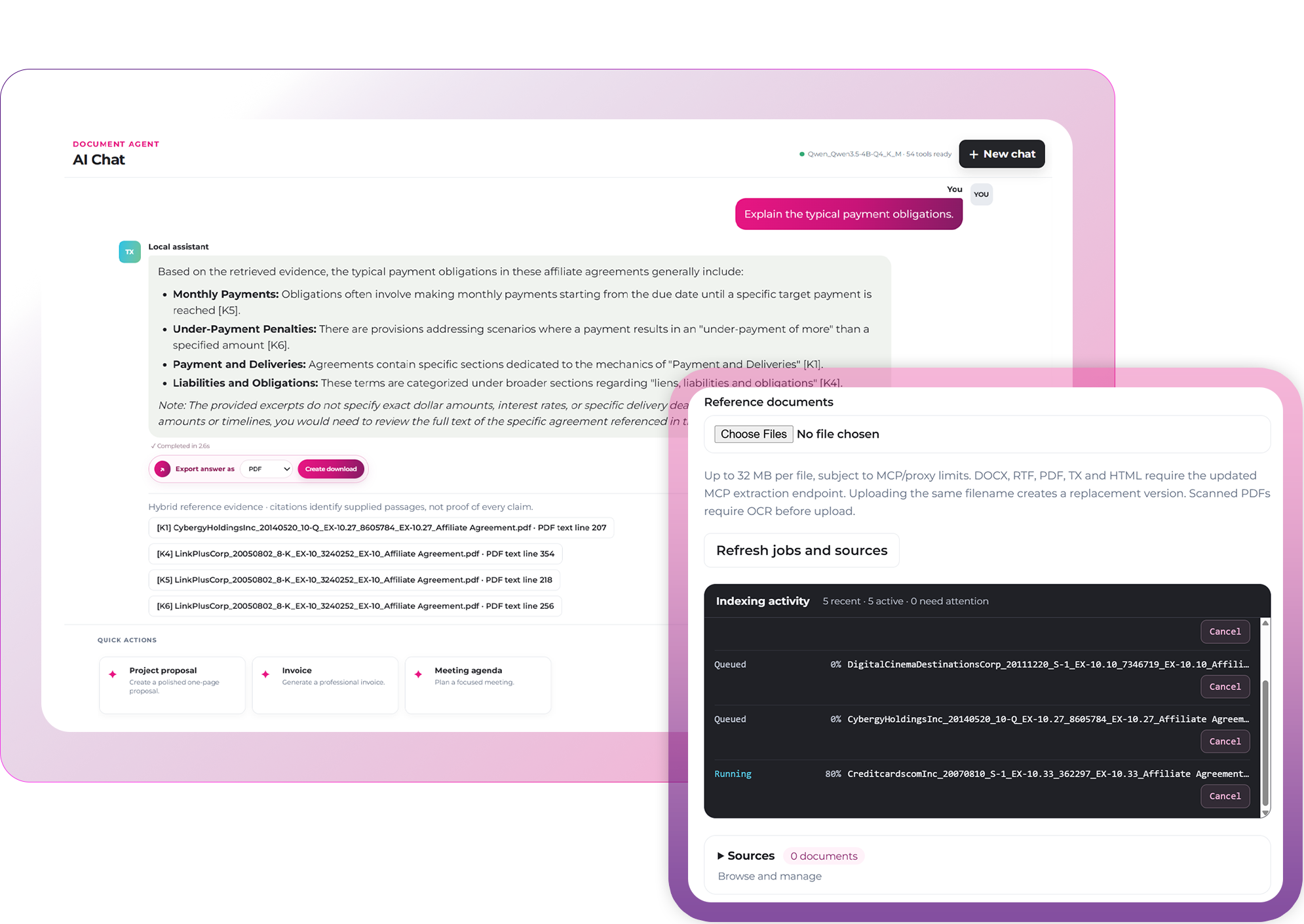
Bring your knowledge into the conversation

Ground answers in approved internal documents. Create private collections of policies, clause libraries, manuals, and templates. Track source versions and retrieve relevant passages with keyword search, optional semantic search, or a combination of both.

Use source references to inspect an answer or compare a working document with approved wording. Reference documents remain read-only; applying wording to the working document requires an authorized edit.

Retrieval-augmented generation (RAG) supplies relevant context during a request. Updating a reference collection does not require retraining the chat model.

Explore private knowledge

Reference knowledge selected in TX Text Control AI
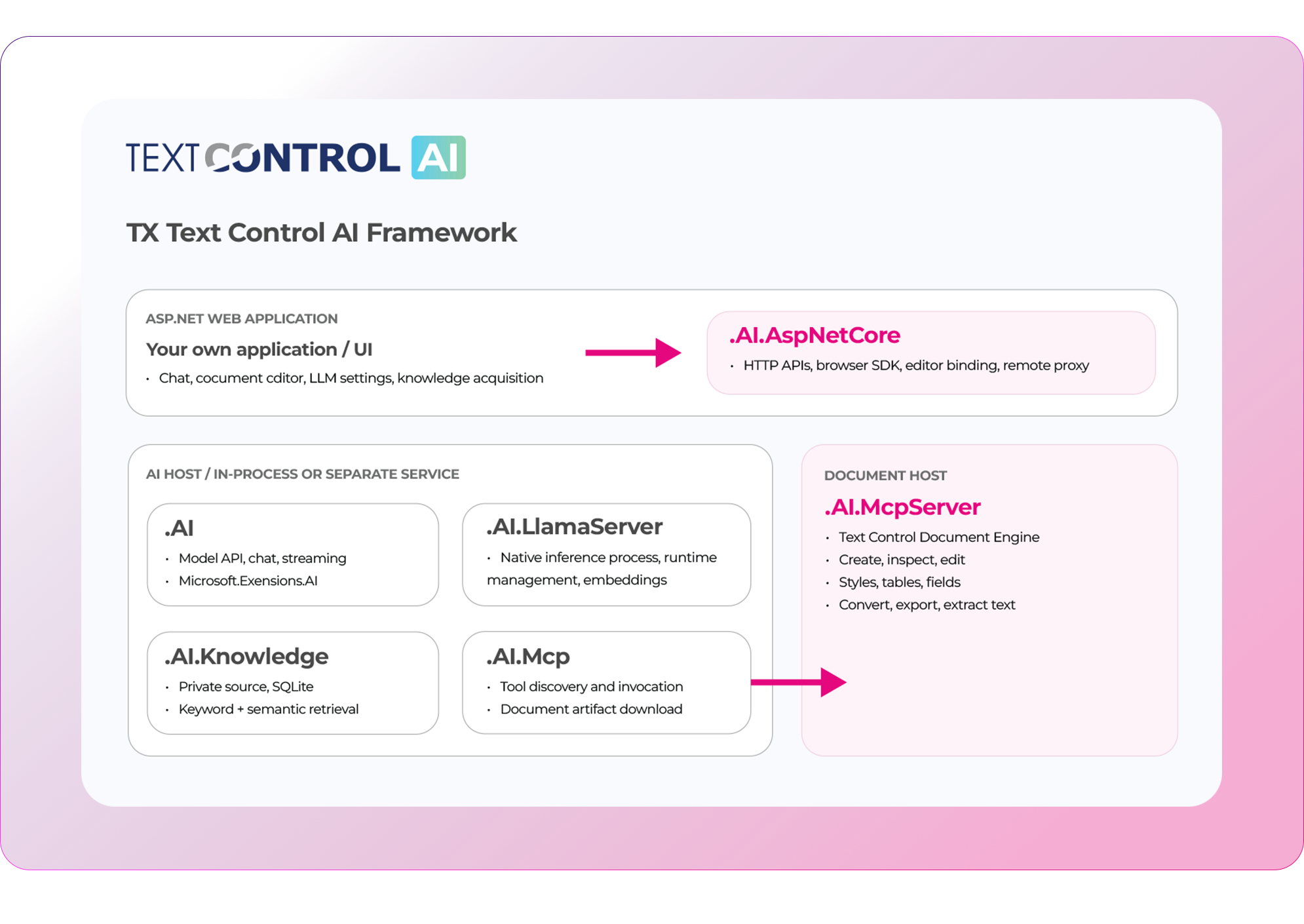
Separate web, AI, and MCP document hosts for private GPU inference

Run AI in your own environment

Choose where inference and document processing take place. Start on a development workstation or move AI inference to a shared GPU server within your organization.

The web host owns your pages and Document Editor integration. A separate AI service can manage models, the inference runtime, embeddings, and Knowledge. The MCP host handles document processing and rich-document extraction.

Connect the web application to the AI service through an authenticated server-side proxy. Your application retains ownership of identity, access rules, and deployment policies.

Explore hosting options

Professional document processing behind every action

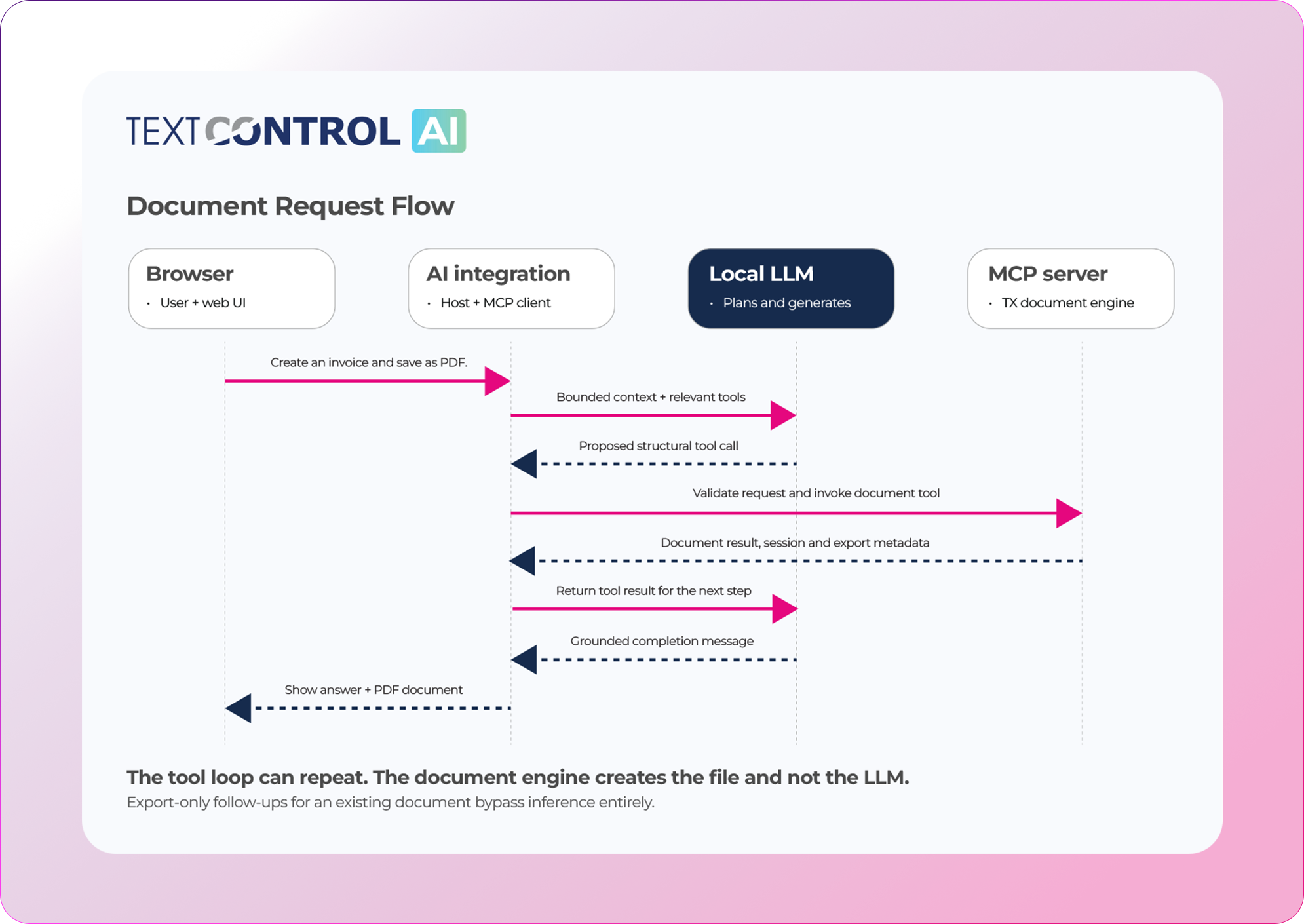
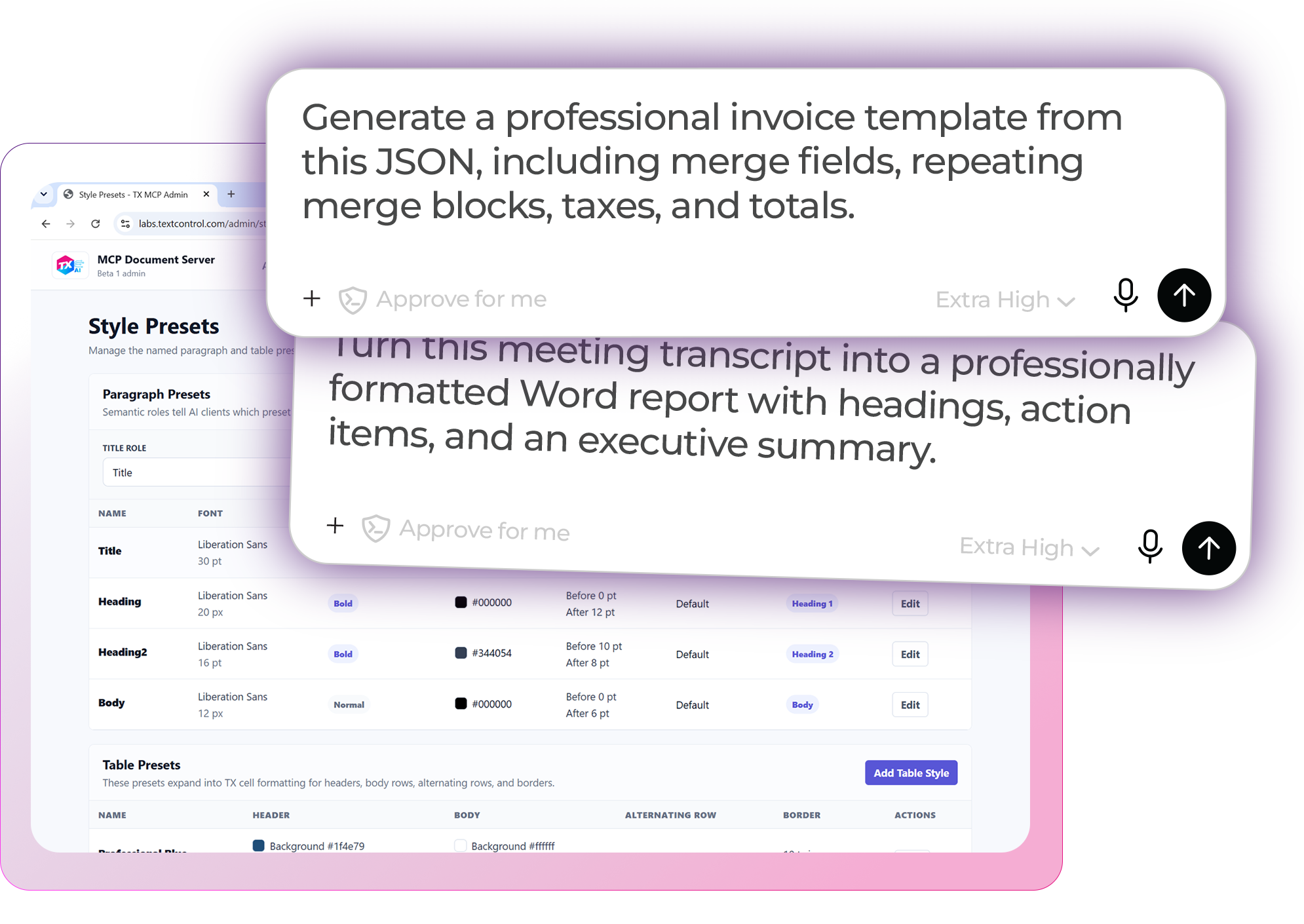
Connect language requests to real document operations through MCP. The model proposes supported tool calls, the integration coordinates the workflow, and TX Text Control creates, modifies, renders, and exports the document.

Work with document styles, tables, fields, and templates while the document engine handles structure, layout, and pagination. Return editable Word-compatible documents and PDF output to your application.

Explore document tools

Document request flow from the browser through AI integration and a local LLM to MCP document processing and PDF output

Build with .NET

Start small. Explore the complete workflow.

Six NuGet packages and ten sample applications provide starting points for local AI, browser integration, private knowledge, and document processing.

Focused .NET samples

Focused .NET samples

Start with chat, streaming, structured output, or tool calling. Connect a console assistant to MCP, or build a small custom web interface.

Web Document Assistant

Web Document Assistant

Explore Chat, Document Studio, Knowledge, runtime administration, and exports in a complete application you can customize.

Independent services

Independent services

Host AI and Knowledge separately from your website. Use a minimal MCP document host or explore the full server administration sample.

Text Control AI

NuGet toolkit

Your app.
Your AI stack.

Choose the capabilities your workflow needs. Keep your own interface, business rules, and deployment.

Understand and generate

Chat, streaming, and structured responses.

TXTextControl.AI

Run your models

Local inference, runtime management, and embeddings.

TXTextControl.AI.LlamaServer

Build the experience

Web endpoints and browser integration for your UI.

TXTextControl.AI.AspNetCore

Add your knowledge

Private collections, indexing, and reference retrieval.

TXTextControl.AI.Knowledge

Connect document tools

Discover tools, invoke operations, and retrieve files.

TXTextControl.AI.Mcp

Put documents to work

Host document creation, editing, and export through MCP.

TXTextControl.AI.McpServer

Requires licensed TX Text Control products, a compatible model, and a native inference runtime.

Developer resources

Build with AI development tools

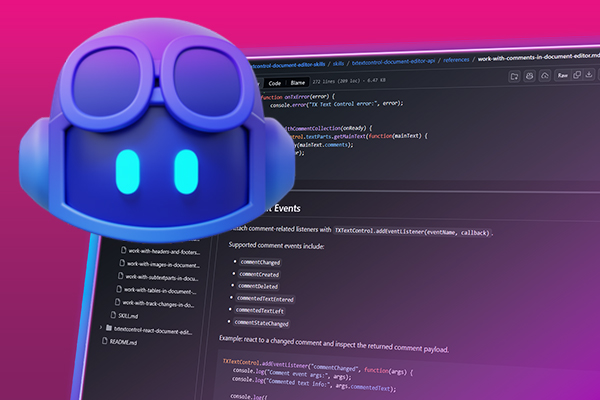
Give coding assistants access to TX Text Control documentation and reusable Agent Skills. These development resources complement the MCP document service that performs operations in your application.

Robot

AI coding assistants like ChatGPT, Claude, GitHub Copilot, and OpenAI Codex, along with autonomous development agents, are now part of modern software development.

TX Text Control is built to integrate seamlessly with them.

Chat with TX Text Control resources in GitHub Copilot

Technical Insights

Deep dive articles

AIASP.NET

Introducing TX Text Control AI: Private AI for Real Document Workflows in .NET C#

Explore six NuGet packages and ten sample applications for local AI, private knowledge retrieval, and document processing in .NET.

.NETAI

Running a Local LLM in .NET C#

Build an interactive .NET C# console chat with TX Text Control AI. Download a GGUF model, stream local replies through IChatClient, and retain conversation history without an OpenAI account or API key.

AIASP.NET

AI Natural Language Document Generation with MCP and TX Text Control .NET

This article explains how AI agents can use natural language to create documents through an MCP server. Instead of letting a language model generate documents directly, the AI translates prompts into structured tool calls while TX Text Control performs the actual document processing.

AIASP.NET

Introducing Text Control Agent Skills

Text Control Agent Skills are structured definitions that teach AI coding assistants how to build applications with the TX Text Control Document Editor. Each skill contains step-by-step instructions and reference docs that guide the AI through correct API usage and patterns.

FAQ

Frequently asked

questions

Stay in the loop!

Subscribe to the newsletter to receive the latest updates.

Start a free 30-day evaluation today!

No credit card required