









Text Control Reporting: Getting-Started and Basic Concepts

Text Control published getting-started documentation for its reporting engine, covering the Template Designer workflow with a sample database and the integration of merge processes into .NET applications. A companion glossary explains core concepts like merge fields and blocks.

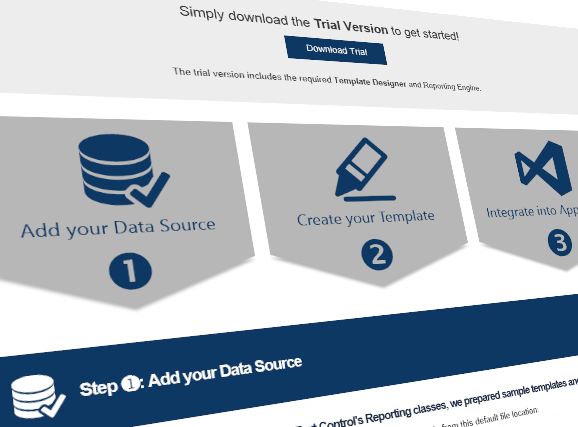
We just launched a new Text Control Reporting Getting Started and Reporting Concepts overview documentation.
This very easy-to-use getting started tutorial shows how to use the Template Designer with a sample database and templates and how to integrate the merging process into your .NET application.
The Reporting Concepts glossary gives a good overview and explanation of basic concepts such as Merge Fields and Merge Blocks.
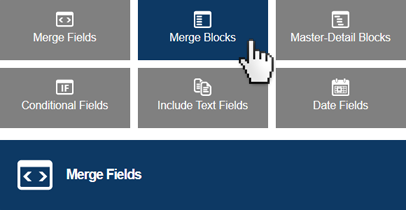
Learn more about the reporting capabilities of Text Control:
Reporting
The Text Control Reporting Framework combines powerful reporting features with an easy-to-use, MS Word compatible word processor. Users can create documents and templates using ordinary Microsoft Word skills. The Reporting Framework is included in all .NET based TX Text Control products including ASP.NET, Windows Forms and WPF.
Related Posts
C# Document Generation: A Developer's Guide for .NET
Document generation refers to the automatic creation of documents from application data. The success or complexity of a document generation workflow often depends on a single early architectural…
Convert SSRS RDL Reports to DOCX and TX Text Control Templates in .NET C#
This article introduces TXTextControl.Rdl2Tx, a reusable .NET C# converter that imports SSRS RDL report definitions and creates editable DOCX and TX Text Control templates. It explains the RDL…
.NET C# PDF Generation Techniques: Which Method is Right for Your Project?
This article explains the distinct advantage TX Text Control offers with its true WYSIWYG (What You See Is What You Get) template system, where templates are designed visually, similar to…
Best Practices for Mail Merge and Form Field Processing in ASP.NET Core C#…
This article provides best practices for mail merge and form field processing in ASP.NET Core C# applications using TX Text Control .NET Server. It shows how to use the Document Editor to create…
Advantages of Flow Type Layout Reporting vs. Banded Reporting or PDF…
This article shows the advantages of flow type layout reporting compared to banded reporting or populating PDF placeholders in .NET C#. It explains the differences and the benefits of using a flow…