









Unlock the Full Value of Your TX Text Control License

Are you getting the most from your TX Text Control license? In addition to document editing, your license includes powerful technologies for document generation, PDF processing, digital signatures, reporting, AI integration, and more. Explore all that TX Text Control has to offer, and let our experts help you unlock your investment's full potential.

Many development teams first discover TX Text Control because they have a specific need. For example, they may need to generate invoices from Word templates, build a browser-based document editor, or create high-quality PDF documents. Once the project is complete and in production, the focus naturally shifts to the next challenge.
Months or even years later, we often hear the same thing from existing customers.
"I didn't know TX Text Control could do that."
The truth is that many customers only use a fraction of the capabilities included in their license. TX Text Control has evolved over the years into a comprehensive document processing platform covering the entire document lifecycle, from editing and generation to processing PDFs, adding digital signatures, creating reports, integrating AI, and deploying to enterprises. There's a good chance that your next document-related feature can be built with technology you already own.
Start with Documents, not Libraries.
One of TX Text Control's biggest advantages is that its technologies are designed to work together. Rather than integrating separate components for editing, reporting, PDF creation, digital signatures, and document processing, you work with a single platform that shares the same document model and programming concepts.
This allows you to create documents in the browser, process them on the server, merge them with business data, digitally sign them, convert them to PDF, archive them as PDF/A, and finally validate them-all within the same technology stack.
Browser-Based Document Editing
For many organizations, the browser-based Document Editor becomes the center of their document workflow. It allows users to create and edit Microsoft Word-compatible documents within a web application, eliminating the need for Microsoft Office.
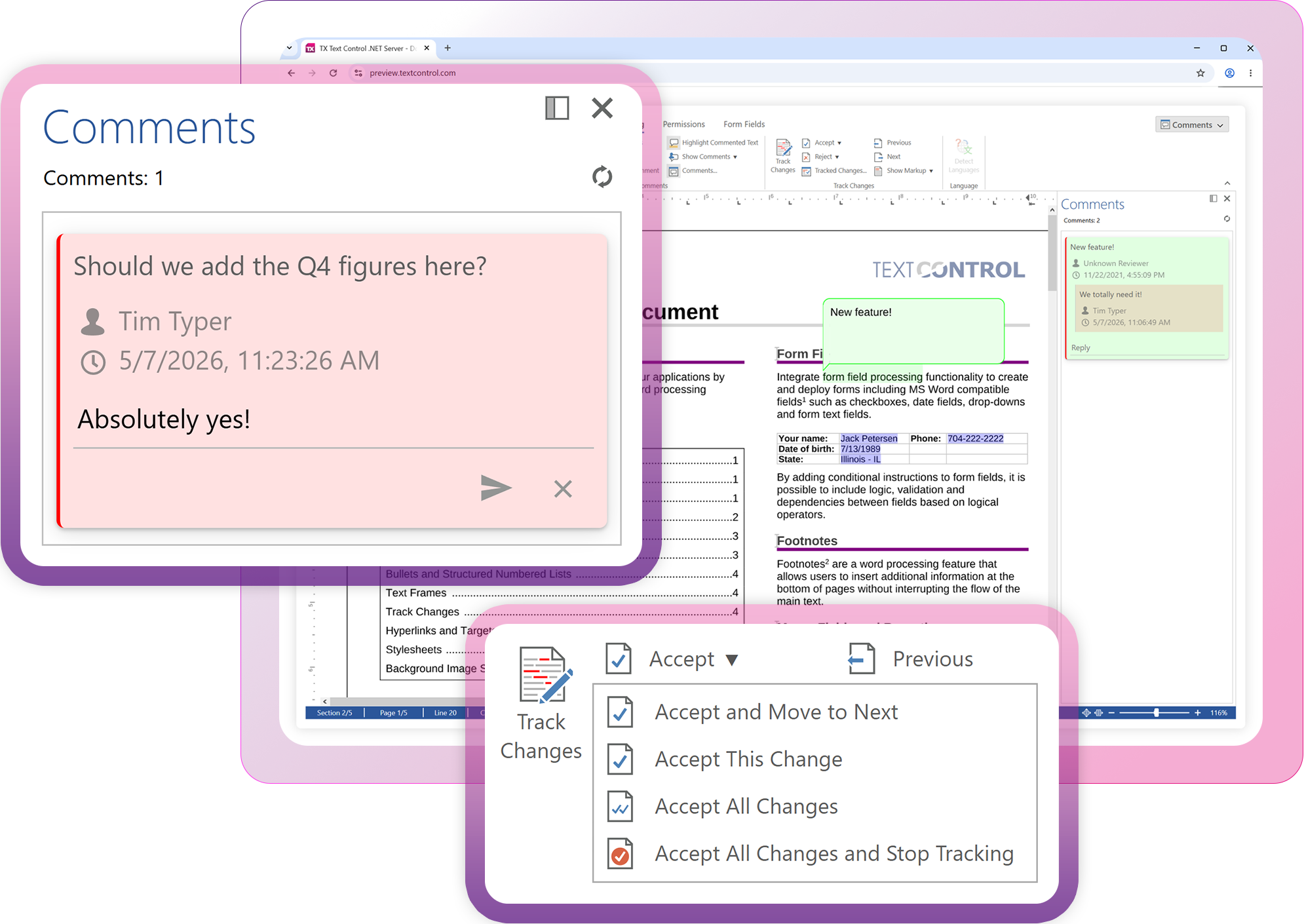
Typical applications include contract management systems, insurance portals, healthcare applications, CRM systems, and document management platforms. Users can work with familiar Word features, such as tables, images, headers and footers, page layout, comments, Track Changes, content controls, form fields, and digital signature fields, while developers maintain full control of the editing experience.
Since templates and documents are fully compatible with Microsoft Word, business users can continue using the tools they know while developers automate every step of the process.
High-Performance Document Generation
Document generation is one of TX Text Control's most widely used capabilities. Organizations use it every day to automatically generate invoices, quotations, contracts, financial reports, shipping documents, certificates, healthcare records, and customer correspondence.
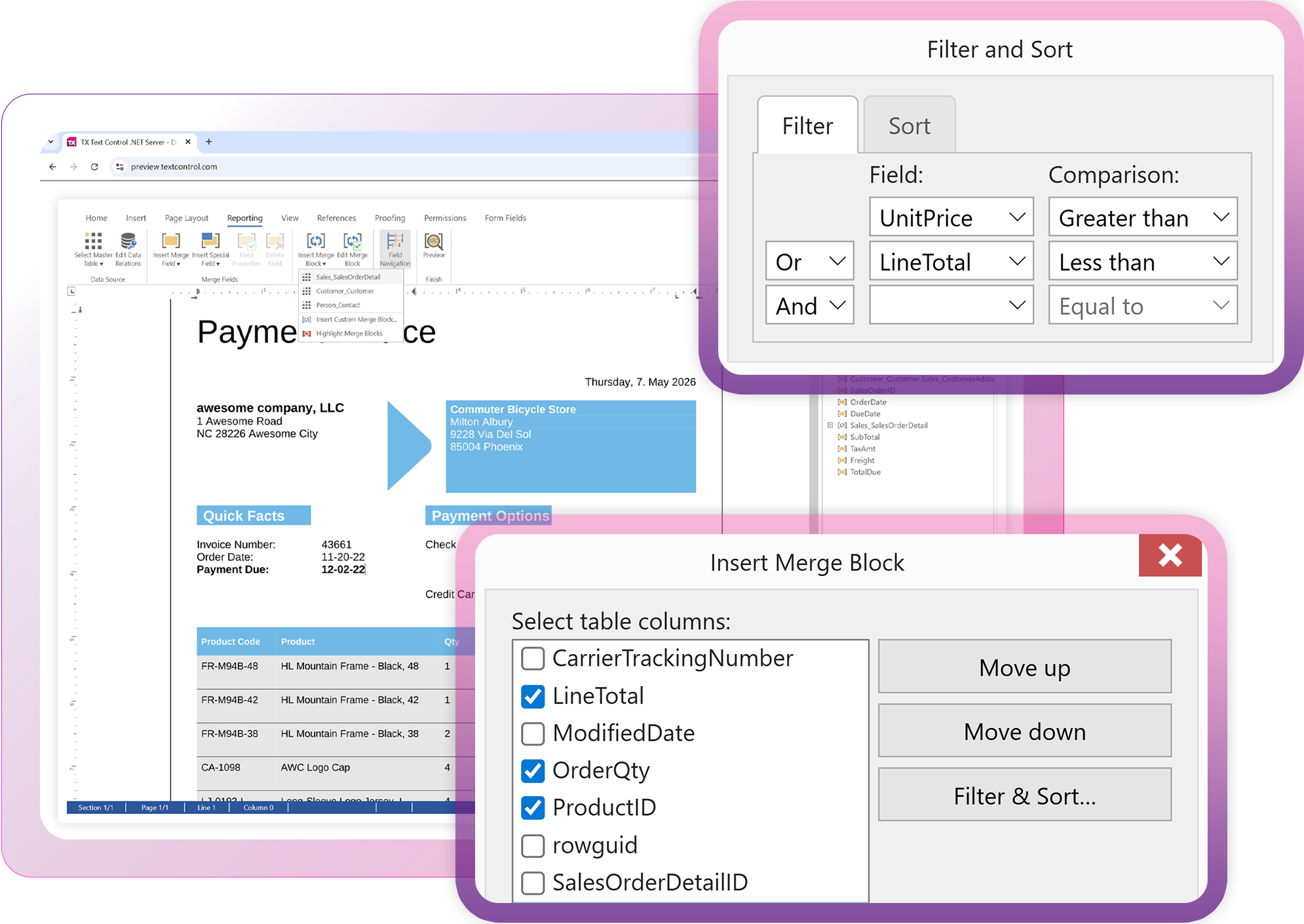
The reporting engine combines the flexibility of Microsoft Word templates with powerful server-side processing. Data can be merged from JSON, XML, or .NET objects while supporting complex scenarios, such as nested repeating blocks, master-detail relationships, conditional content, grouping, sorting, filtering, and dynamic sections. Business users design templates visually while developers focus on supplying the data.
This separation of layout from business logic makes reporting projects easier to maintain and significantly reduces development effort.
Professional PDF Processing
Many developers equate PDF generation with simply exporting a document, but modern business applications demand much more.
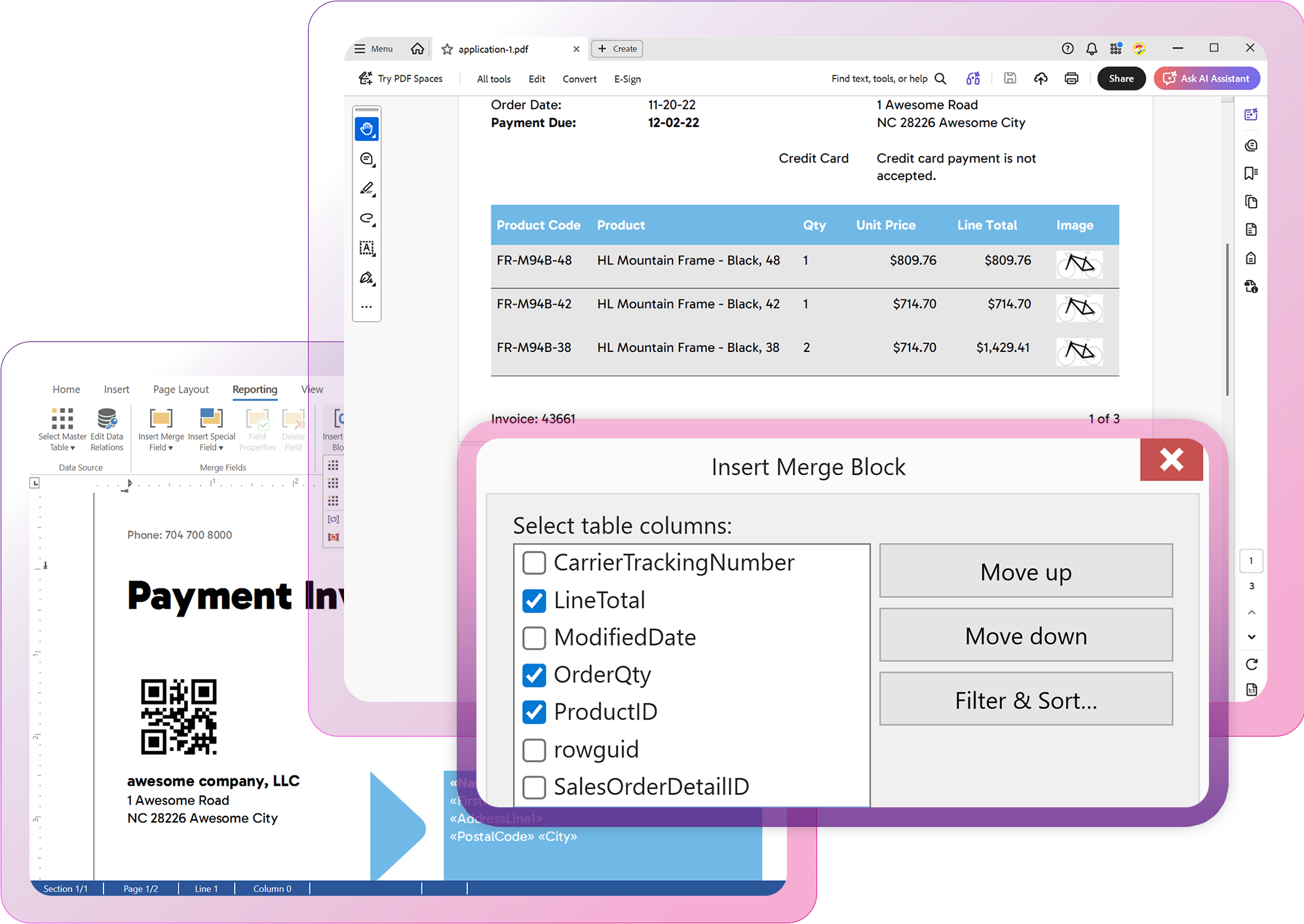
TX Text Control supports the entire PDF workflow, including pixel-perfect document generation and advanced standards such as PDF/A for long-term archiving and PDF/UA for accessibility. With TX Text Control, applications can create fillable PDF forms, embed files, password-protect and restrict access to documents, apply digital signatures, and include trusted timestamps for long-term validation.
These capabilities are particularly valuable in industries such as banking, insurance, healthcare, manufacturing, and government, where regulatory compliance and long-term document preservation are essential requirements rather than optional features.
Secure Documents with Digital Signatures
Digital signatures have become an integral part of modern document workflows. Whether you're processing employment contracts, loan agreements, healthcare forms, or approval documents, it's increasingly important to prove who signed a document and when.
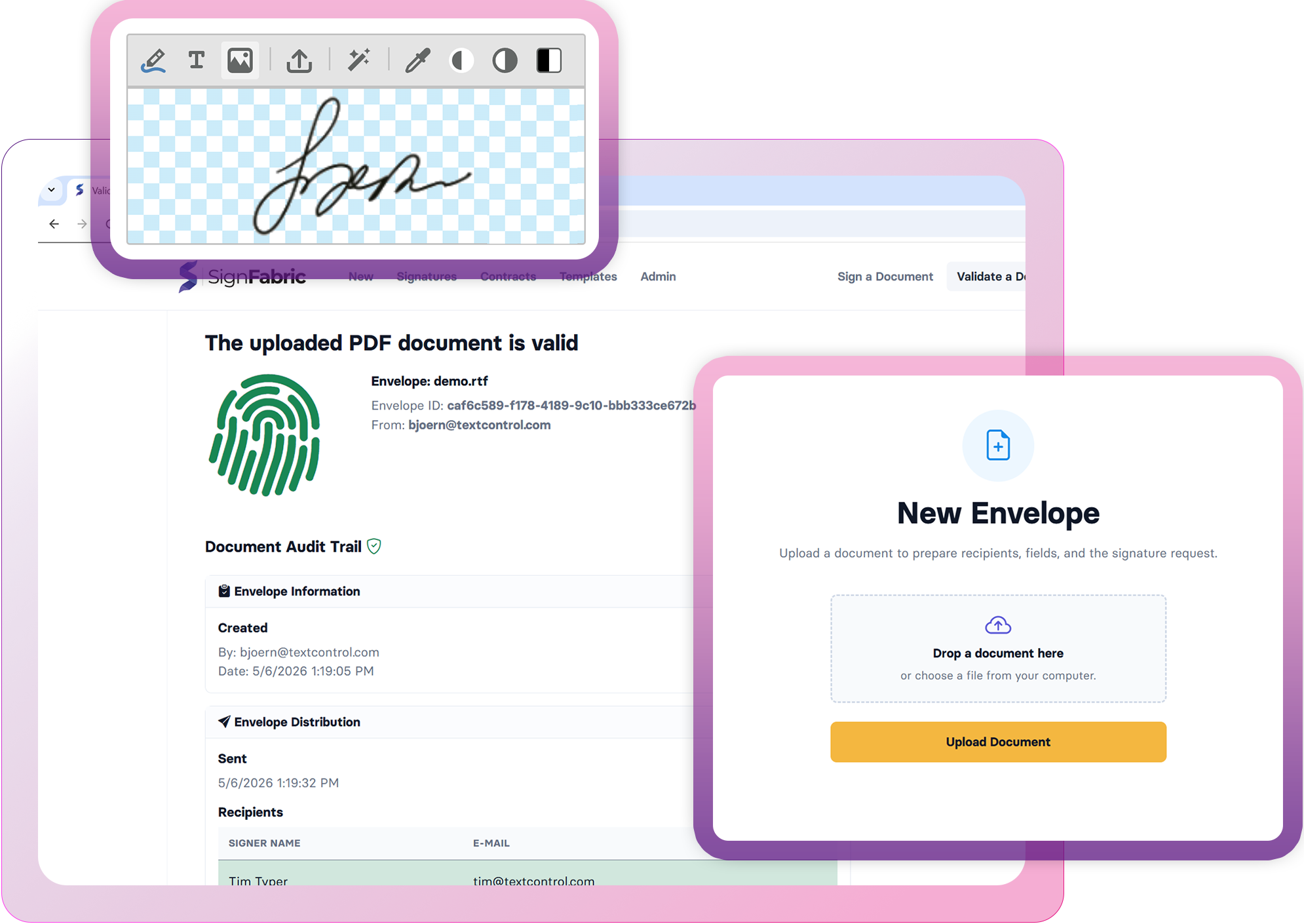
TX Text Control supports signing documents with standard X.509 certificates and PFX files, and integrates with trusted RFC 3161 timestamp servers. This enables developers to create PDF documents that can be verified long after the original signing certificate has expired, thus supporting long-term validation scenarios and industry standards such as PAdES-T.
AI-Ready Document Workflows
Artificial intelligence is quickly becoming a part of everyday software development, and document processing is no exception.
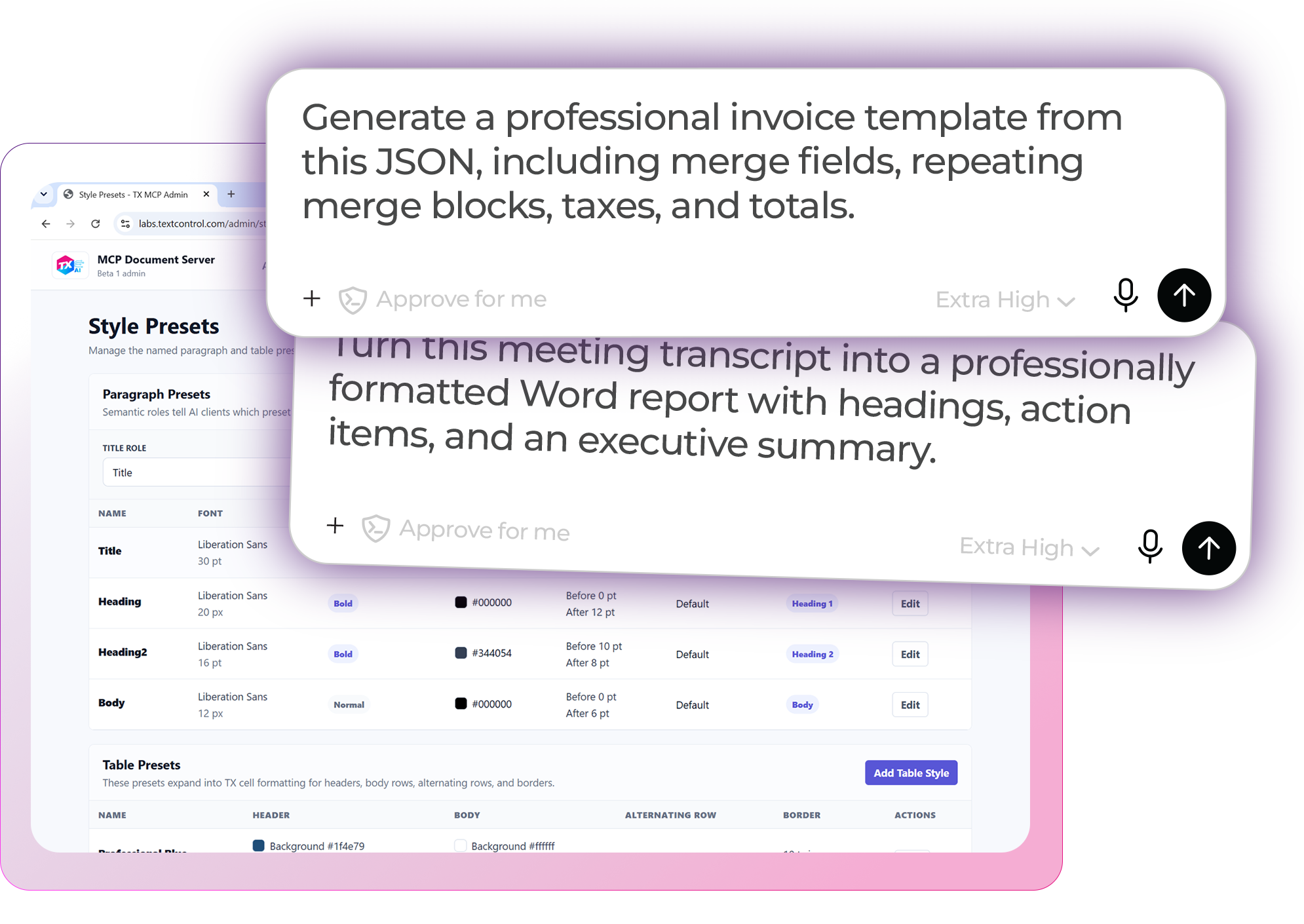
TX Text Control enables developers to integrate AI into document workflows without compromising structure or formatting. AI can generate documents from prompts, summarize existing content, create templates, fill in reports, and assist users during the editing process. At the same time, developers retain full control over the final Word and PDF documents produced.
TX Text Control's MCP Server further expands these capabilities by enabling AI assistants and coding agents, including ChatGPT, Claude, Codex, GitHub Copilot, and other MCP-compatible clients, to generate and manipulate documents using natural language and real document objects instead of plain text.
Collaboration and Review
Many business documents undergo several rounds of review before they are finalized. Contracts are negotiated, policies are updated, proposals receive feedback, and technical documentation evolves through multiple revisions.
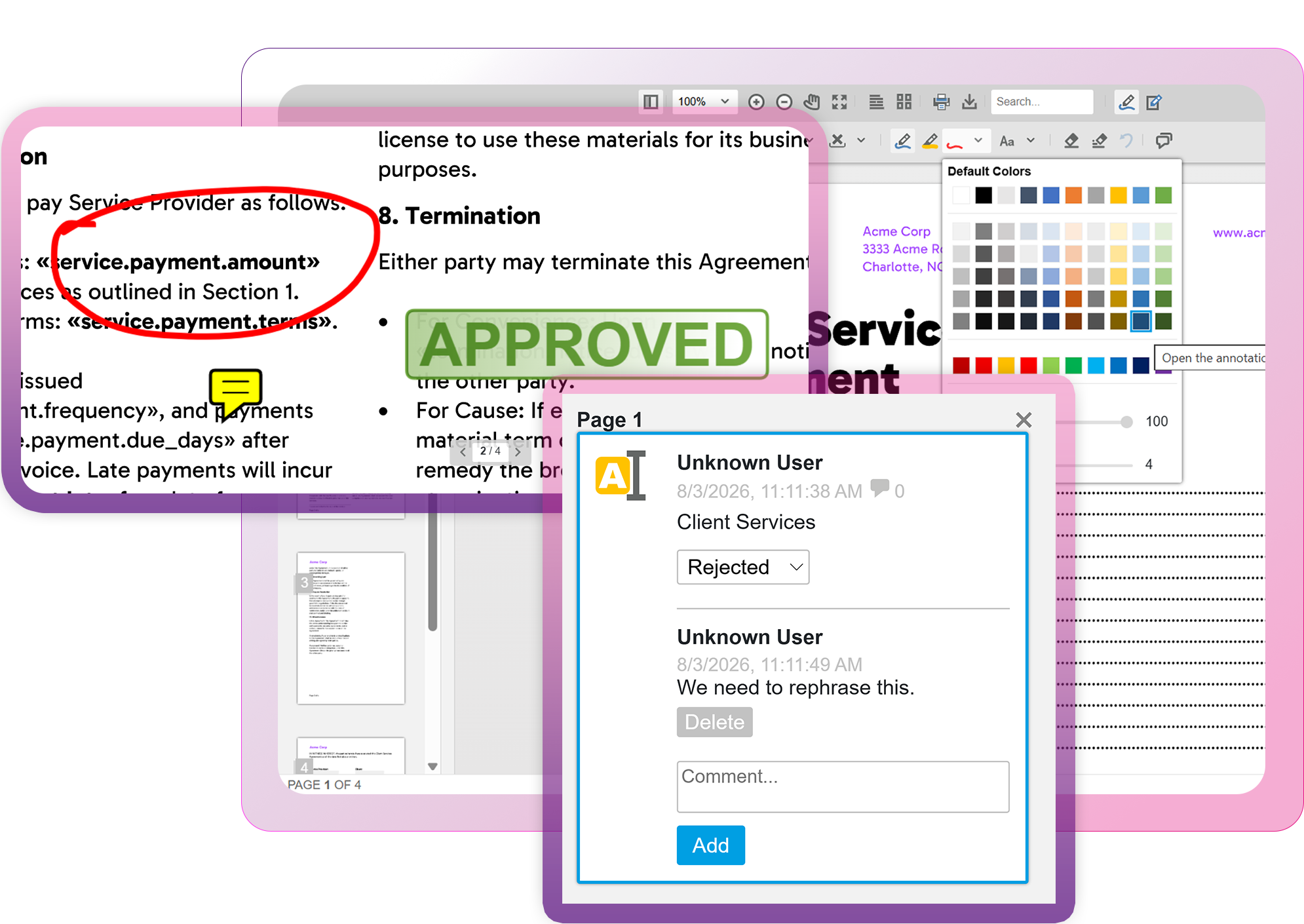
The Document Editor supports comments, track changes, and Microsoft Word-compatible revision management. This makes it easy to build collaborative review workflows directly into business applications. Users can review edits in a familiar way, and developers can integrate approval processes into their existing systems.
Intelligent Document Processing
Not every workflow begins with document creation. Many organizations receive Word and PDF documents that must be analyzed before they can be processed.
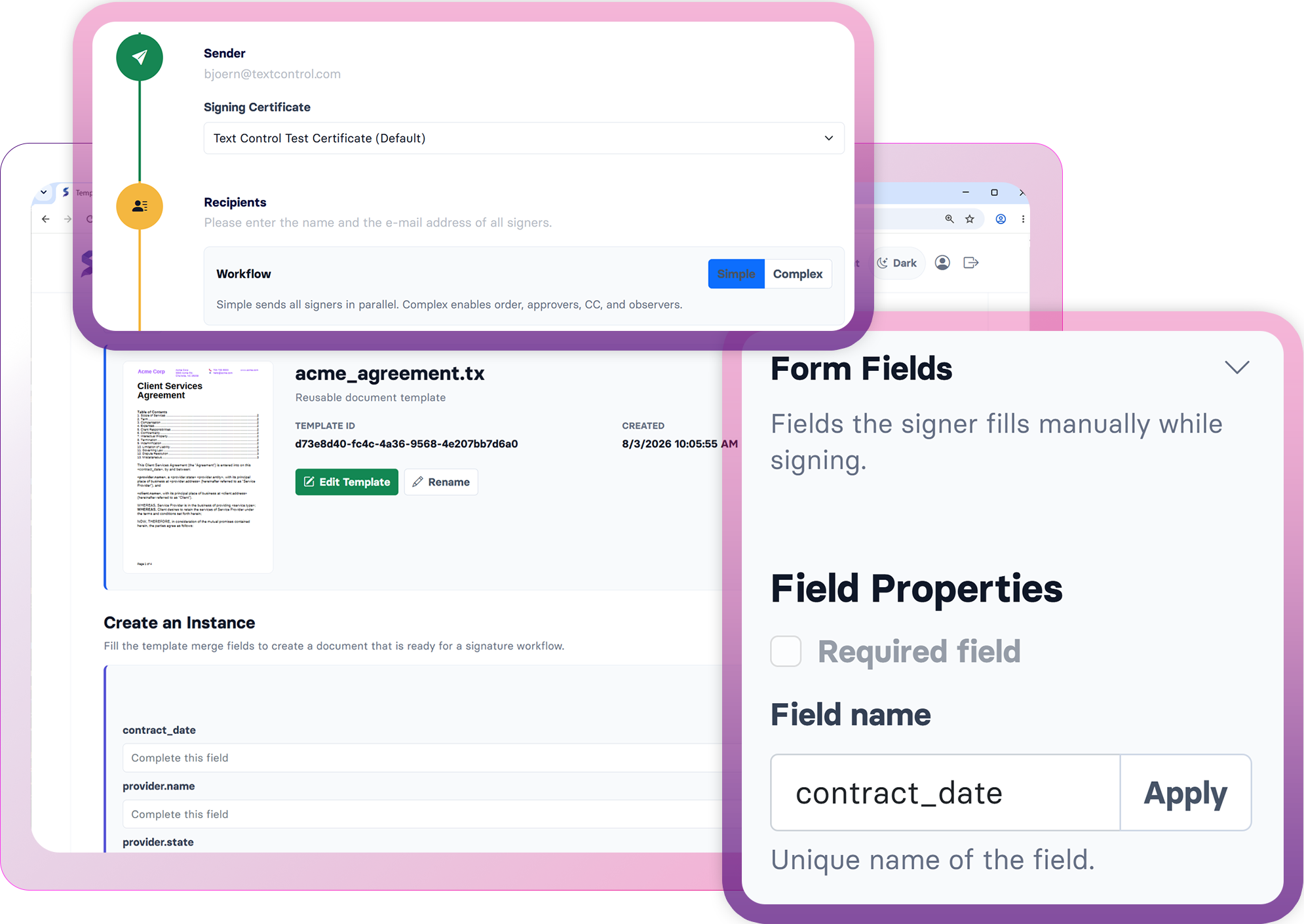
TX Text Control provides application programming interfaces (APIs) for reading document content, extracting text, working with merge fields, detecting form fields, analyzing document structure, and preparing documents for downstream automation or artificial intelligence (AI) processing. Applications can inspect and process documents programmatically, whether they arrive from customers, suppliers, or internal departments, before taking the next action.
Enterprise Deployment
Enterprise document processing often requires significant scale. TX Text Control is designed to run on Windows and Linux inside Docker containers, Kubernetes clusters, Azure, AWS, or on-premises infrastructure. Developers can integrate the platform into applications using ASP.NET Core, Blazor, Angular, React, JavaScript, Windows Forms, or WPF, all while using the same core document technologies.
This flexibility enables organizations to modernize existing applications while maintaining compatibility with established document workflows.
You May Already Own the Solution
One of the most rewarding conversations we have with customers happens when we demonstrate a capability they didn't realize was already part of their existing license. Sometimes it's advanced PDF processing. Sometimes it's digital signatures, browser-based editing, AI integration, reporting, or document collaboration. In many cases, customers discover they can replace additional libraries, simplify their architecture, or accelerate new projects without adding another dependency.
If it has been a while since you explored TX Text Control, now is a great time to take another look.
Redesigned Technology Section
Our Technology section has been completely redesigned, making it easier to explore the complete platform and discover everything your license has to offer. If you're unsure whether you're using the full potential of TX Text Control, we'd be happy to review your current implementation, discuss your upcoming projects, and help you identify capabilities that can deliver even more value.
ASP.NET
Integrate document processing into your applications to create documents such as PDFs and MS Word documents, including client-side document editing, viewing, and electronic signatures.





- Angular
- Blazor
- React
- JavaScript
- ASP.NET MVC, ASP.NET Core, and WebForms
Related Posts
Against the Trend: Why We Still Believe in Transparent, Perpetual Software…
Software licensing is a complex topic, and the industry has been shifting toward subscription-based models. However, we believe transparent perpetual licensing offers significant advantages to…
code.talks 2026: Two Fantastic Days of Developers, Innovation, and Great…
This week, code.talks 2026 took place in Hamburg, bringing together developers, innovators, and tech enthusiasts for two days of insightful sessions and networking. We exhibited our latest…
Meet Text Control at code.talks 2026: Spreadsheets, Documents, and More
Text Control is heading to Hamburg for code.talks 2026 on November 4-5. Stop by our booth to meet the team, explore our latest developer technologies, and be among the first to experience TX Sheet…
Text Control Proudly Sponsors .NET Conf 2026
Text Control is proud to sponsor .NET Conf 2026, the annual virtual conference bringing together developers, Microsoft engineers, and industry experts from around the world. Taking place November…
Introducing TX Sheet Control: Excel Compatible Spreadsheets and Interactive…
We are pleased to introduce TX Sheet Control, the latest addition to the Text Control product family. TX Sheet Control brings together Excel-compatible spreadsheet editing, a powerful calculation…