









This blog post contains outdated information.
The cited code snippets may be workarounds, and be part of the official API in the meantime.
Loading and Saving Documents using Angular

The TX Text Control JavaScript API enables loading and saving documents in Angular applications via client-side calls. The tutorial covers configuring the Angular component, adding file input handlers, and using the editor API to programmatically open and export documents.

We recently published the final release version of our Node.js and Angular implementations that enables developers to use the TX Text Control HTML5-based document editor in pure Angular and Node.js applications.
This tutorial shows how to use the JavaScript API to load and save documents within an Angular application.
-
Create a basic Angular application as described in this tutorial:
Creating your First Angular Application -
Create a folder named js in the folder src/assets/ and create a new JavaScript file named custom.js.
function saveDocument() { TXTextControl.saveDocument(TXTextControl.StreamType.HTMLFormat, function (e) { alert(atob(e.data)); }); } function loadDocument() { TXTextControl.loadDocument(TXTextControl.StreamType.HTMLFormat, btoa('<strong>Test</strong>')); } -
And add this JavaScript file to the scripts array of the projects architect/build/options element in the angular.json file:
"scripts": [ "src/assets/js/custom.js" ] -
Add the declaration and the methods onClickSave and onClickLoad to the app.component.ts TypeScript file, so that the complete file looks like this:
import { Component } from '@angular/core'; declare const saveDocument: any; declare const loadDocument: any; @Component({ selector: 'app-root', templateUrl: './app.component.html', styleUrls: ['./app.component.css'] }) export class AppComponent { title = 'my-editor-app'; onClickSave() { saveDocument(); } onClickLoad() { loadDocument(); } } -
Finally, add two buttons to the app.component.html with the Angular click handlers:
<tx-document-editor width="1024" height="800" port="8080"></tx-document-editor>

<div>
  <button (click)="onClickLoad()" class="btn btn-primary">Load Document</button>
  <button (click)="onClickSave()" class="btn btn-primary">Save Document</button>
</div>
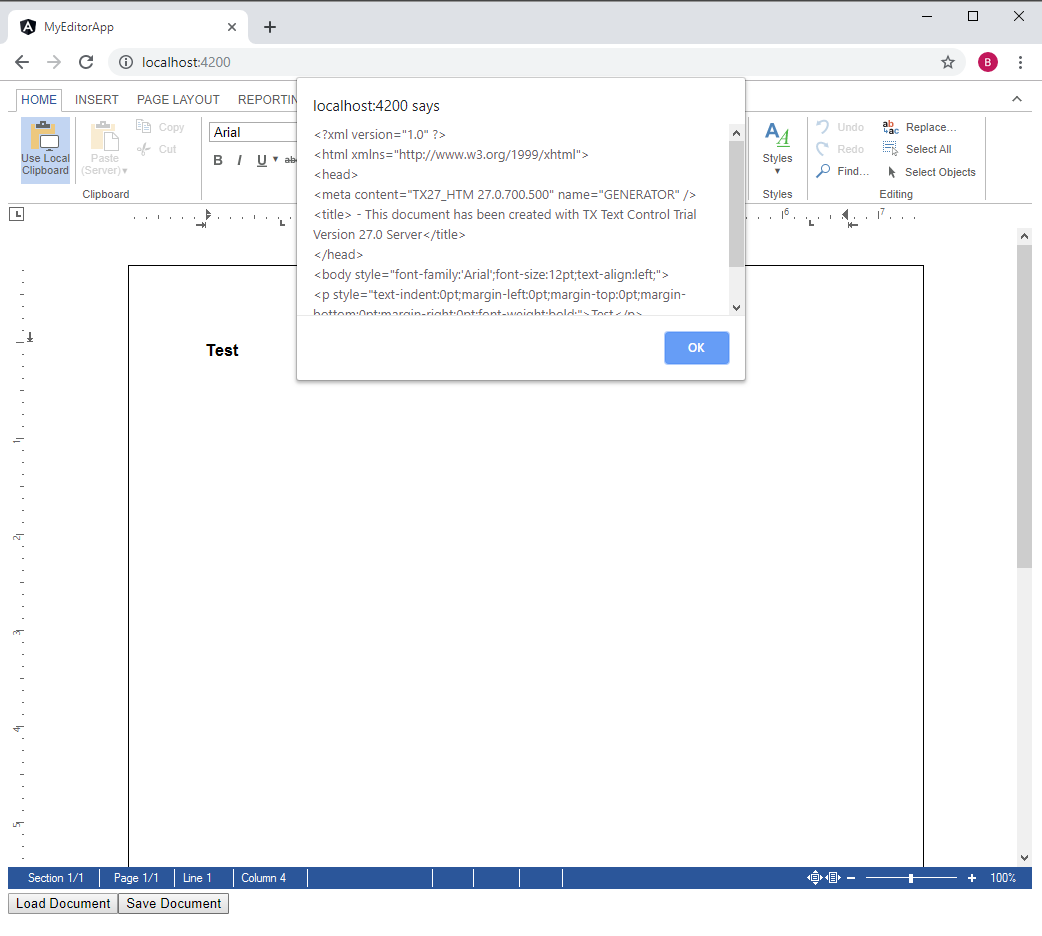
When executing the application, an HTML document is loaded into the editor and the save button alerts the resulting HTML from the saveDocument method.
Angular
Integrate document processing, editing, sharing, collaboration, creation, electronic signatures, and PDF generation into your Angular Web applications.
Related Posts
Getting Started: Angular Document Editor Attributes Explained
This article explains the possible attributes that can be used when initializing the TX Text Control Document Editor for Angular.
Getting Started: Programming the Angular Document Editor using JavaScript
This tutorial shows how to use the JavaScript API to program the TX Text Control Angular Document Editor.
Getting Started: Loading and Saving Documents using Angular
This tutorial shows how to load and save documents using the JavaScript API in Angular applications.
Impressions from Web Developer Conference (WDC) in Hamburg
Text Control exhibited at WDC in Hamburg, presenting the Angular and Node.js technology preview of the document editor. The three-track conference covered modern web development topics, and the…
Technology Preview: Embeddable HTML Widget to integrate Document Editing to…
TX Text Control offers a technology preview of an embeddable JavaScript widget that adds document editing to Angular, React, and other web frameworks. Developers add a script tag and create a…