


ReportingCloud Upgraded to TX Text Control X15 - New Features

ReportingCloud upgraded its API endpoints and portal to TX Text Control X15, adding watermark support in headers and footers, table pagination controls such as keep-with-next and page-break-before, auto-save in the portal template editor, and API key-based authentication.

Over the weekend, we upgraded the ReportingCloud API endpoints and the portal functionality to TX Text Control X15. This upgrade brings all new features of TX Text Control X15 to ReportingCloud including background images (watermarks), pagination in tables and useful editor updates.
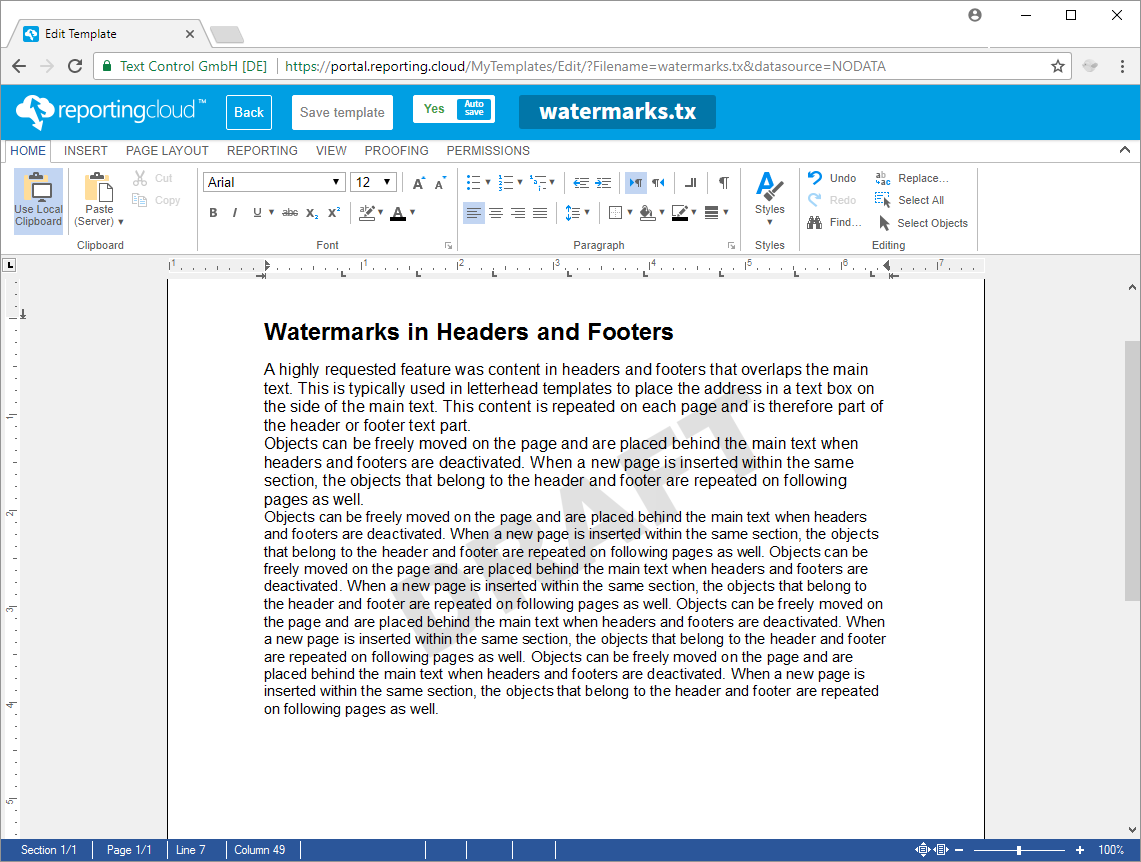
Watermarks in Headers and Footers
A highly requested feature was content in headers and footers that overlaps the main text. This is typically used in letterhead templates to place the address in a text box on the side of the main text. This content is repeated on each page and is therefore part of the header or footer text part.
Pagination in Tables
The pagination settings keep with next and page break before can now be used in tables to control page breaks within a table. The first paragraph of a table row determines how to treat the complete row. If the first paragraph of a table row has the keep with next setting, the complete table row is positioned on the same page like the following table row.
Auto-Save in Template Editor
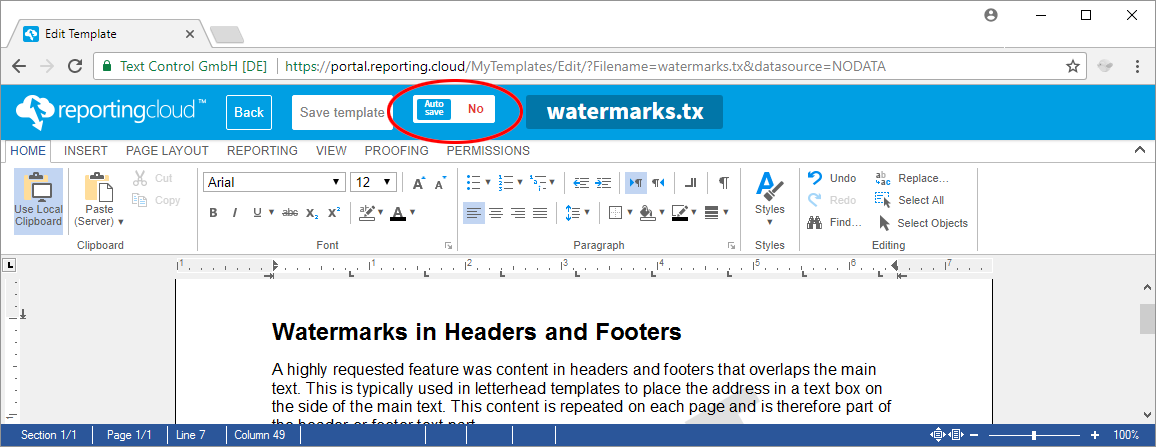
An auto-save feature has been implemented in the ReportingCloud portal template editor. If enabled, the document gets saved automatically periodically when changes have been made. This auto-save mode can be disabled in the file navigation bar at the top of the editor.
API Keys for Authentication
We also introduced API Keys as a new authentication method to call the ReportingCloud API. An API Key is a token that a client provides when making API calls. Instead of sending your username and password using the Basic authentication, a created API Key token is used.
Sharing Documents with ReportingCloud
We brought the document sharing feature to release state which enables developers to embed the ReportingCloud DocumentViewer using a lightweight widget into any website.
Try all of this on your own by creating a free test account and create documents and reports using ReportingCloud.
Reporting
The Text Control Reporting Framework combines powerful reporting features with an easy-to-use, MS Word compatible word processor. Users can create documents and templates using ordinary Microsoft Word skills. The Reporting Framework is included in all .NET based TX Text Control products including ASP.NET, Windows Forms and WPF.
Related Posts
Impressions from BASTA! Spring 2019
Text Control exhibited at BASTA! Spring 2019 in Frankfurt, presenting TX Text Control X16 and the ReportingCloud document generation Web API. Cloud-based document creation and collaboration drew…
Impressions from NDC London 2019
Text Control sponsored NDC London 2019 at the QEII Centre in Westminster, demonstrating TX Text Control X16 with document collaboration and Excel-compatible formulas to 850+ attendees. The booth…
ReportingCloud: Backend Updated to TX Text Control X16
ReportingCloud updated its backend to TX Text Control X16, introducing support for 100+ Excel-compatible formulas, merge block sorting and filtering for data shaping, and upcoming PDF AcroForm…
ReportingReleaseReportingCloud
New ReportingCloud Endpoint: Appending Documents
The ReportingCloud Web API adds a document/append endpoint that combines multiple documents into one output file. Documents are submitted as Base64-encoded strings with configurable dividers…
ReportingCloud Monthly Payment Available
ReportingCloud now supports monthly subscription plans that auto-renew each billing cycle until cancelled. Subscribers manage active plans and view payment invoices through the online store…