


Sneak Peek X16: Selecting Reference Cells for Table Formulas

TX Text Control X16 adds a contextual Formulas ribbon tab for table cells with functions and number format selection. The API exposes supported formulas and formats for custom UI implementations. A Windows Forms sample application ships with the setup demonstrating the full interface.

We already introduced MS Excel compatible formulas in a recent blog entry as a new major feature of the next TX Text Control version X16. Today, we would like to show the latest look and feel that has been already presented on conferences over the last weeks.
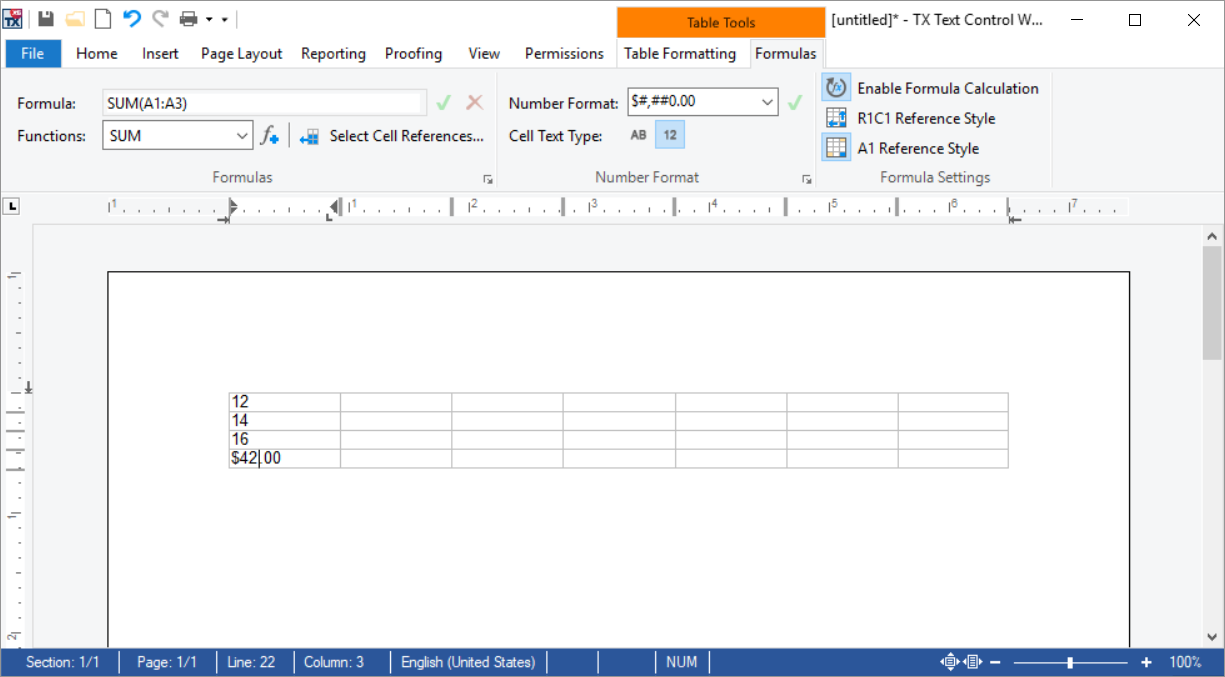
The following screenshot shows the table contextual ribbon tabs including the Formulas tab that can be used out-of-the-box in your applications without any additional lines of code:
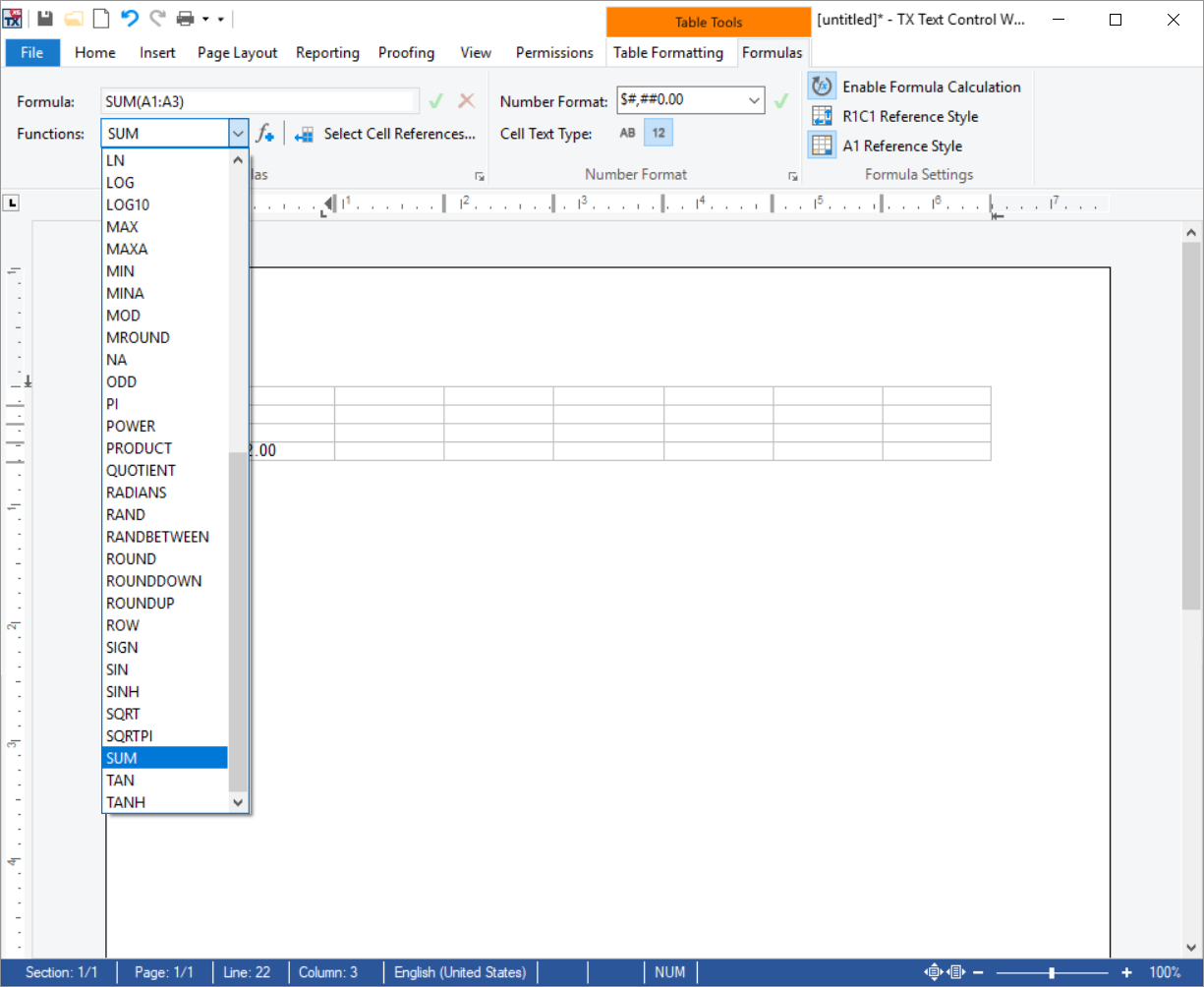
The TX Text Control API returns a list of supported functions and supported number formats that are available in the ribbon UI:
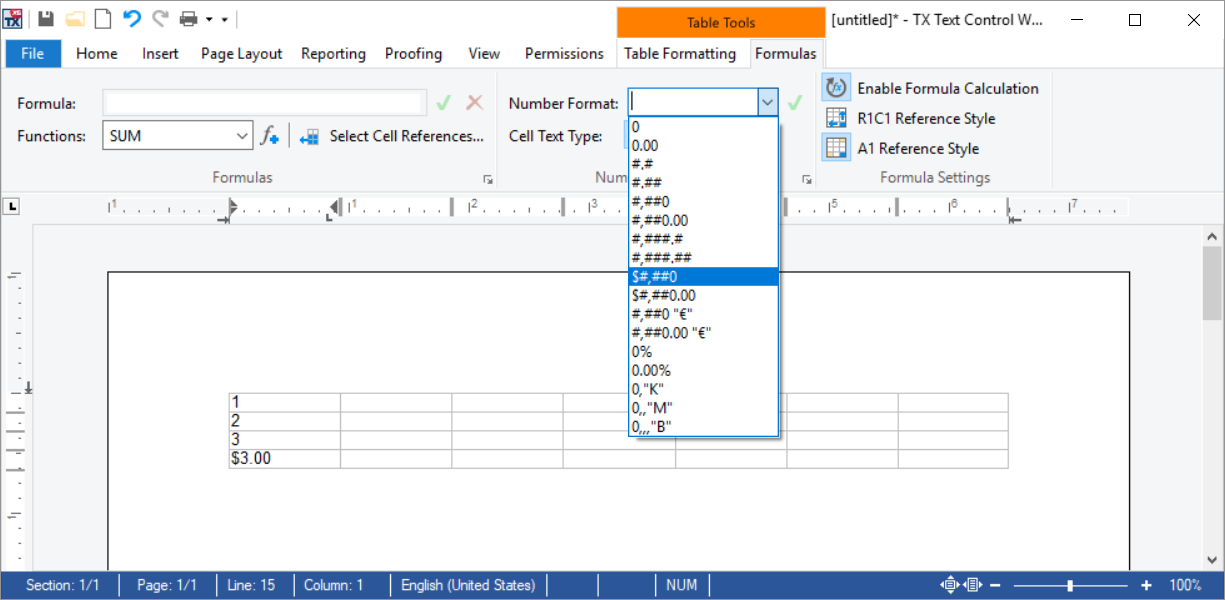
Each cell can be adjusted to display text or numbers. If a formula cell text type is a number, a number format can be specified which is used to format the formula results automatically:

The following screen video shows how to select a table cell range for a SUM formula:
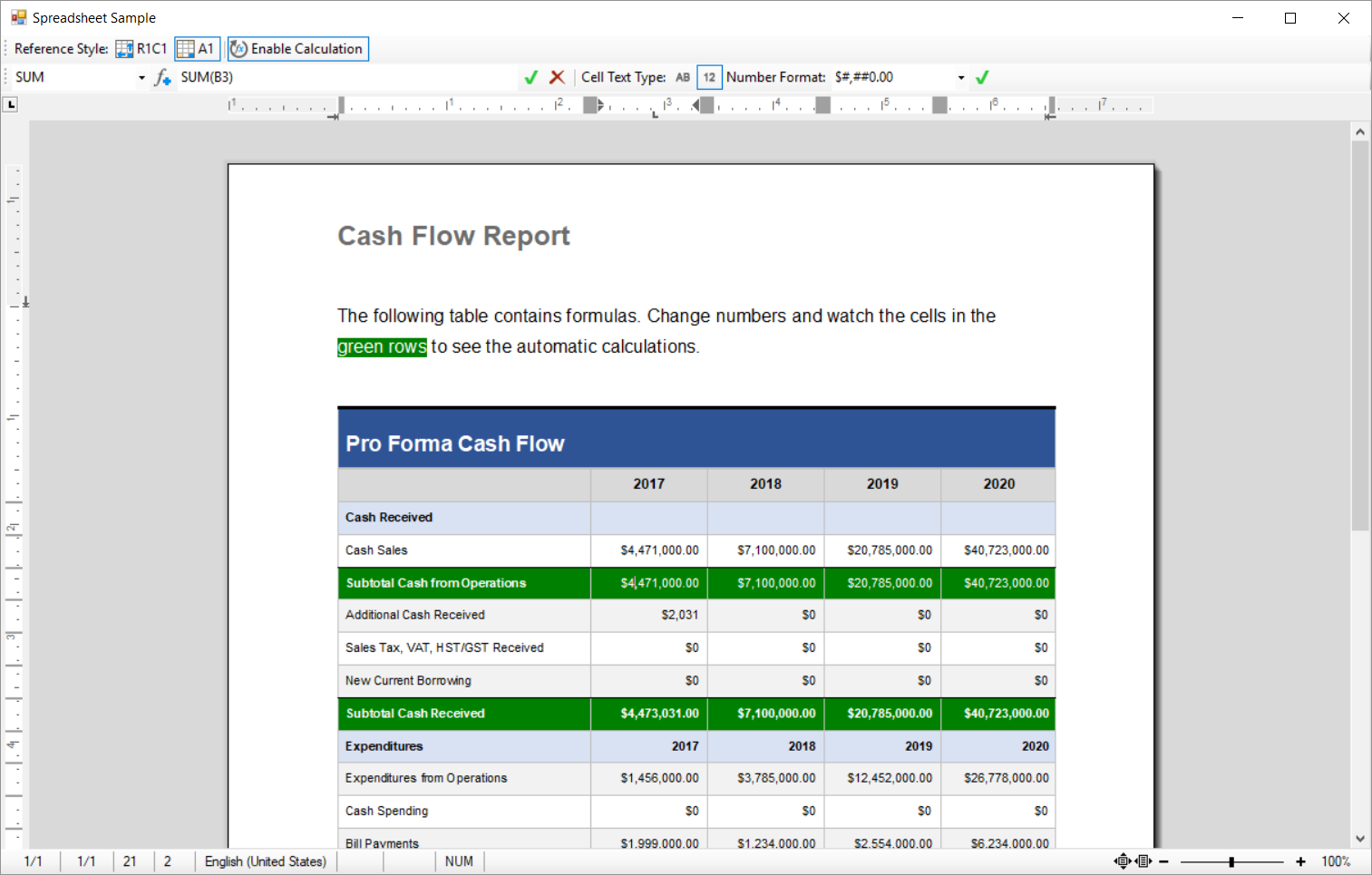
A demo application will be shipped with the setup that shows how to implement this interface on your own using the TX Text Control API. The next screenshot shows the C# Windows Forms sample with a traditional button bar UI interface:
Stay tuned for more features!
Jump to the other posts in this series:
- Sneak Peek X16: Excel Formulas and MailMerge
- Sneak Peek X16: MS Word Compatible Track Changes
- Sneak Peek X16: Filter and Sort MergeBlock Rows
- Sneak Peek X16: New Customizable Sidebar Controls
- Sneak Peek X16: Working with Formulas in Table Cells
- Sneak Peek X16: Selecting Reference Cells for Table Formulas
Related Posts
ReportingCloud: Backend Updated to TX Text Control X16
ReportingCloud updated its backend to TX Text Control X16, introducing support for 100+ Excel-compatible formulas, merge block sorting and filtering for data shaping, and upcoming PDF AcroForm…
Automatically Format Numbers in Table Cells
TX Text Control X16 table cells support explicit text or number type definitions through the TextType property. Number format strings follow ISO 29500 patterns with placeholders, separators, and…
Opening Microsoft Excel files with TX Text Control X16
TX Text Control X16 imports Microsoft Excel spreadsheets and converts worksheets into document tables with preserved formatting, formulas, and cell number formats. Using LoadSettings, developers…
Sneak Peek X16: Excel Formulas and MailMerge
TX Text Control X16 supports over 100 Excel-compatible formulas in table cells combined with the MailMerge reporting engine. Formulas calculate line totals, sums, averages, and item counts within…
Announcing TX Text Control DS Server 5.0
We are excited to announce the release of TX Text Control DS Server 5.0. This release focuses on extensibility, plugin integration, and developer productivity while continuing to improve the…