


Tutorial: Merging your First Template using the ReportingCloud .NET Core Wrapper in Visual Studio Code

This tutorial creates a .NET Core console application in Visual Studio Code that merges a ReportingCloud template. After installing the TXTextControl.ReportingCloud.Core NuGet package and configuring credentials, a single API call merges data into the template and returns an RTF file.

.NET Core gives you a modular platform for creating server applications that run on Windows, Linux and Mac. This tutorial shows how to utilize Visual Studio Code to create a .NET Core application that creates a document using ReportingCloud.
Create a ReportingCloud Account
- Create a ReportingCloud account by registering here.
- Login to the ReportingCloud portal and open the Template Gallery.
- Find the template Repeating Blocks, hover over the thumbnail and click the button Add to My Templates.
Initialize the .NET Core Application
-
Open a command prompt and navigate to a folder where you would like to create the C# project and type:
dotnet new console -
Resolve the build assets by typing:
dotnet restore
Open Project Folder in Visual Studio Code
-
Open Visual Studio Code and select Open Folder... from the File main menu. In the opened dialog, select the folder where you created the .NET Core application.
When the project folder is first opened in Visual Studio Code, a notification will appear at the top of the window asking if you would like to add the required assets to build and debug your project. Select Yes.
-
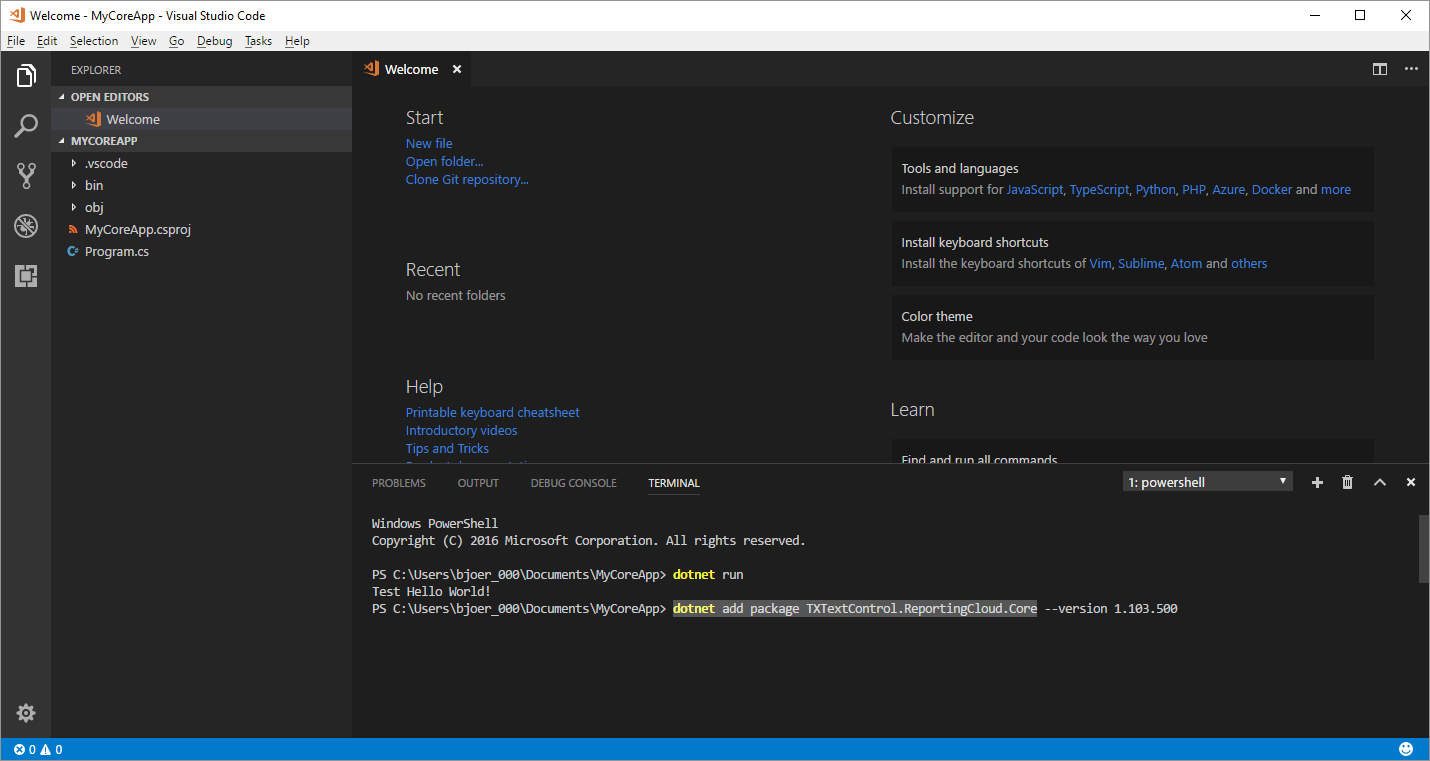
Open the TERMINAL tab and type in:
dotnet add package TXTextControl.ReportingCloud.CoreThis adds the ReportingCloud NuGet package to the project.
-
Open the Program.cs file and paste the following code.
using System;
using TXTextControl.ReportingCloud;

namespace MyCoreApp
{
    class Program
    {
        static void Main(string[] args)
        {
            var ReportName = "Sales Report";

            // create dummy data
            Report invoice = new Report() { Name = ReportName };

            // create a new ReportingCloud instance
            ReportingCloud rc = new ReportingCloud("username", "password");
            // set the merge data
            MergeBody body = new MergeBody() { MergeData = invoice };

            // create the document
            var results = rc.MergeDocument(body,
              "gallery_repeating-blocks.tx",
              ReturnFormat.RTF);

            // convert the byte array to a string (return format is RTF)
            var document = System.Text.Encoding.UTF8.GetString(results[0]);

            if(document.Contains(ReportName)) {
                Console.WriteLine("Document has been successfully created!");
                Console.WriteLine(document);
            }
            else {
                 Console.WriteLine("Something went wrong!");
            }
        }
    }

    public class Report
    {
        public string Name { get; set; }
    }

}
Change the namespace to the namespace you created and replace username and password with your ReportingCloud credentials.
-
Save the file and type the following into the TERMINAL window and hit enter:
dotnet run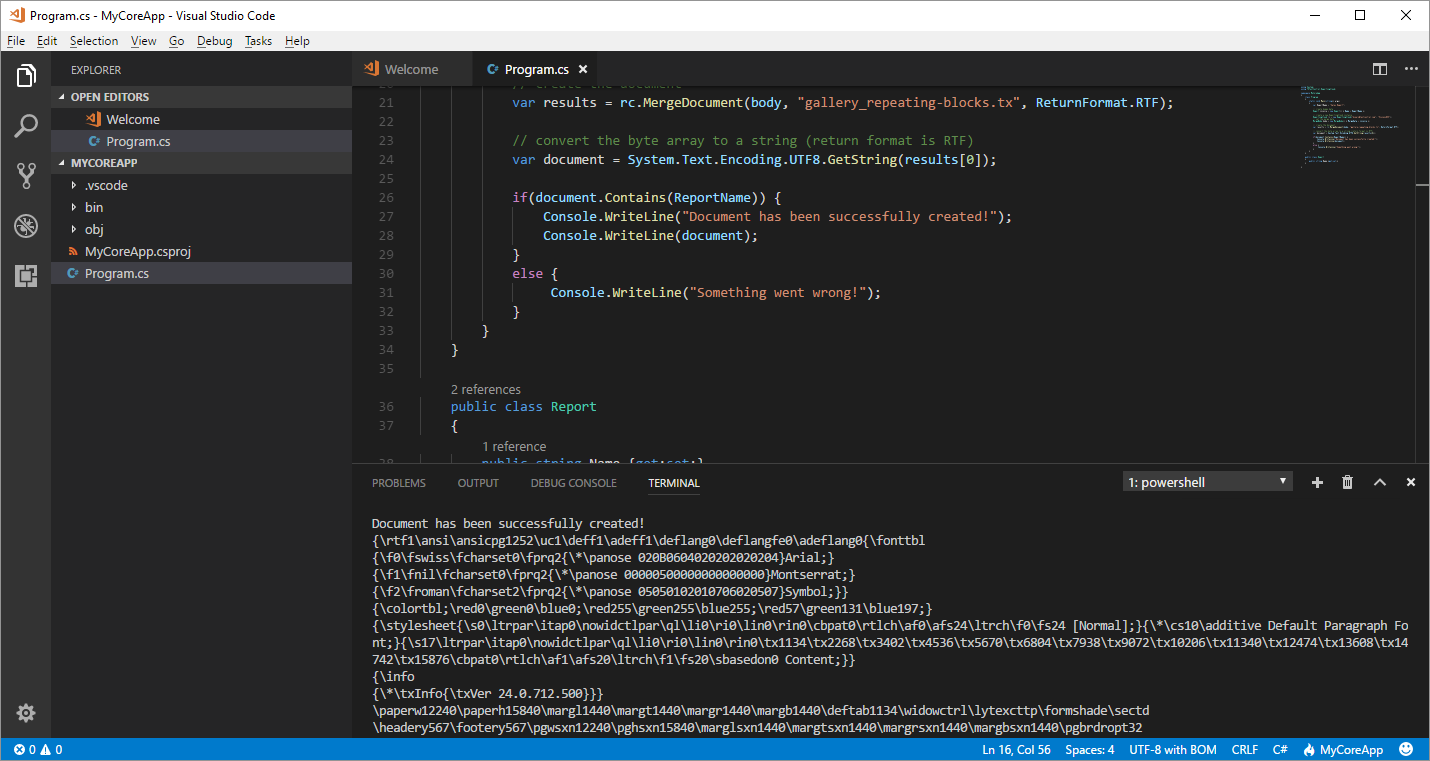
The template has been created and is returned as an RTF document. Using ReportingCloud, you can create documents in all types of applications in many industry standard formats including Adobe PDF and PDF/A, MS Word, Office Open XML and Rich Text Format.
Reporting
The Text Control Reporting Framework combines powerful reporting features with an easy-to-use, MS Word compatible word processor. Users can create documents and templates using ordinary Microsoft Word skills. The Reporting Framework is included in all .NET based TX Text Control products including ASP.NET, Windows Forms and WPF.
Related Posts
Integrate Documents in any Platform: Visit us at BASTA! 2018
Text Control marks its 10th BASTA! Fall appearance in Mainz, Germany, presenting the cross-platform document integration campaign. The booth features ReportingCloud with new pricing plans and the…
Edit Templates in an ASP.NET Core MVC Application (.NET Core)
The ReportingCloud Editor Widget integrates with ASP.NET Core MVC to enable browser-based template editing. The cross-platform application lists templates from cloud storage, loads them into the…
ReportingReportingCloudTrack Changes
New Endpoint: Manipulating Tracked Changes in Documents
ReportingCloud adds API endpoints for manipulating tracked changes in documents. The trackedchanges endpoint retrieves metadata including change type, timestamp, and highlight color. A companion…
ReportingConferenceReportingCloud
Impressions from Developer Days Magdeburg 2019
Text Control sponsored the sold-out Developer Days Magdeburg 2019, presenting the latest product versions and technologies at its booth. The team raffled off an Xbox One during the closing session…
ReportingConferenceReportingCloud
See Text Control at DEVintersection, Orlando
Text Control exhibits at DEVintersection Spring 2019 in Orlando from June 11 to 13, presenting the upcoming TX Text Control X17 with high DPI support and Visual Studio 2019 compatibility. The…