









New LiveDocx Sample: Creating Invoices Using a Web Service

LiveDocx generates documents by merging Microsoft Word templates with data from XML files or databases over a standardized SOAP interface. This demo shows how to produce PDF invoices using the service, which supports DOCX, DOC, RTF, and PDF output from ASP.NET, PHP, or Ruby.

LiveDocx allows developers to create word processing documents by combining user-defined Microsoft Word templates with data from various data sources, such as XML files and databases.
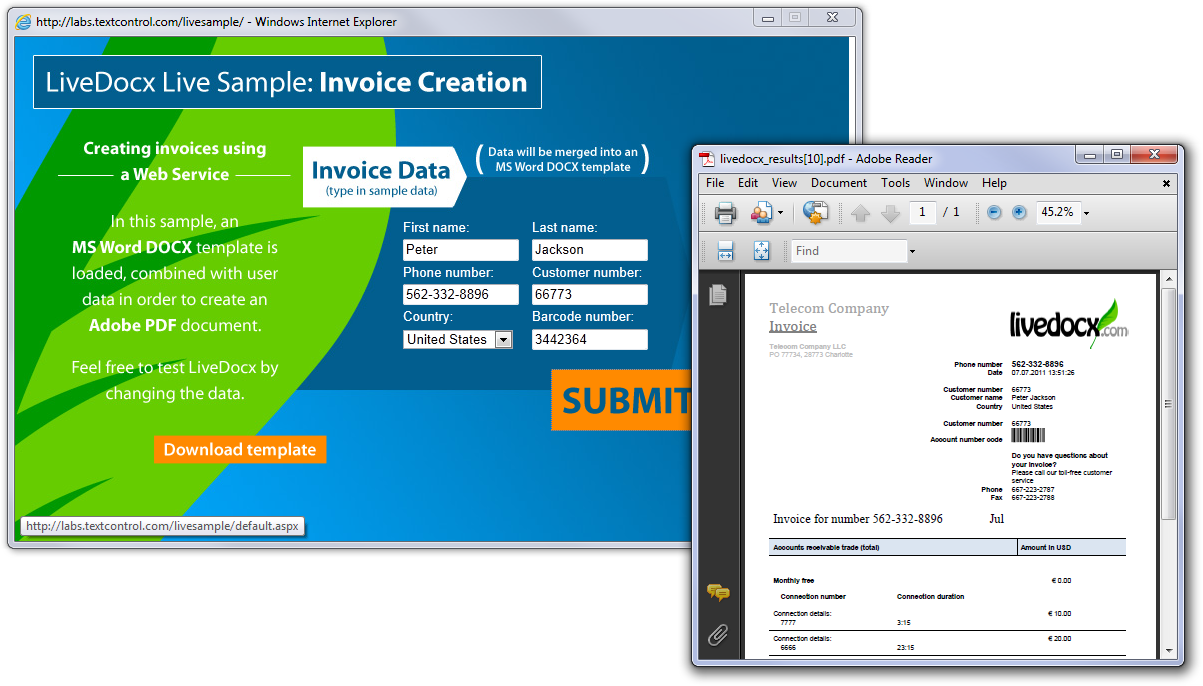
It is typically used to create professional, print-ready word processing documents in DOCX, DOC, RTF and PDF.
LiveDocx is based on our server-side .NET product .NET Server for Windows Forms. It encapsulates the mail merge capabilities of and offers an easy-to-use Web Service that can be consumed by different clients such as ASP.NET, PHP or Ruby.
We have just published a new online demo that shows how to create an invoice as PDF using LiveDocx. Feel free to test LiveDocx on your own:
More information about LiveDocx can be found on the dedicated website:
Related Posts
Create a Table of Contents in Windows Forms using C#
This article explains how to create a table of contents in Windows Forms using the ribbon or programmatically. Creating a table of contents is required to organize large documents.
Official TX Text Control .NET Sample Applications Are Now Hosted on GitHub
This article gives a quick overview of the new repositories, their structure and our plans for the future.
ASP.NETJavaScriptDocument Editor
Detect Toggle Button Changes Using a MutationObserver
This article shows how to detect changes of toggle buttons in the ribbon of the web editor using a MutationObserver. The state of a toggle button in the ribbon visualizes the state of a certain…
Two Ways to Restart Numbered Lists in TX Text Control
In TX Text Control, numbered lists are continued by default and need to be reset when required. There is more than one way if you want to restart numbered lists in a document. In this article, two…
Zoom Tricks: Disabling CTRL + MOUSE WHEEL and More
This article shows how to disable CTRL + MOUSE WHEEL, implement zooming with keyboard and reset the zoom factor to its default value.