









Stay Up-To-Date: Document Viewer 32.3.1 Released

With new features and improvements, we have released a new version of the Document Viewer. Get ready to update your applications by learning about the new features and enhancements.

We have just released a new package versions of the TX Text Control DocumentViewer for ASP.NET, ASP.NET Core, Angular, and React.
-
TXTextControl.Web.DocumentViewer 32.3.1
https://www.nuget.org/packages/TXTextControl.Web.DocumentViewer/32.3.1
Updating the Packages
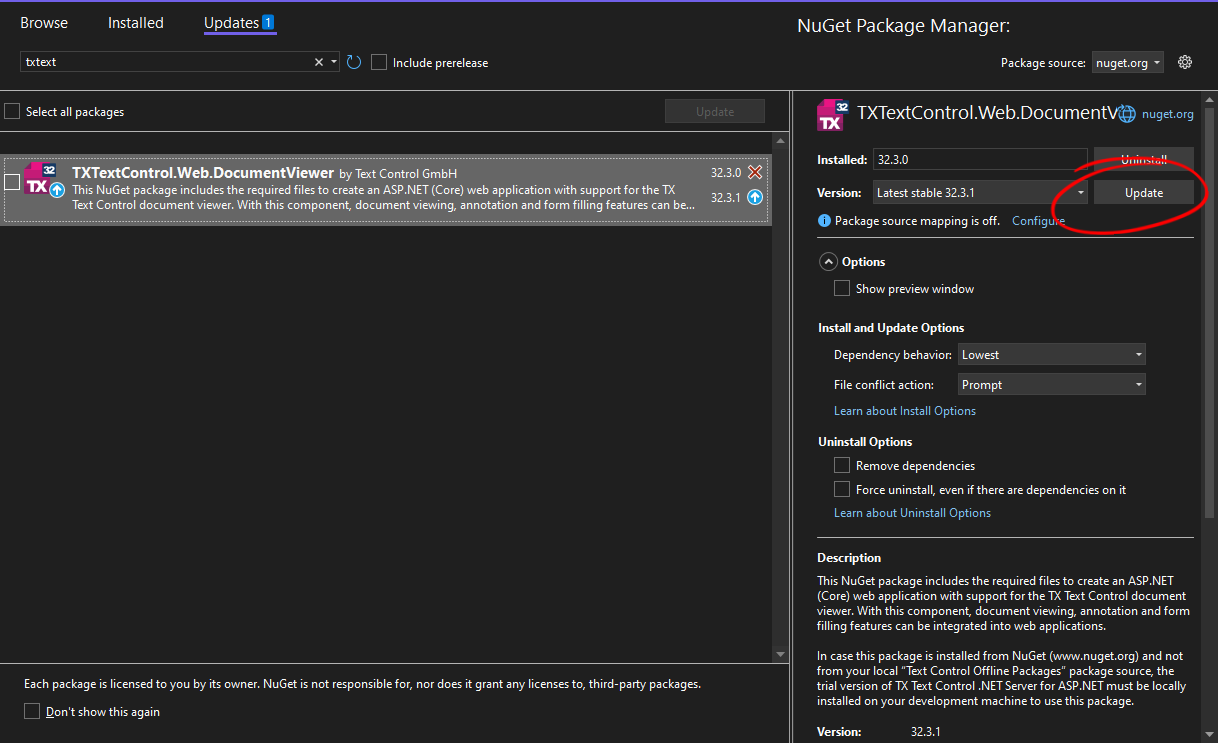
To update the NuGet package, open the NuGet Package Manager, select nuget.org as the package source, select Updates and locate the TXTextControl.Web.DocumentViewer package. From the Versions drop-down list, select the latest stable version (32.3.1).
To update the Angular npm package use the following command:
npm install @txtextcontrol/tx-ng-document-viewer@latestTo update the React npm package use the following command:
npm install @txtextcontrol/tx-react-document-viewer@latestFixed Issues
Version 32.3.1 includes both new features and fixes for known issues. The below tables lists all fixed known issues.
| ID | Description | Status |
|---|---|---|
| MVCDV-200 | Angular: Documents cannot be loaded via JS API | Fixed in 32.3.1 |
| MVCDV-204 | Document Viewer re-renders only partially when using partial views | Fixed in 32.3.1 |
| MVCDV-202 | After signing all fields, the NEXT and SUBMIT buttons are visible for a short period of time | Fixed in 32.3.1 |
| MVCDV-201 | Signature box is displayed for PDF documents with signature fields when using pdf.js as rendering engine. | Fixed in 32.3.1 |
| MVCDV-199 | TXDocumentViewer.downloadDocument throws an error | Fixed in 32.3.1 |
| MVCDV-198 | When annotations are loaded using JavaScript, they are not immediately visible | Fixed in 32.3.1 |
Injecting CSS
A new feature is the ability to inject custom CSS into the DocumentViewer. This can be done by adding CSS rules to the shadow DOM of the DocumentViewer. The following code snippet shows how to inject a custom CSS rule into the DocumentViewer:
window.addEventListener("documentViewerLoaded", function (eventArgs) {
  const sheet = new CSSStyleSheet();
  sheet.insertRule(".page-image { background-image: url('/Images/loader2.svg') !important; background-repeat : no-repeat !important; background-size: contain !important; }");
  sheet.insertRule("#tx-thumbnails img { background-image: url('/Images/loader2.svg') !important; background-repeat : no-repeat !important; background-size: contain !important; }");
  eventArgs.detail.targetElement.shadowRoot.adoptedStyleSheets = [sheet];
 });
This code snippet injects a custom CSS rule that changes the loading images for the page and the thumbnails that are displayed while the document loads.
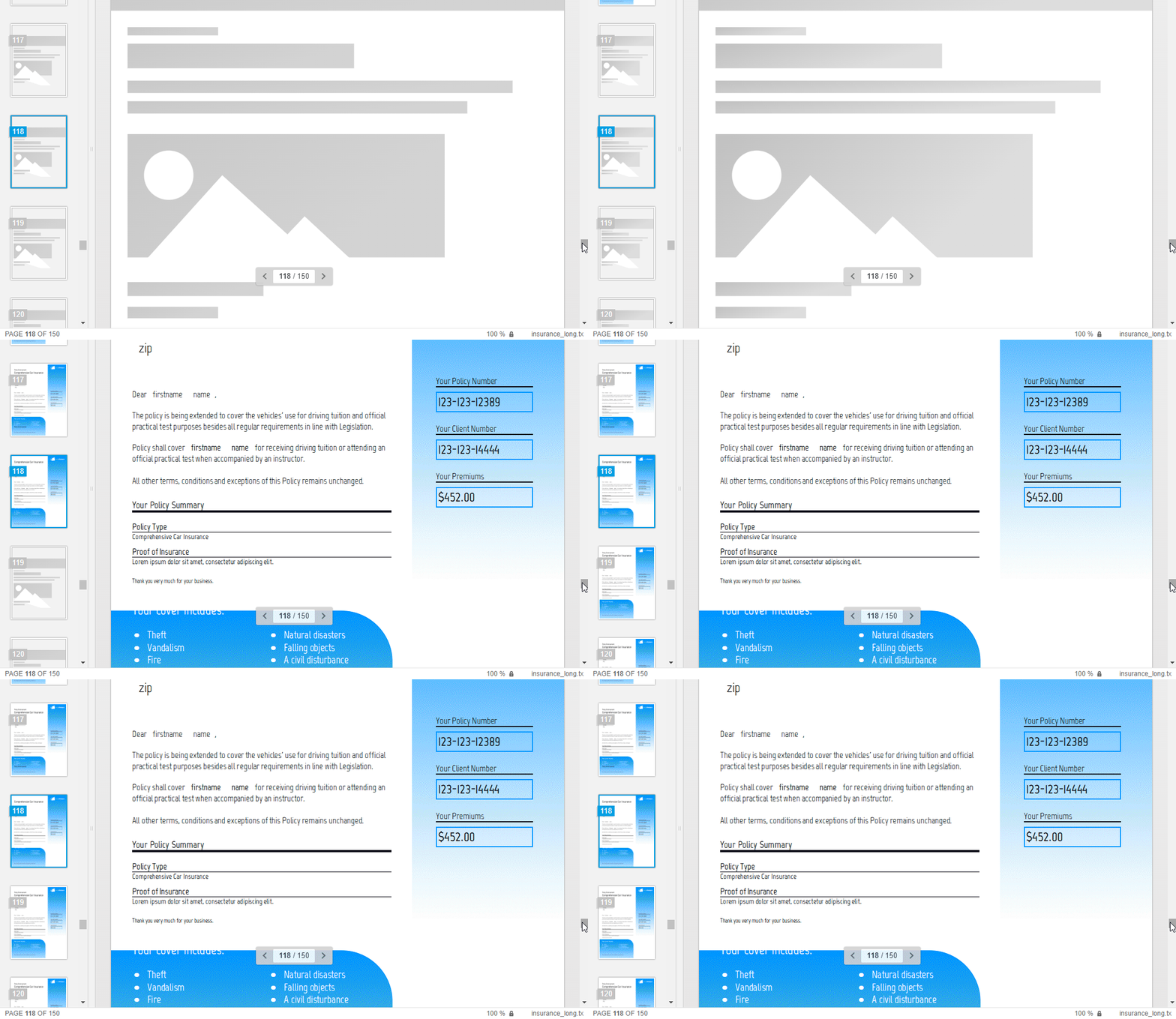
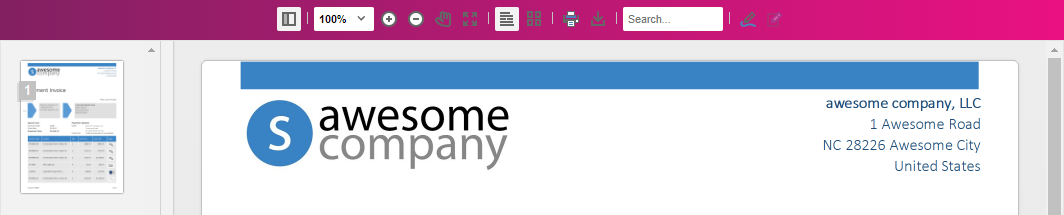
Or you can use this new way to customize the style of viewer elements. The following code changes the background color of the toolbar:
window.addEventListener("documentViewerLoaded", function (eventArgs) {
   const sheet = new CSSStyleSheet();
   sheet.insertRule("#tx-toolbar { background: linear-gradient(-90deg, #ea1183, #822162); !important; }");
   eventArgs.detail.targetElement.shadowRoot.adoptedStyleSheets = [sheet];
});
Make sure to update the packages to the latest version to benefit from the new features and fixes.
Happy coding!
ASP.NET
Integrate document processing into your applications to create documents such as PDFs and MS Word documents, including client-side document editing, viewing, and electronic signatures.





- Angular
- Blazor
- React
- JavaScript
- ASP.NET MVC, ASP.NET Core, and WebForms
Related Posts
Document Viewer 32.2.1 Released
With new features and improvements, we have released a new version of the Document Viewer. Get ready to update your applications by learning about the new features and enhancements.
Document Viewer 32.1.1 Released: Signature Typing Support
With new features and improvements, we have released a new version of the Document Viewer. Get ready to update your applications by learning about the new features and enhancements.
Document Viewer 32.0.2 Released: Performance, Raw Signature Data, Text Selection
With many new features and performance improvements, we have released a new version of the Document Viewer. Get ready to update your applications by learning about the new features and enhancements.
ASP.NETASP.NET CoreDocument Editor
Preparing Documents for E-Signing for Multiple Signers in .NET C#
Learn how to prepare documents for e-signing by multiple signers in .NET C#. This article shows how to create signature fields and how to assign them to signers.
ASP.NETASP.NET CoreDocument Viewer
Optimizing Digital Signature Workflows: Starting with MS Word DOCX Files…
Starting a digital signature workflow with MS Word DOCX files instead of PDFs provides greater flexibility, ease of editing, and collaboration during the document preparation phase. DOCX files are…