


Printing Labels with MS Word Compatible Templates and Data Sources

TX Text Control MailMerge supports printing address labels using Avery MS Word templates and Access database files as data sources. The DataSourceManager and RibbonReportingTab connect to ODBC or Access databases, insert merge fields and Next fields into table cells, then merge.

We just printed and signed our corporate holiday cards we are sending out to clients. Of course, we are using TX Text Control's MailMerge capabilities to print the labels for the envelopes.
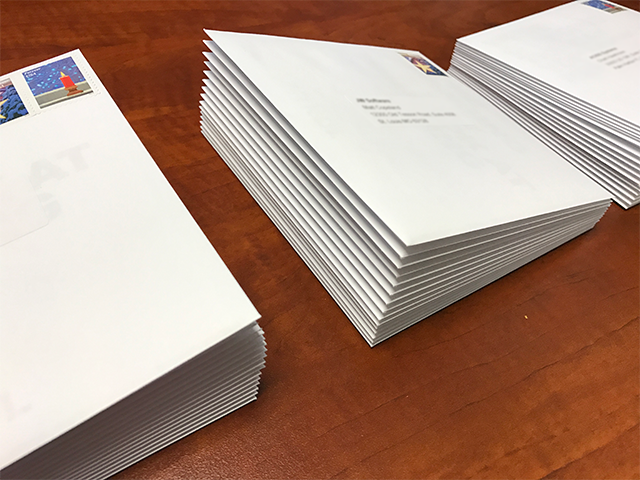
TX Text Control's mail merge functionality is completely compatible to MS Word and you can not only use the Avery address label MS Word templates, but also the Access database files from MS Word.
As a data source, MailMerge supports JSON, structured IEnumerable objects, DataSets or DataTables. Using the new DataSourceManager, you can connect to any data source such ODBC and ADO.NET. If you are using MS Word for mail merge purposes, you typed in customer addresses into the New Address List dialog:
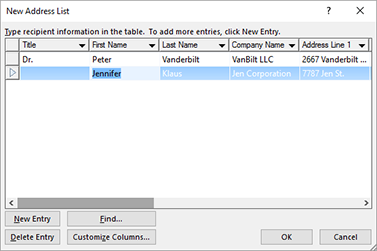
This address list is saved as a Microsoft Access Database file (*.mdb or *.accdb).
Using the pre-compiled demo TX Text Control Words - a reference implementation of TX Text Control - you can open this data source. TX Text Control Words uses the ready-to-use RibbonReportingTab class which implements the DataSourceManager that provides the UI workflow and the following dialog boxes. All of them can be used in your own application based on TX Text Control.
-
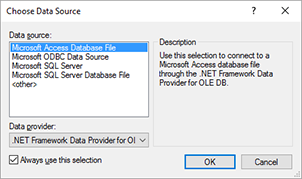
Select Data Source from the Select Data Source drop-down in the Reporting ribbon tab.
-
Choose Microsoft Access Database File and confirm with OK.
-
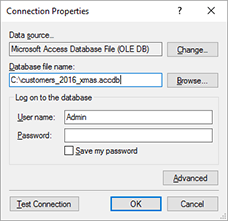
In the next dialog page, browse for the database file and confirm with OK.
-
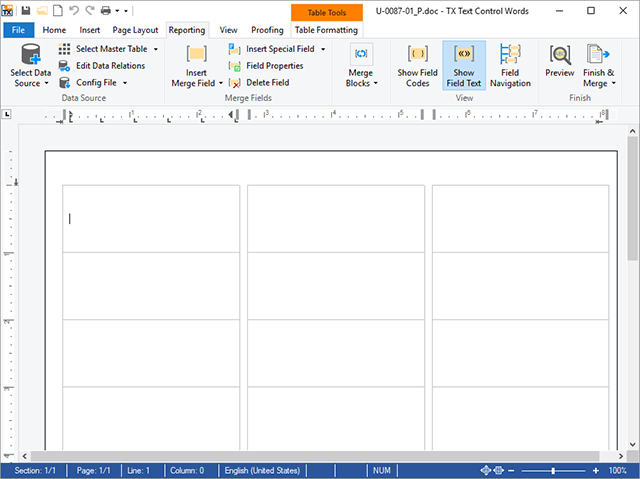
Now find your specific label template and load it into TX Text Control Words.
The Avery label templates use tables to separate the labels:
In the next step, you can add the merge fields to the first label.
-
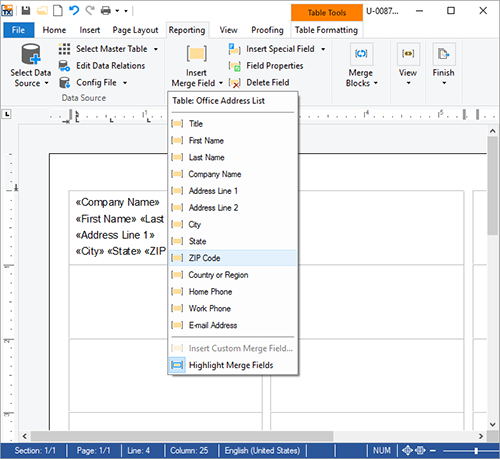
Select Office Address List as your Master Table and insert your required fields using the Insert Merge Field drop-down button:
-
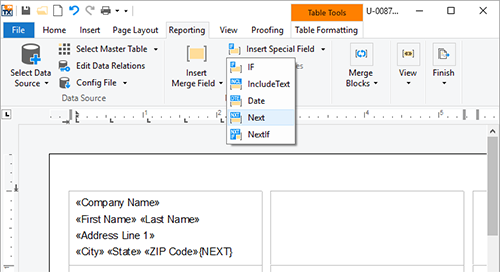
After the last field, insert a Next field from the Insert Special Field drop-down button:
-
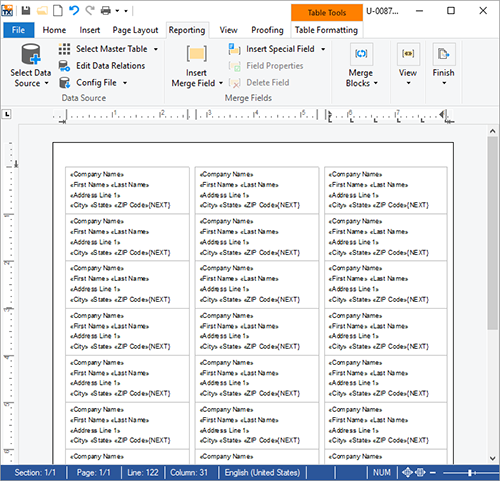
Copy the complete content of the first cell into the clipboard and duplicate it by pasting it into all other cells in the table:
-
Click on the Merge into Current Document menu item of the Finish & Merge drop-down button:
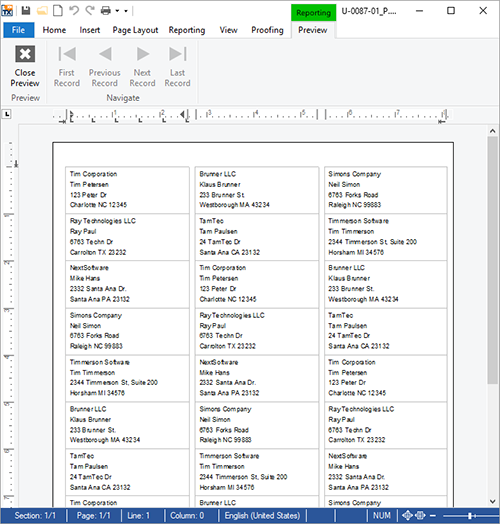
The data is merged into the template and you are ready to print the document directly onto your label sheets.
Cloud
Are we moving to the cloud? This question is changing from "if" to "when" and "how". Text Control ReportingCloud brings complete reporting functionality to the cloud so all developers can use it, irrespective of the platform or language they're using. Its highly RESTful API can be used to merge Microsoft Word compatible templates with JSON data from all clients including .NET, Javascript, PHP, Node.JS, jQuery, Ruby, Python, Android, Java and iOS.
Related Posts
ReportingCloud Monthly Payment Available
ReportingCloud now supports monthly subscription plans that auto-renew each billing cycle until cancelled. Subscribers manage active plans and view payment invoices through the online store…
Proofing Tools Available As ReportingCloud Web API Endpoints
ReportingCloud introduces three proofing Web API endpoints for cloud-based spell checking. The proofing/check endpoint detects misspelled words and duplicates, proofing/suggestions returns ranked…
All Google Fonts Now Available in ReportingCloud
ReportingCloud now includes over 2000 Google Fonts on its servers, ensuring consistent rendering across merged documents. The fonts/list endpoint returns all available font names for programmatic…
New ReportingCloud MergeSettings Option: Merge HTML Content into Merge Fields
ReportingCloud adds a mergeHtml property to MergeSettings that accepts formatted HTML inside merge field data. Supported tags include strong, em, and u wrapped in an html root element. The…
Retrieving Template Information Using the ReportingCloud Web API
The ReportingCloud template/info endpoint returns a TemplateInfo object containing hierarchical merge field names, format strings, and nested merge block structures. This metadata enables dynamic…