









Native PDF Annotation Support Is Coming to the TX Text Control Document Viewer

The next version of the TX Text Control Document Viewer will introduce an important enhancement to PDF workflows: native support for PDF-compatible annotations. Users will be able to add annotations to PDF documents in the Document Viewer, and these annotations will be saved in a way that is compatible with the PDF standard. This is a significant improvement for users who collaborate on PDF documents.
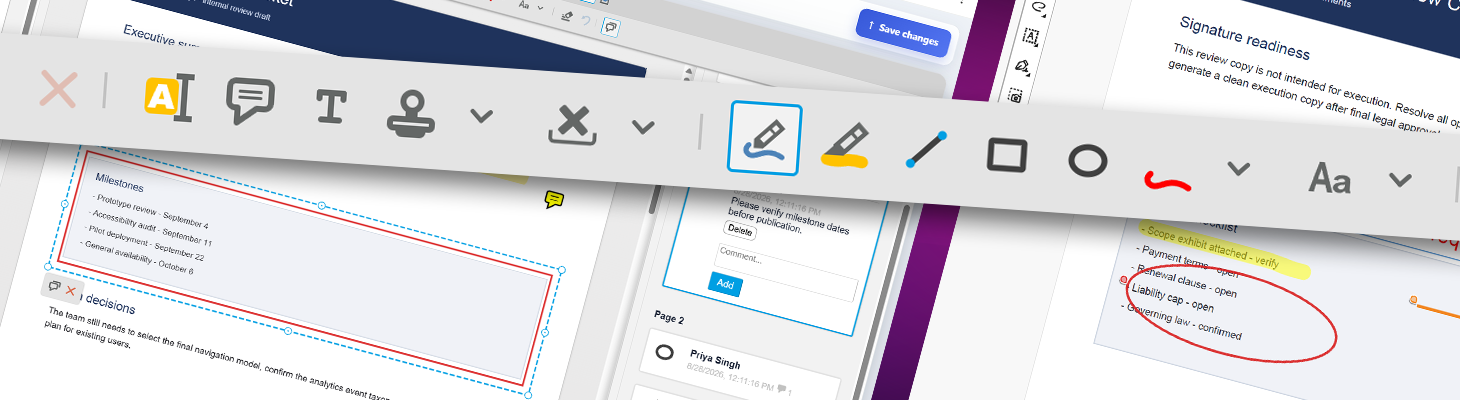
The next version of the TX Text Control Document Viewer will introduce an important enhancement to PDF workflows: native support for PDF-compatible annotations.
Annotations have been part of the Document Viewer for a long time. Users can add drawings, text annotations, rectangles, lines, and other markups directly in the browser. Until now, however, these annotations were handled independently from the document itself. They could be exported as JSON, stored separately, and reloaded whenever the document was displayed.
This architecture is still useful for many applications. However, PDF workflows are different.
PDF is commonly used as a shared document format across organizations, applications, and users. For example, a PDF might be reviewed in a browser-based application, opened later in Adobe Acrobat Reader, forwarded to another person, annotated again in a different application, and eventually returned to the original workflow.
The next version of the Document Viewer will support these scenarios by importing annotations directly from PDF documents and exporting viewer annotations back into the PDF.
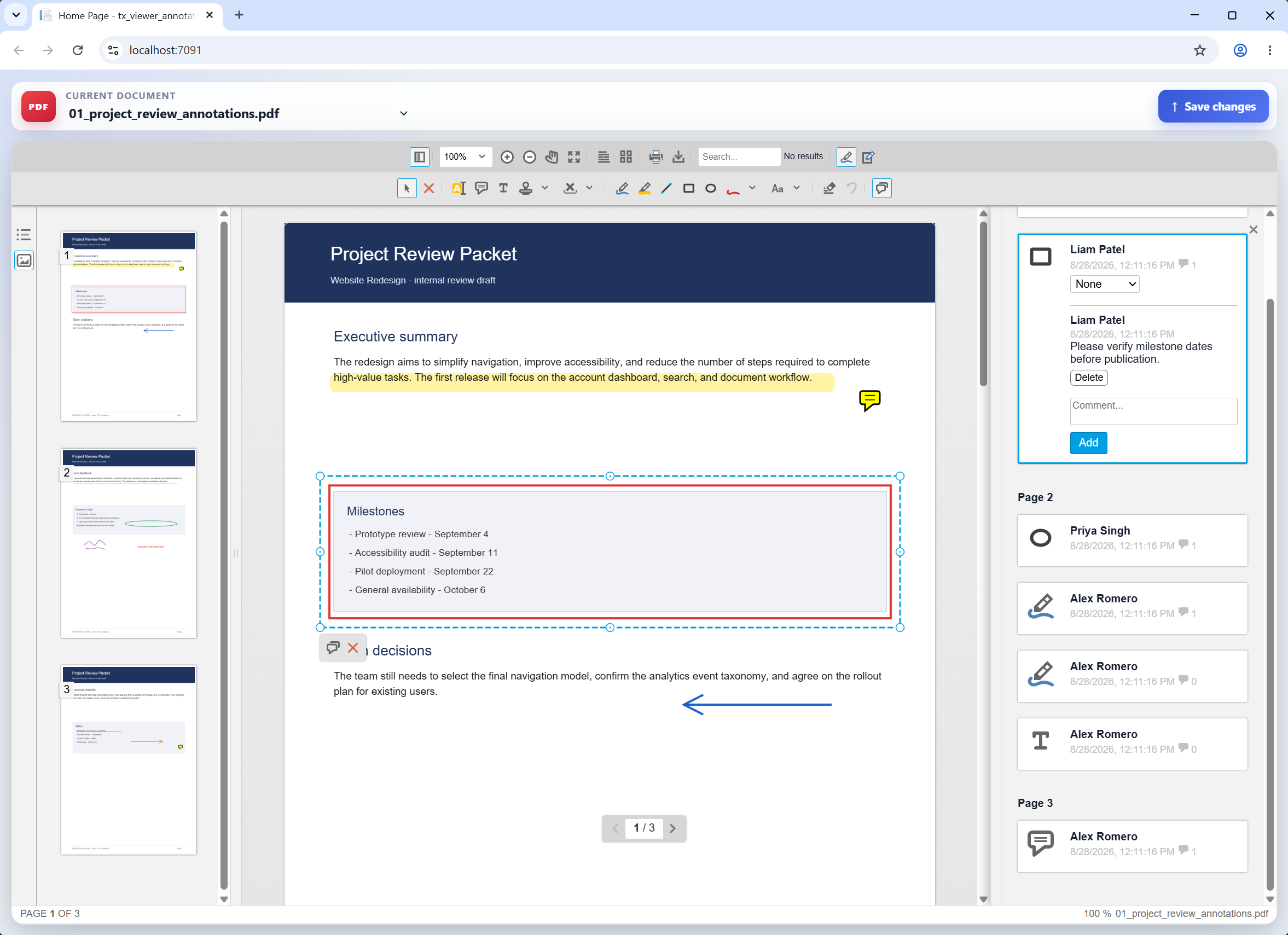
Why PDF Annotations Are Different
The next version of the TX Text Control Document Viewer will introduce an important enhancement to PDF workflows: Native support for PDF-compatible annotations.
Annotations have been part of the Document Viewer for a long time. Users can add drawings, text annotations, rectangles, lines, and other markups directly in the browser. Until now, however, these annotations were handled independently from the document itself. They could be exported as JSON, stored separately, and reloaded whenever the document was displayed.
This architecture is still useful for many applications. However, PDF workflows are different.
PDF is commonly used as a shared document format across organizations, applications, and users. For example, a PDF might be reviewed in a browser-based application, opened later in Adobe Acrobat Reader, forwarded to another person, annotated again in a different application, and eventually returned to the original workflow.
The next version of the Document Viewer will support these scenarios by importing annotations directly from PDF documents and exporting viewer annotations back into the PDF.
Import Existing PDF Annotations
The new version of the Document Viewer can import annotations embedded in a supported PDF.
This means that a PDF that has been reviewed or marked up using another compatible application can be opened in the TX Text Control Document Viewer while retaining its annotations.
Supported annotation scenarios include the following:
- Freehand drawings
- Text annotations
- Rectangles and other graphical annotations
- Lines
- Comments associated with annotations
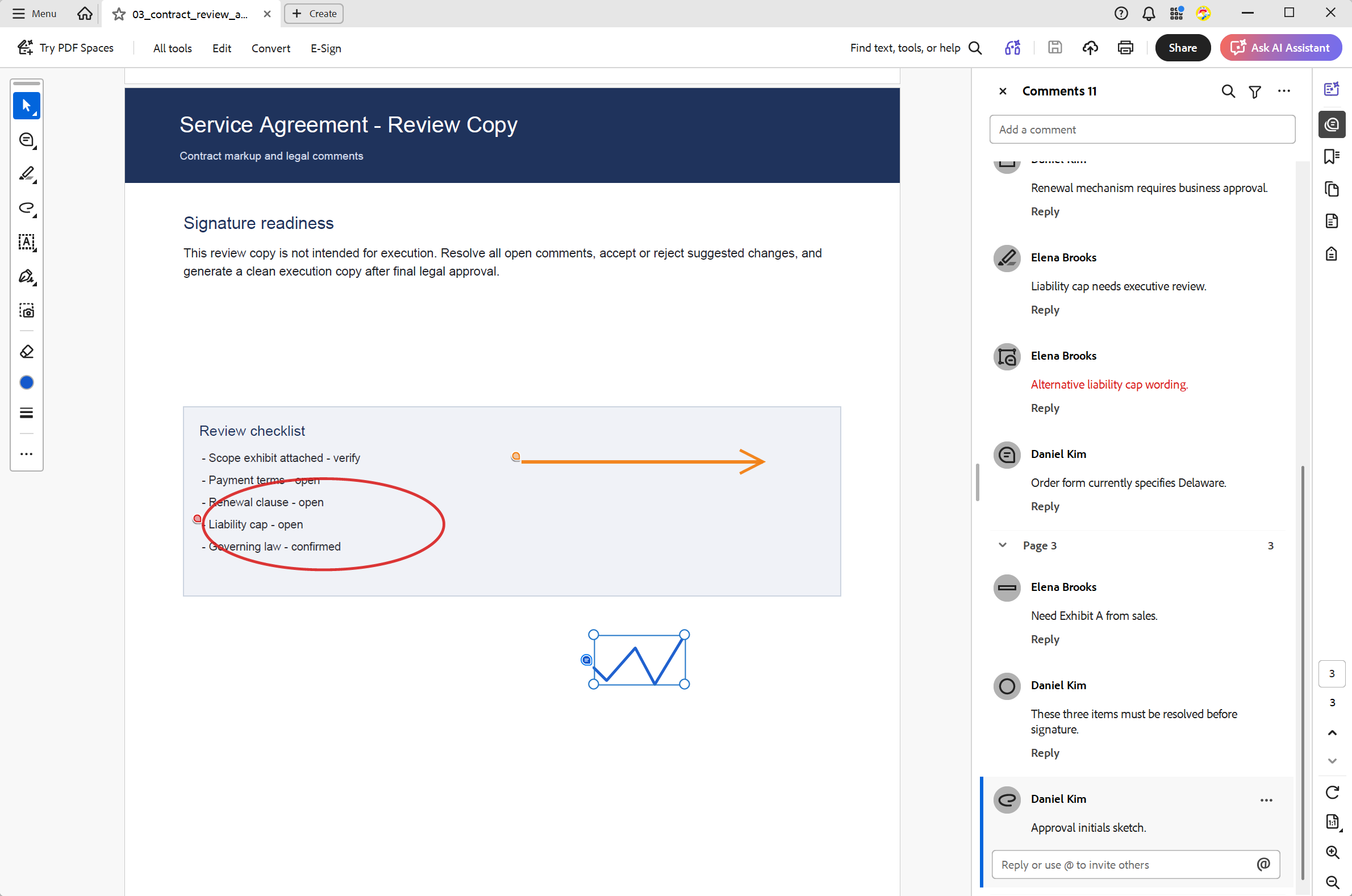
These annotations are integrated into the familiar browser-based viewing and review experience. Now, let's look at an example that was first opened in Adobe Acrobat Reader and then in the TX Text Control Document Viewer.
The next screenshot shows the same PDF opened in the TX Text Control Document Viewer. All annotations are preserved, and users can continue to add new annotations or edit existing ones.
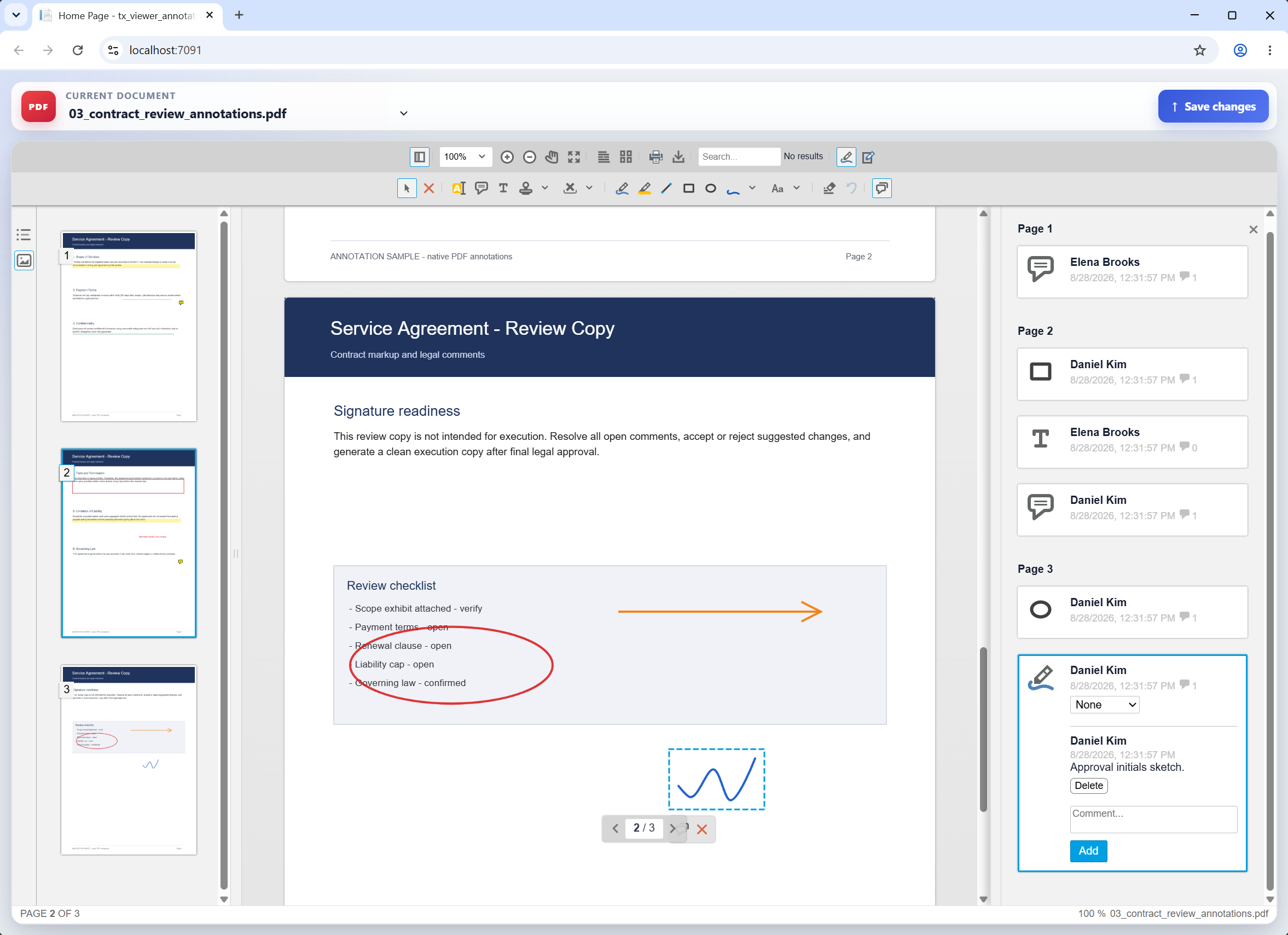
This allows for much more natural workflows when documents originate from outside the application. Rather than requiring users to create a new annotation layer from scratch, existing information in the PDF can be preserved and displayed.
Export Annotations Back to PDF
Interoperability works both ways. Annotations created in the TX Text Control Document Viewer can be exported to a PDF using compatible annotation structures.
Therefore, a user can open a PDF, review it directly in the browser, add markup and comments, and generate a PDF containing those annotations.
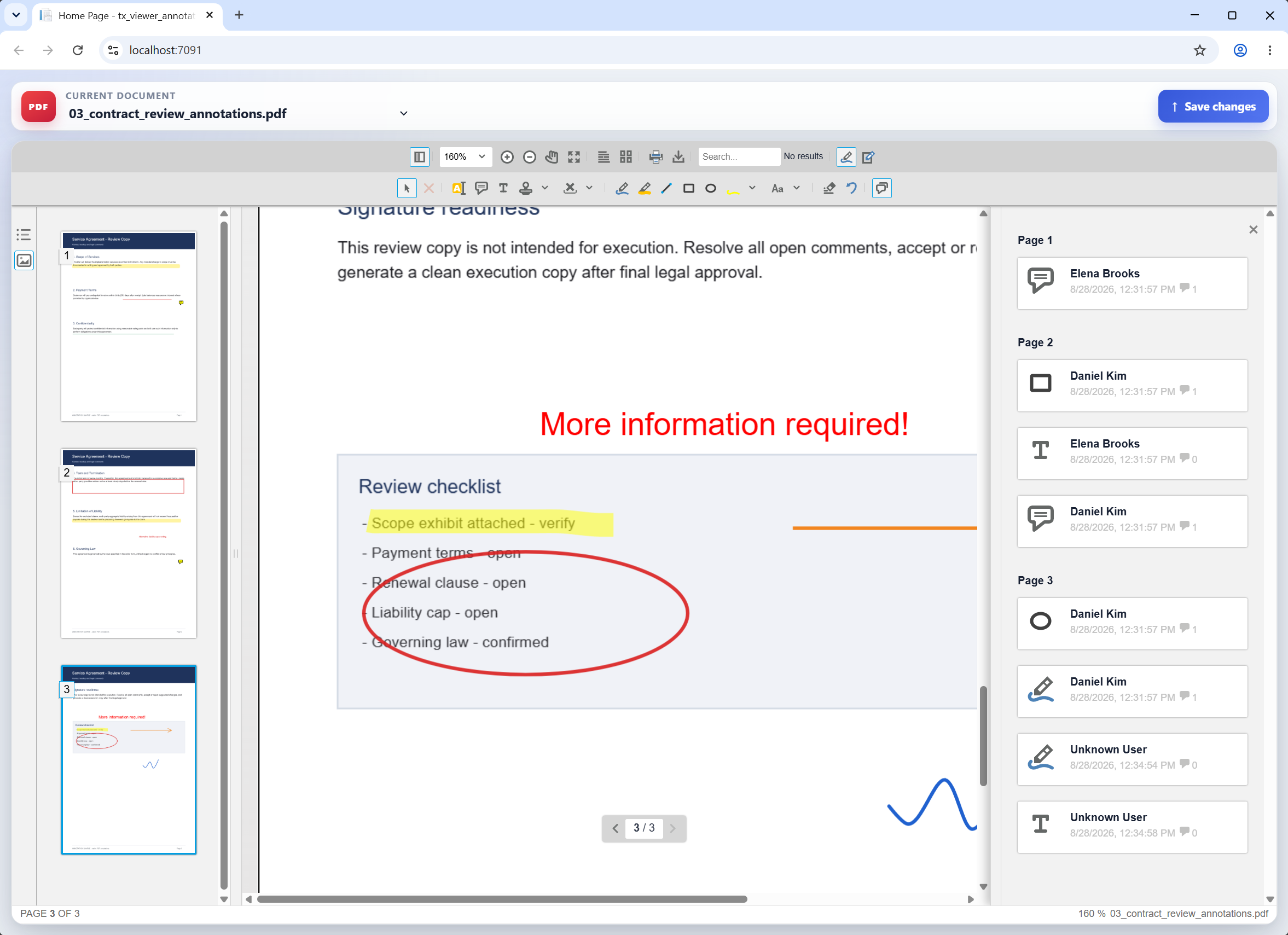
This document can then proceed through a PDF-based workflow and be opened in other applications that support the annotations.
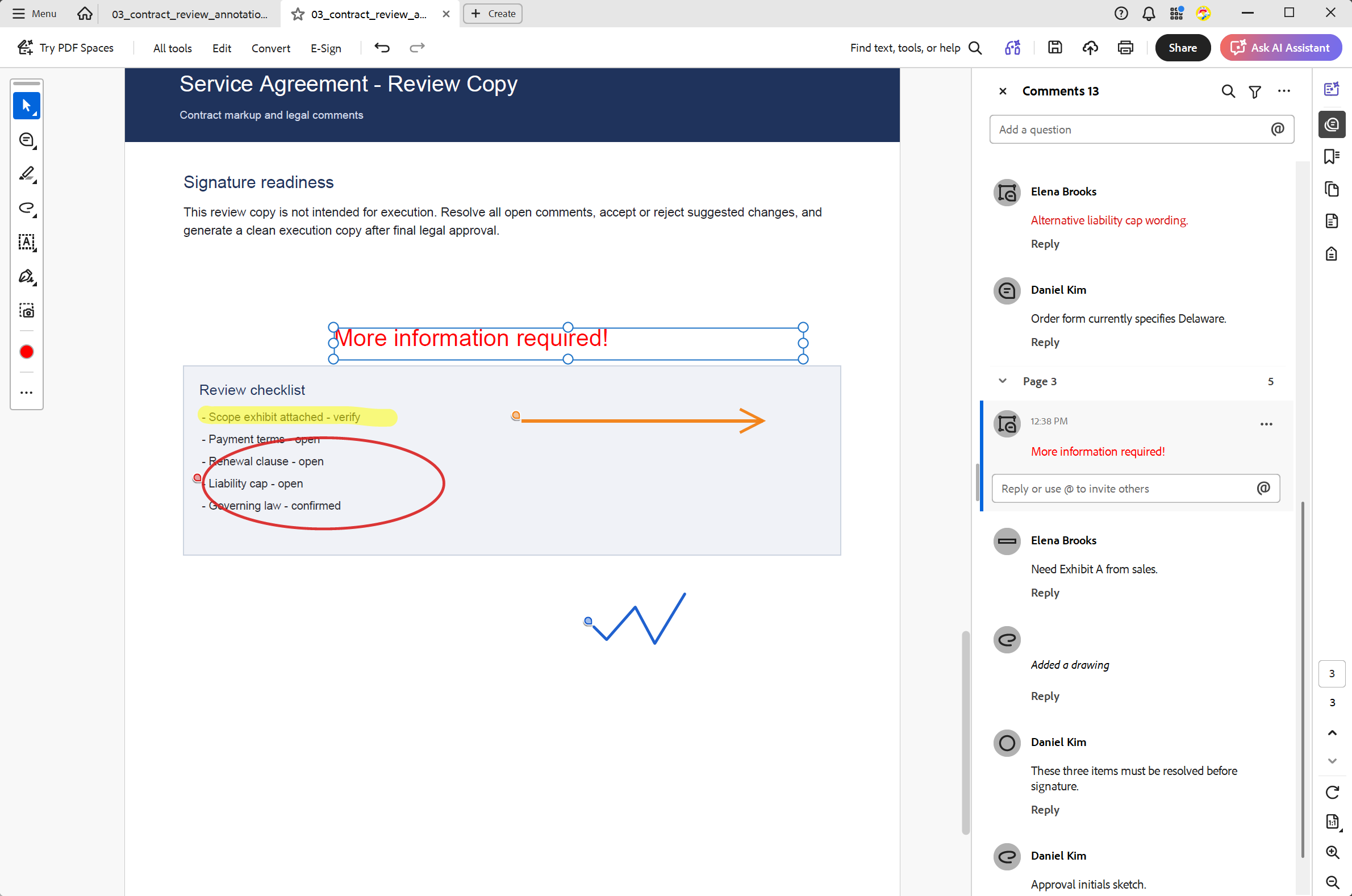
This is especially useful in workflows where TX Text Control is just one of several applications involved in document processing.
Comments Become Part of the Workflow
Annotations often require more than just graphical markup. A rectangle around a paragraph, an arrow pointing to a value, or a freehand drawing often requires additional context. Comments allow reviewers to explain why something was marked and provide information to the next person working with the document.
Therefore, the new PDF annotation support includes associated comments when importing and exporting compatible annotations. This feature is ideal for collaborative review processes where the markup and the surrounding discussion need to remain connected.
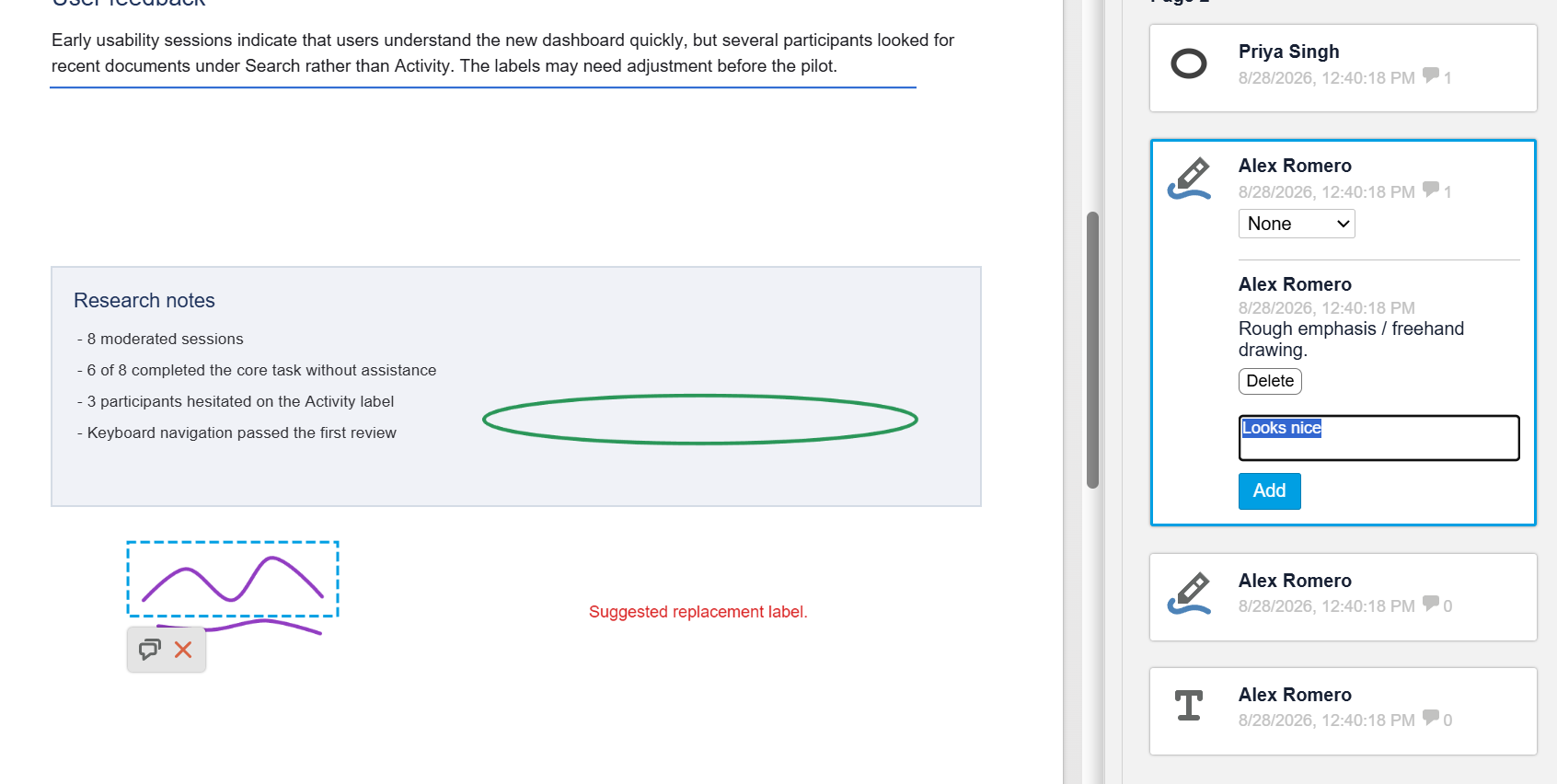
Two Annotation Models for Different Applications
Adding PDF-compatible annotations does not render the existing JSON-based annotation model obsolete. In fact, the two approaches solve different problems.
The JSON annotation model is useful for annotations that belong to an application's workflow. With this model, developers can keep the source document untouched, store the annotations separately, associate them with application data, and control exactly when and for whom the annotations are displayed.
PDF annotations are the better choice when interoperability is required and the annotations should become part of the portable PDF document.
Therefore, developers can choose the architecture that best fits their application. For an internal document review system, storing annotations separately may be the preferred solution. However, for a PDF review workflow involving customers, partners, external organizations, or third-party PDF software, embedding the annotations in the PDF provides a much more interoperable approach.
A More Complete PDF Review Workflow
The Document Viewer is commonly used as the browser-based interface for larger document workflows. It allows users to display documents without requiring a local desktop application and to review, annotate, complete, and sign documents directly in the application.
The ability to import and export native PDF annotations closes an important interoperability gap in these workflows. A typical process might look like this:
- A PDF is received from an external system or user.
- The existing PDF annotations and comments are imported and displayed in the Document Viewer.
- Additional users then review the document in the browser.
- They can add drawings, text, graphical markup, and comments.
- The resulting annotations are exported to the PDF.
- The annotated PDF can then be sent to another user or application.
The browser application is no longer an isolated annotation environment. Now, it can participate directly in existing PDF review processes.
Designed for Interoperable Document Workflows
There are many applications for which separating annotations from documents is the optimal architecture, and TX Text Control will continue to support this model. However, PDF has its own established conventions and is often exchanged between systems that do not share a common application backend.
Supporting PDF-compatible annotations acknowledges this reality. The next version of the TX Text Control Document Viewer will allow developers to combine the advantages of a browser-based document review experience with the interoperability that users expect from PDF. Existing annotations can be imported, and new annotations and comments can be created in the browser. The resulting information can then be written back into the PDF for use by other compatible applications.
For applications that exchange and review PDFs across organizational and application boundaries, the Document Viewer becomes an even more integral part of the overall document workflow.
Stay tuned for the next version of the TX Text Control Document Viewer, which will include this important enhancement to PDF workflows.
ASP.NET
Integrate document processing into your applications to create documents such as PDFs and MS Word documents, including client-side document editing, viewing, and electronic signatures.





- Angular
- Blazor
- React
- JavaScript
- ASP.NET MVC, ASP.NET Core, and WebForms
Related Posts
ASP.NETASP.NET CoreDocument Viewer
Use PDF.js to Render PDF Documents within the Document Viewer
With the release of the latest release candidate of the Document Viewer, we released the ability to use PDF.js to render PDF documents. This article shows how to use this new feature.
ASP.NETASP.NET CoreDocument Viewer
Feature Announcement: Enabling External PDF Renderer PDF.js in TX Text…
We are working on a feature that supports the enabling of external document renderers such as PDF.js to render PDF documents. This article gives a quick overview of the possibilities.
ASP.NETASP.NET CoreDocument Generation
Building a Production-Ready PDF Generation Pipeline in C# with ASP.NET Core
Learn how to build a reliable PDF generation pipeline with TX Text Control and ASP.NET Core. Use durable background jobs, idempotency, renewable leases, PDF validation, and private artifact…
Building a Browser-Based PDF Workflow for Medical Billing using .NET C#
Learn how to create a browser-based PDF workflow for medical billing with .NET C# and TX Text Control. TX Text Control .NET Server offers different components optimized for the individual parts of…
AI Natural Language Document Generation with MCP and TX Text Control .NET
This article explains how AI agents can use natural language to create documents through an MCP server. Instead of letting a language model generate documents directly, the AI translates prompts…