


TX Text Control X14 Service Pack 1 Deployed to ReportingCloud Portal and API

TX Text Control X14 Service Pack 1 has been deployed to the ReportingCloud portal and API, fixing MailMerge and Web.TextControl issues. New features include a client-server clipboard toggle, scrollable drop-down buttons for large data sources, and additional ribbon UI controls.

Last week, we released the first service pack for TX Text Control X14 which has now been deployed to the ReportingCloud portal and API. In this service pack, we fixed known issues in the Mail
Client Clipboard Toggle
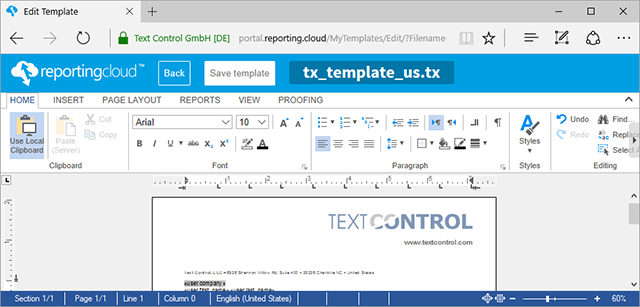
In the previous version, in order to copy content from the local (client) clipboard to the document, a separate pop-up window is opened. This won't be longer required in version X14 (24.0). A toggle button controls the currently active clipboard.
If the toggle button Use Local Clipboard is active, the user can paste content directly into the document using the keyboard short-cuts. If document content is selected and copied, automatically, the active clipboard switches to the server clipboard. This provides an efficient way to work with both clipboards.
Scrollable Drop-down Buttons
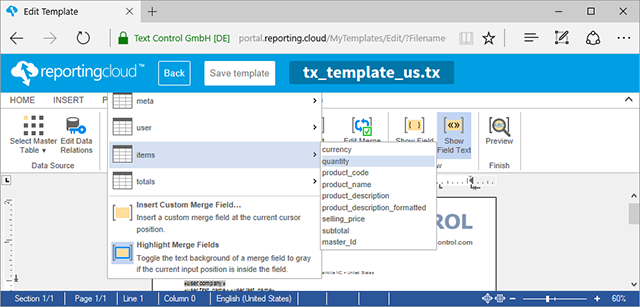
When working with larger data sources and many tables, scrollable drop-down buttons help to navigate to the desired list items. The opened list boxes adjust automatically to the size of Web.TextControl to provide a perfect user experience.
New Ribbon UI Features
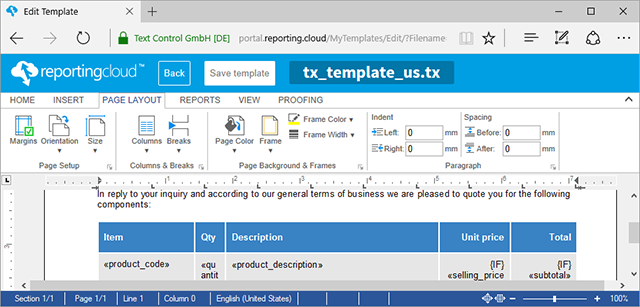
The ribbon bar has been improved with new features. Using the Page Background & Frames group, the page background color and page frame width and style can be adjusted.
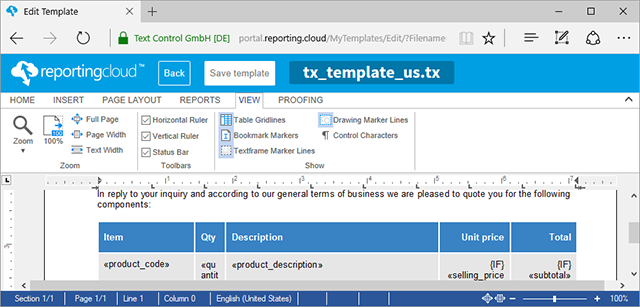
New zoom options have been added to the View ribbon tab. View helpers such as table grid lines, control characters and drawing marker lines can now be toggled in the Show ribbon group.
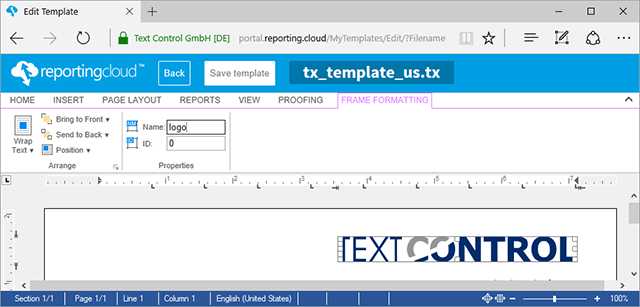
The Frame Formatting group shows editors to modify the name and the id of bound objects.
If you would like to test these features in our reference implementation ReportingCloud, open a free test account:
Happy coding!
Also See
This post references the following in the documentation:
TX Text Control .NET Server
- TXText
Control. Web. Text Control Class
TX Text Control .NET for Windows Forms
- TXText
Control. Document Server. Mail Merge Class
Cloud
Are we moving to the cloud? This question is changing from "if" to "when" and "how". Text Control ReportingCloud brings complete reporting functionality to the cloud so all developers can use it, irrespective of the platform or language they're using. Its highly RESTful API can be used to merge Microsoft Word compatible templates with JSON data from all clients including .NET, Javascript, PHP, Node.JS, jQuery, Ruby, Python, Android, Java and iOS.
Related Posts
ReportingCloud Monthly Payment Available
ReportingCloud now supports monthly subscription plans that auto-renew each billing cycle until cancelled. Subscribers manage active plans and view payment invoices through the online store…
Web.TextControl: Adaptive Merge Field Drop-down Lists
TX Text Control X14 Service Pack 1 adds adaptive drop-down lists in Web.TextControl for merge fields and merge blocks. Selecting a master table filters the lists to show only related child tables…
ReportingCloud: Merging Images into Image Placeholders
ReportingCloud supports merging images into templates via image placeholders bound to JSON data columns. Image binary data must be Base64-encoded in the datasource excerpt. The online template…
Text Control ReportingCloud Released: Web API Powered Reporting Platform
Text Control ReportingCloud is a Web API platform that merges MS Word compatible templates with JSON data to generate documents from any client application. RESTful endpoints handle template…
Getting Started with Text Control ReportingCloud and the .NET Wrapper
Walk-through for building a first ReportingCloud application with the .NET wrapper. Covers creating a trial account, installing the NuGet package, configuring an ASP.NET MVC controller to call…