


Building Dashboard Reports with TX Text Control

A stock dashboard report template built in TX Text Control Words connects to a data source and uses merge fields, conditional IF fields for positive and negative values, and embedded 2D and 3D charts. The designer supports live preview of populated data across all template records.

We prepared many different demos and sample templates for various conferences in the last weeks. At DevConnections, we presented the latest features of TX Text Control X8 including the new template designer TX Text Control Words.
I set up one particular sample template that was very popular at DevConnections. People's reaction was that they didn't even know that this is possible using a Rich Text Editor - not even with TX Text Control. I thought to publish an article about this reporting sample and how to create it.

This document is a reporting template for presenting stock information highlights on a single page. The following animation shows the template on the left side with all different types of fields, graphics and charts. On the right side, you can see the final merged document with the actual data. As you can see, using TX Text Control, you can create such templates in a true WYSIWYG manner.
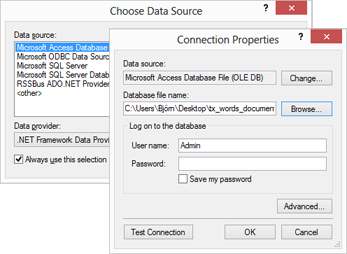
First, we need to open the data source. TX Text Control Words comes with a ready-to-use data connection wizard to connect to all types of databases:
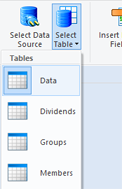
After the data source is selected, a data table can be chosen from the Select Table drop down list of the Mailings ribbon tab:
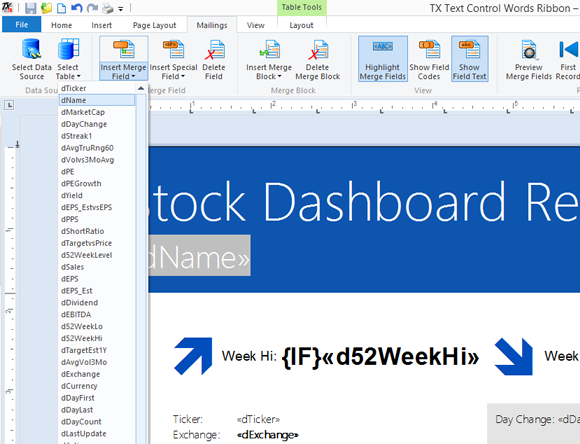
All available table columns are automatically available as merge fields in the Insert Merge Field drop down list. You can start designing your template in order to insert required fields:
This template contains some specials fields. A large green "UP" should be inserted, if the stock's "day change" is positive or a red "DOWN" when this value is negative.
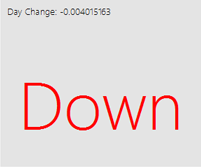
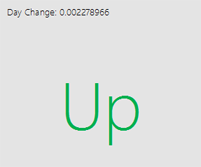
TX Text Control provides IF fields for this purpose. We simply add two adjacent IF fields with different colors at the specific position:
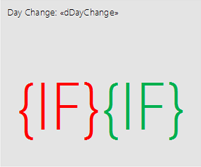
IF fields are getting specific conditions in order to return a true and a false text. The condition for the first field would be:
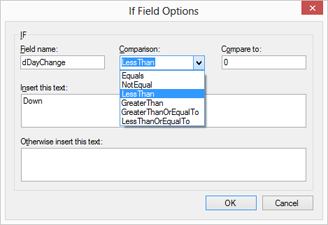
If merge field dDayChange is less than 0 then return Down.
Of course, this can be adjusted with the integrated dialog boxes:
2D and 3D charting is also a new part of TX Text Control version X8. Supported chart types include areas, bars, columns, lines or pies. They can be fully customized and programmed through the Text Control API.
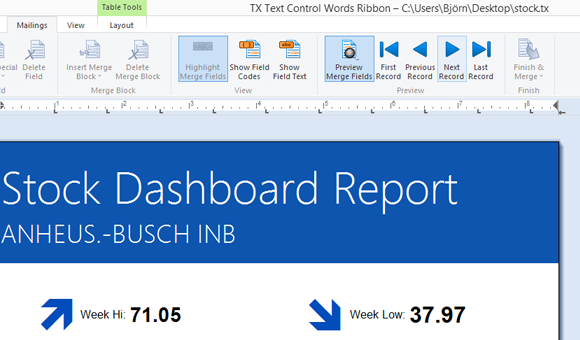
At any time, you can preview your created document with real data. Simply click on the Preview Merge Fields button and navigate through the records:
TX Text Control is the only component that combines the power of reporting and mail merge features with a true WYSIWYG designer control. Test it on your own and download a trial version of TX Text Control X8 today.
You can download the template and the sample database right here.
Related Posts
TX Text Control, Windows 8 and Visual Studio 11: It Simply Works!
TX Text Control .NET 17.0 runs on Windows 8 Consumer Preview for both Windows Forms and WPF desktop applications. Visual Studio 11 Beta is fully compatible, and ActiveX controls remain supported.…
TX Text Control's Smart Selection Interface
TX Text Control includes built-in mouse and keyboard assignments for text selection and navigation. This reference details double-click word selection, triple-click line selection, drag-and-drop…
Spell CheckingTechnical Article
Deploying TX Spell .NET in an XBAP Browser Application
XBAP enables deploying full WPF applications in the browser via .NET Framework. This tutorial covers creating a WPF Browser Application project, configuring TXSpellChecker in Page.Resources,…
Spell CheckingTechnical Article
TX Spell: Performance Considerations
TX Spell .NET benchmarks demonstrate approximately 75,000 words checked per second and suggestion generation in under 0.035 seconds per word using the US English dictionary. This linear…
A Deeper Look at TX Text Control .NET for Windows Forms's Page Class
The Page class in TX Text Control .NET for Windows Forms, available since version 14.0, represents a single formatted document page. It provides Bounds, Start, and Section properties along with…