









Live Stock Quotes in a C# .NET App with TX Sheet Control

The TX Sheet Control stock market demo streams simulated quotes for 16 fictional companies into a worksheet. See how batch updates drive formula recalculation, volume bars, directional icons, and sparklines, then change the feed speed to measure update latency and throughput.
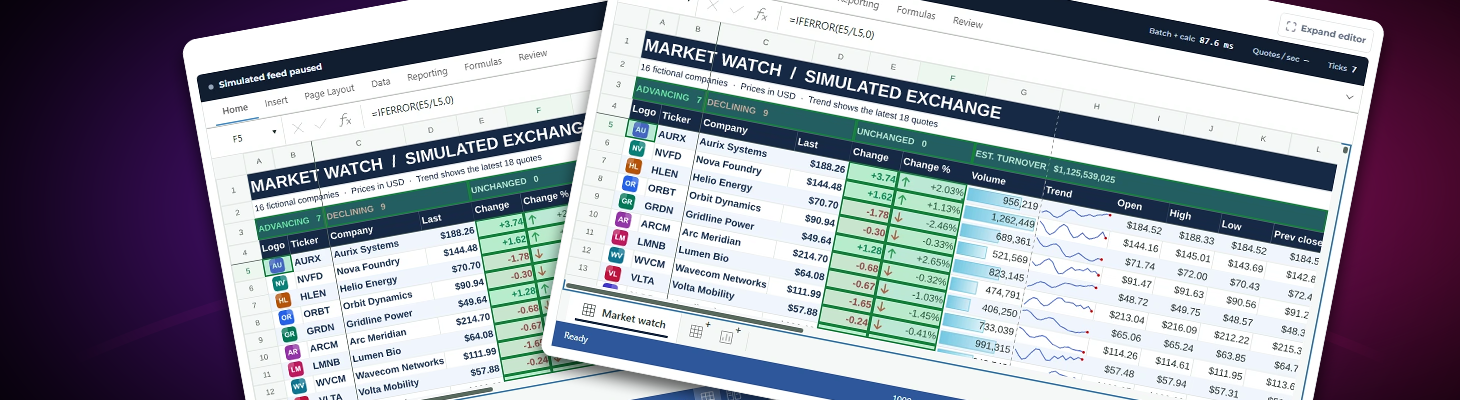
When a new stock quote arrives, changing the price is only the first step. That price feeds the dollar and percentage changes, the market summary, and the trend line next to the quote. At a high update rate, the spreadsheet has to keep those results in sync while users scroll, select cells, and inspect formulas.
Our Live Stock Market sample puts TX Sheet Control through that workflow. It streams simulated quotes for 16 fictional companies into an editable worksheet, with controls for the feed speed and a readout that shows how long each batch takes to apply and recalculate.
A Market Watch Built in the Worksheet
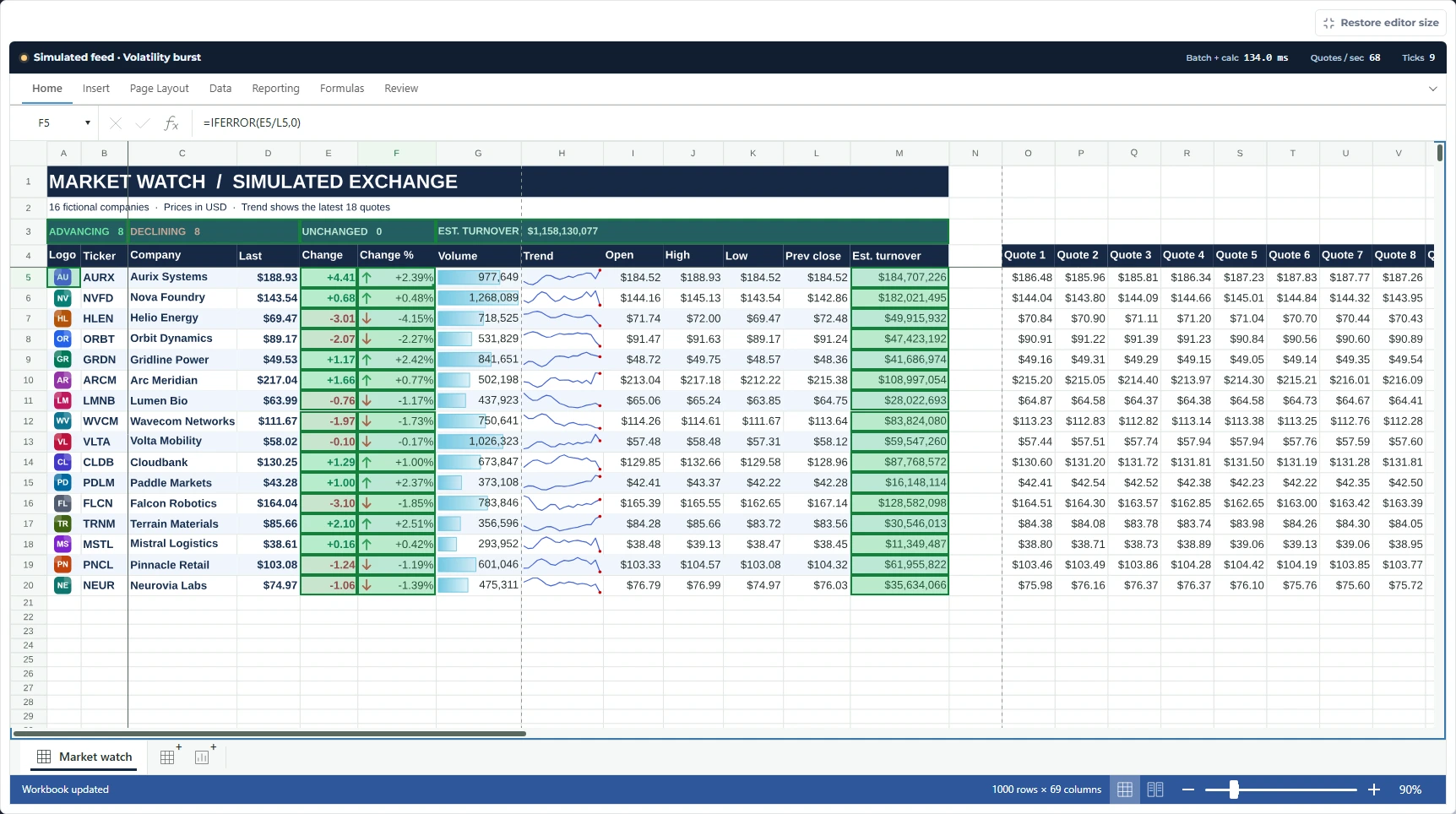
Each row shows an embedded company logo and ticker alongside the company name, last price, trading volume, open, session high and low, and previous close. Native conditional formatting adds data bars for volume and directional arrows for percentage change. A sparkline shows the last 18 prices for each company.
The simulation writes inputs such as the last price, accumulated volume, and rolling price history. Worksheet formulas calculate the change from the previous close and the corresponding percentage. They also estimate turnover by multiplying the last price by accumulated volume. The summary row uses COUNTIF to count advancing, declining, and unchanged stocks, and SUM to total estimated turnover.
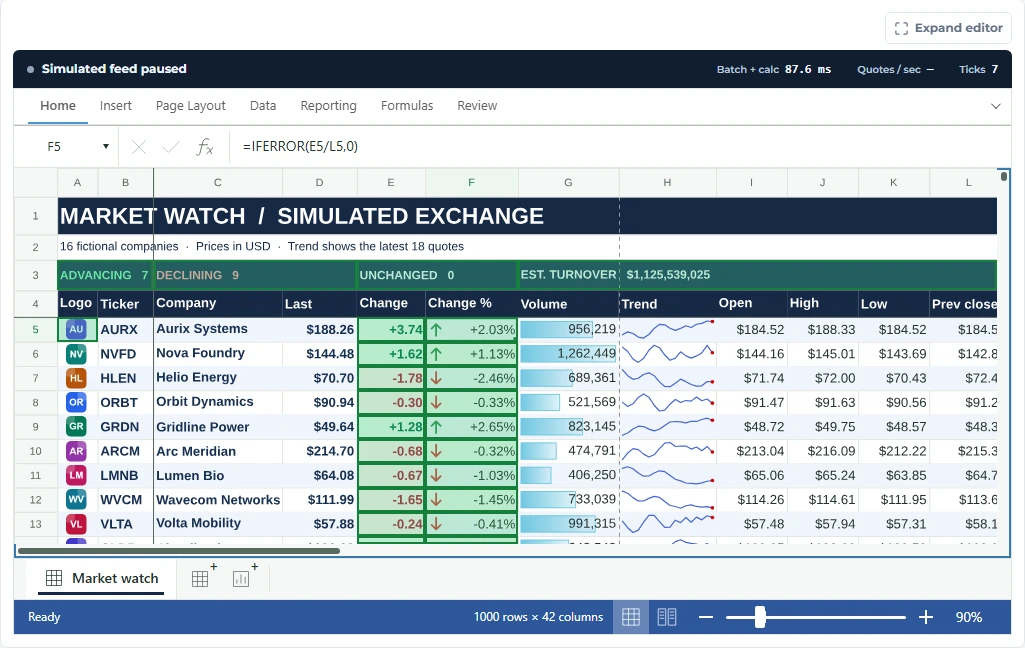
=IFERROR(E5/L5,0) in the formula bar. The cell divides the price change by the previous close.Why Fast Updates and Recalculation Matter
Spreadsheet performance depends on the whole update path. The control must accept incoming values, recalculate formulas that depend on them, and redraw the indicators and charts users rely on. A lag anywhere in that sequence can leave someone looking at a fresh quote alongside an older percentage change or trend.
The sample groups each tick into one Workbook.batch() and writes the updated inputs with Range.setValues(). It then awaits workbook.calculation.recalculateAsync() before scheduling the next tick. The formulas stay in the workbook, so the same dependencies also update when a user pauses the feed and edits a price. Waiting for each batch to finish keeps batches from piling up when recalculation takes longer than the selected interval.
Batch + calc shows the time spent writing a batch and waiting for its calculations to finish. Quotes / sec measures completed quote updates over recent ticks, including the selected delay between batches. The interval ranges from 1,000 ms down to 50 ms. Actual throughput varies with the browser, device, and workbook workload.
Put the Feed Under Load
Switch the feed to 50 ms and trigger a volatility burst to see larger price and volume swings for the next 12 ticks. Watch the data bars, directional icons, sparklines, and summary figures respond. You can pause at any time, change a last price to see its dependents update, or advance one tick to follow the simulation batch by batch.
Try the Live Stock Market Demo
All our online demos have been updated to the latest release candidate of TX Sheet Control. Stay tuned to our blog for the official release announcement coming soon!
Related Posts
JavaScriptASP.NET CoreDOCX Editor
How to Embed a DOCX Editor in a Web Application (ASP.NET Core)
This tutorial shows how to embed a DOCX editor in an ASP.NET Core web application with TX Text Control. It covers setting up the editor, loading a DOCX document, and editing it with true WYSIWYG…
DOCX Editor SDK: A Complete Evaluation Guide and Checklist
The right DOCX Editor SDK brings Microsoft Word-like editing into your web application and fits your technical and business requirements. This guide covers the capabilities and business…
Build a Custom Backstage View in ASP.NET Core with TX Text Control
This article shows how to build a custom backstage view with a File tab to load your multi-format documents using TX Text Control for ASP.NET Core applications.
5 Document Workflows You Can Automate With JavaScript Rich Text Editor
Enterprise JavaScript rich text editors outperform open source and basic alternatives for document automation. This guide covers five document workflows with TX Text Control: contract generation…
JavaScriptASP.NET CoreDocument Editor
Format Painter in ASP.NET Core: Building Custom Text Formatting with TX Text…
This article demonstrates how to build a Format Painter feature using the TX Text Control Document Editor, implementing format detection, copy and paste operations, and custom style handling…