









Major SignFabric Updates: Stronger Audit Trails, Validation, and Recipient Workflows

SignFabric has received major updates that improve the application shell, dashboard, audit trail, document validation, recipient routing, email OTP verification, templates, contracts, API integration, and production deployment reliability.

SignFabric has evolved quickly from an electronic signature sample into a more complete signing workspace for preparing, sending, tracking, validating, and administering document workflows. The latest updates focus on three important areas: A clearer application shell, stronger evidence and validation, and more flexible recipient workflows.
Test this Live
SignFabric is available as a live demo on our website. You can explore the full signing experience, create envelopes, send documents, and review the audit trail without any setup. It's a great way to see the improvements in action and understand how SignFabric can support your document workflows.
These improvements make SignFabric more useful for real-world document processes where signing is only one step in a larger workflow. Documents need to be prepared, routed, approved, signed, validated, and reviewed later with reliable evidence.
SignFabric on GitHub
SignFabric is an open-source, enterprise-ready e-signature platform built with ASP.NET Core and TX Text Control. The complete source code is available on GitHub and can be customized for your own workflows and infrastructure.
A More Productive Application Shell
The interface now feels more like a modern document operations workspace. Navigation has been refined so common signing tasks are easier to reach, and the application provides a clearer separation between document creation, envelopes, templates, contracts, administration, signing, and validation.
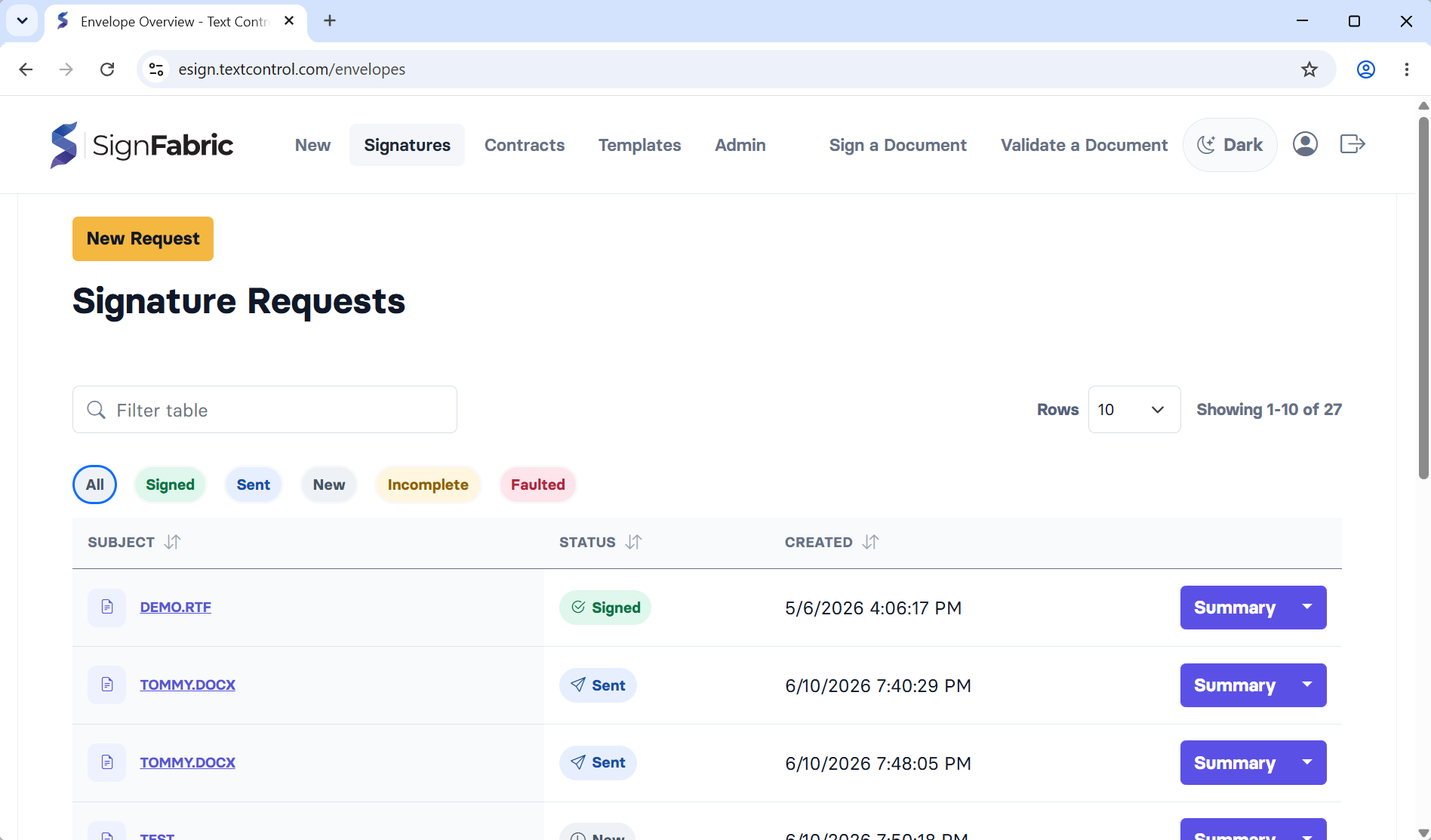
The updated sidebar and navigation model make SignFabric less page-by-page and more task-oriented. Users can move between active envelopes, reusable templates, contract workflows, and admin settings without losing context. The visual language has also been refreshed with improved spacing, clearer actions, status indicators, icons, and more consistent table styling.
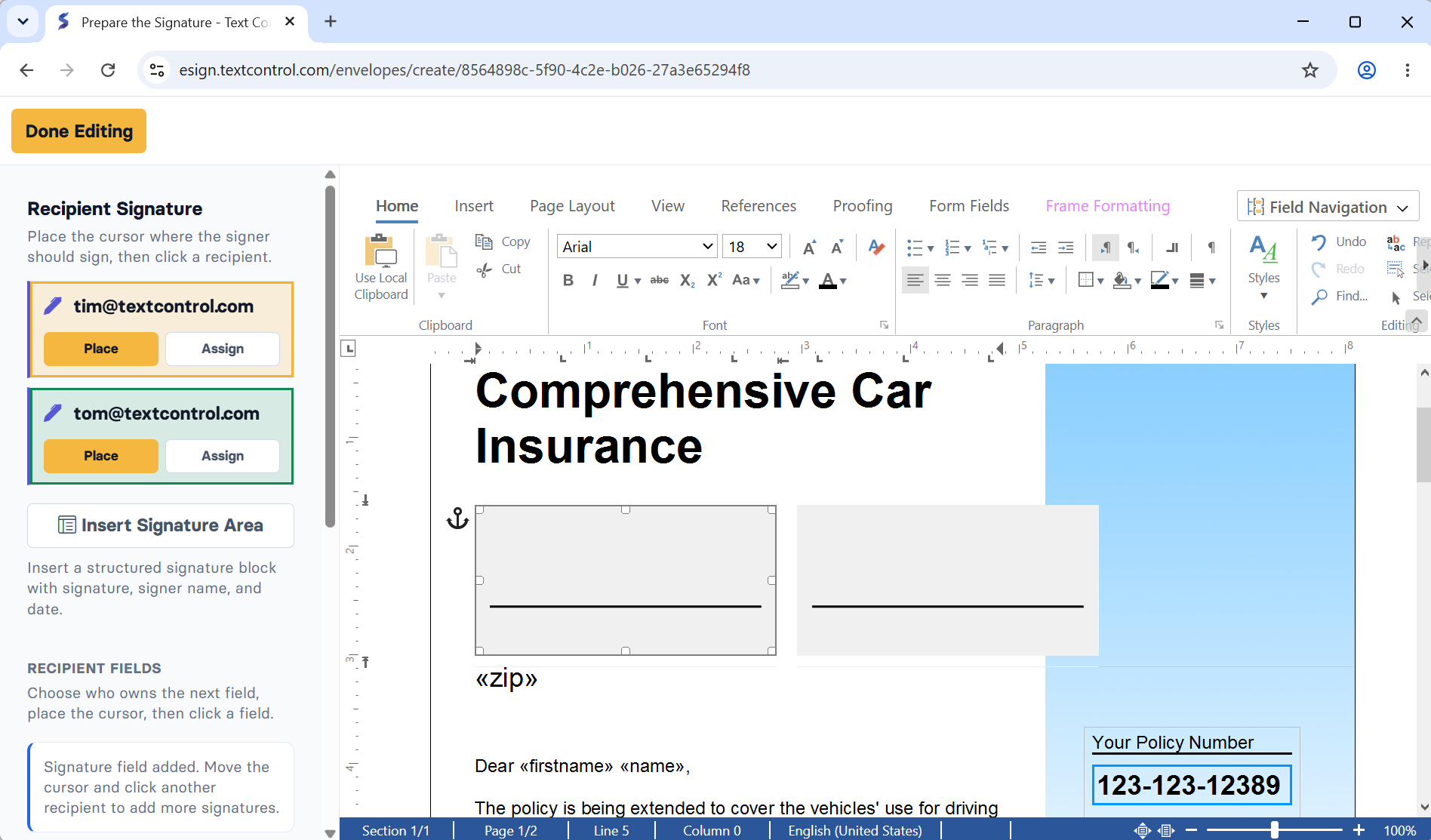
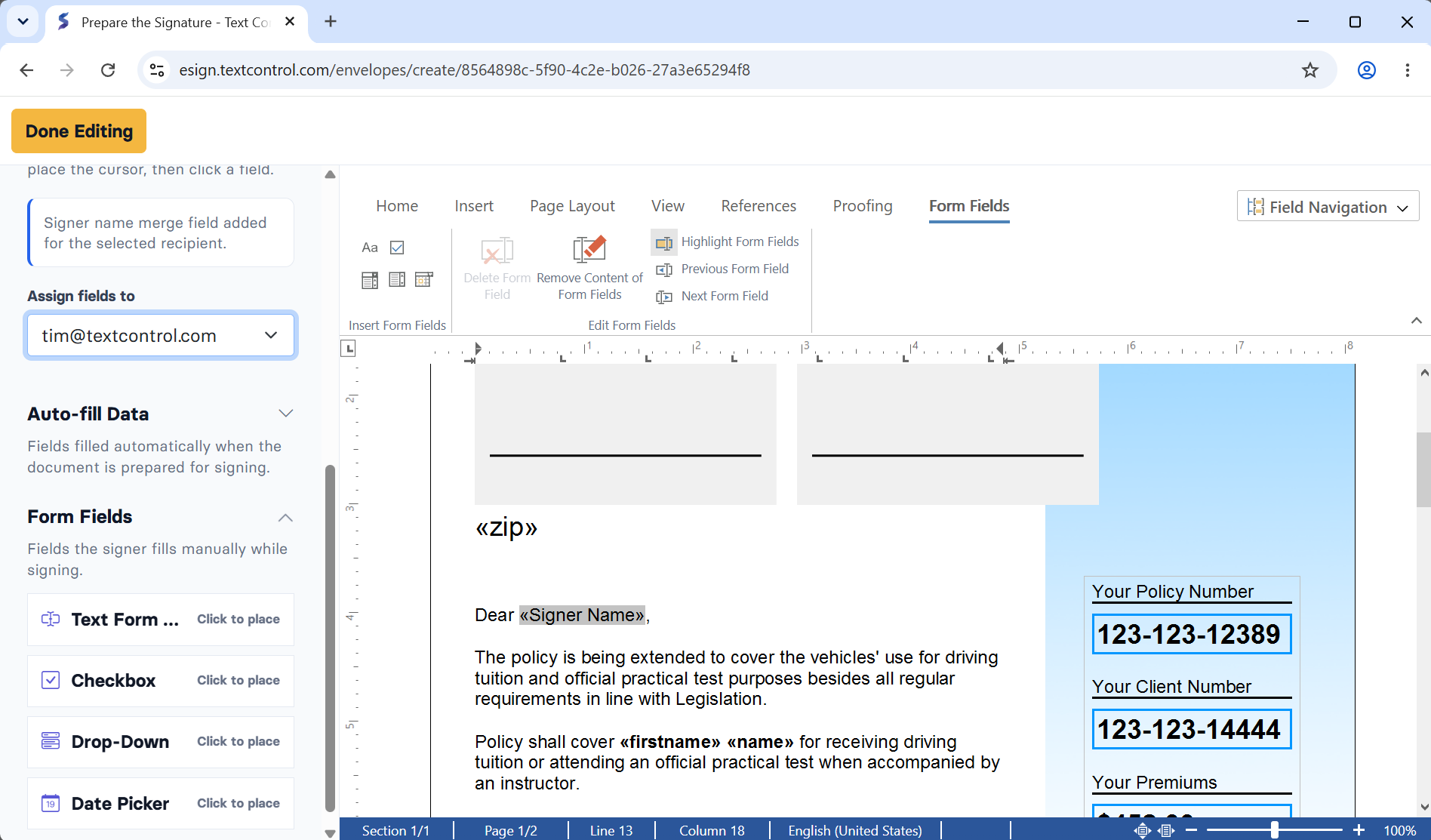
These changes matter most in daily use. A signing platform is not only about sending one document. It is about monitoring many documents, understanding where work is blocked, and quickly moving to the next action.
Dashboard and Table Improvements
The dashboard now provides a more useful first view of signing activity. Instead of presenting only flat counters, it highlights important work states such as pending signatures, completed documents, templates, and total envelopes.
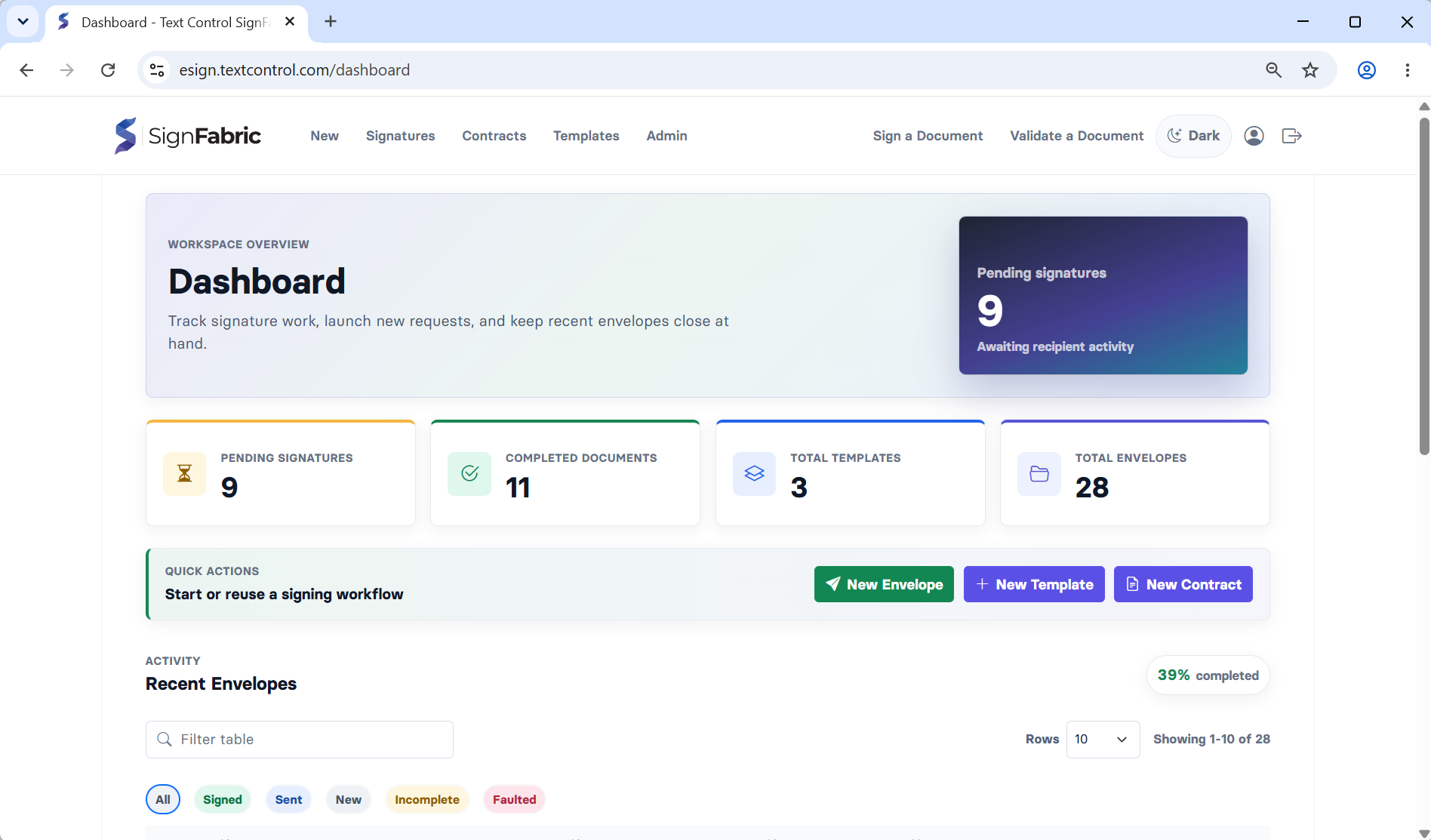
State indicators and table filters make it easier to move from a summary into the exact list that needs attention. For example, a dashboard status can lead directly into the envelopes view with the matching state already selected. This turns high-level metrics into navigation instead of simple reporting.
The table experience was also refined across the application:
- Shared table styling is used more consistently between dashboard and envelope views.
- Status filters are visible above tables, making active states easier to understand.
- Dropdown and layering behavior was improved so row actions behave predictably.
- Heavy visual effects were reduced where they distracted from scanning.
- Quick actions were simplified around the core creation paths: New envelope, new template, and new contract.
The result is a quieter and more usable interface for managing many documents at once.
Stronger Audit Trail
SignFabric now includes a richer audit trail for completed envelopes. The audit trail is designed to show the evidence behind a signed document, not just the final status.
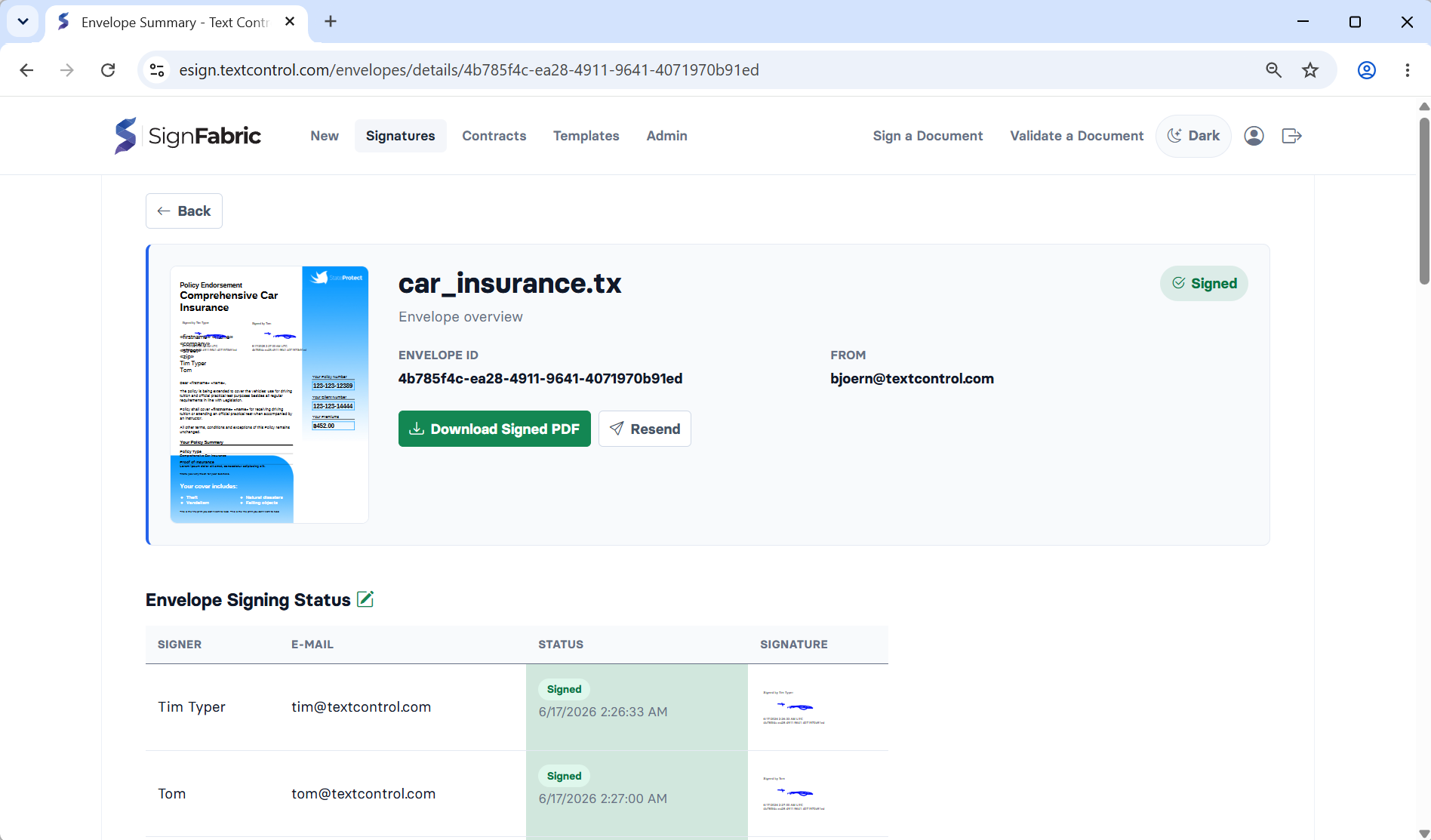
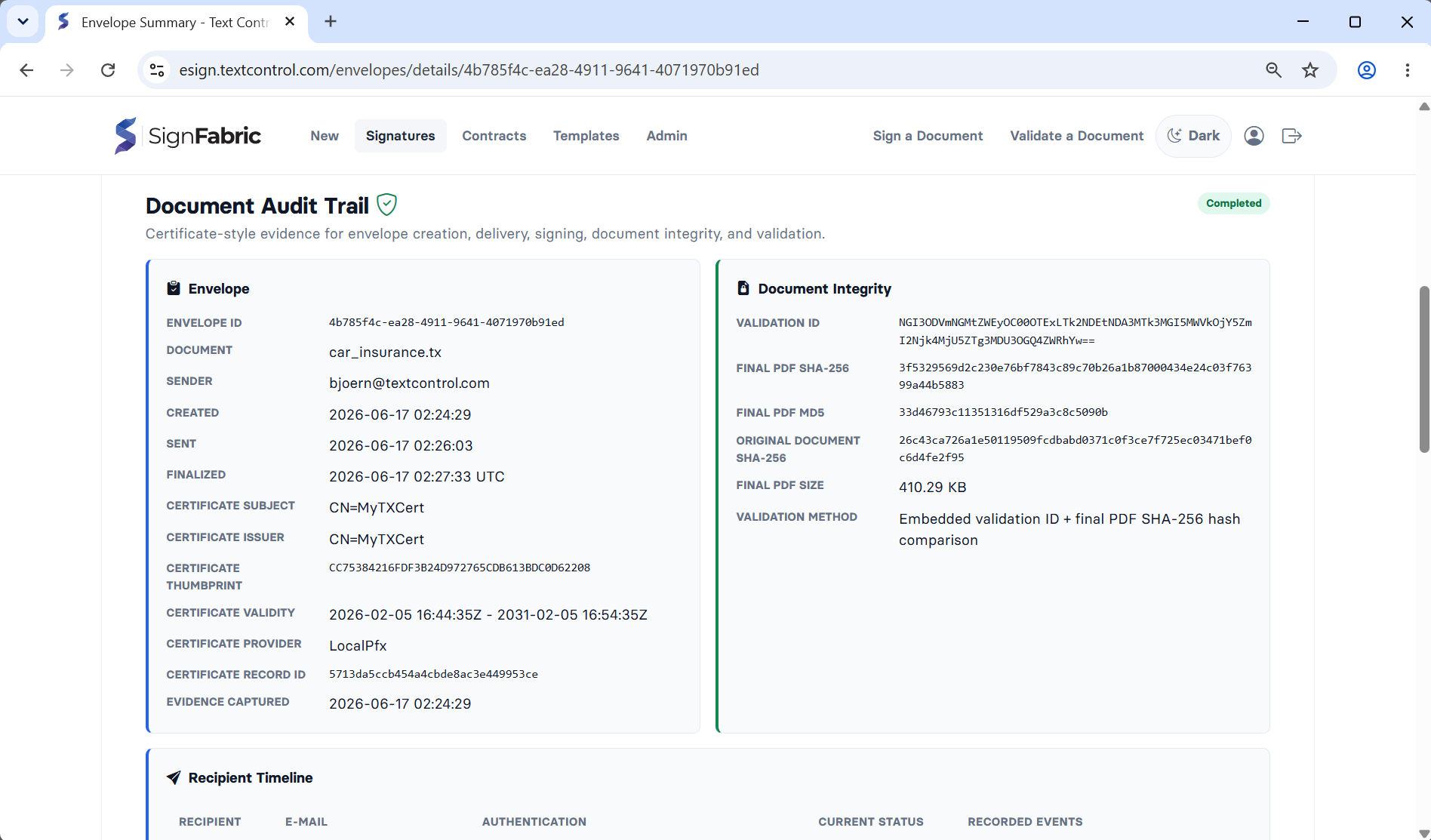
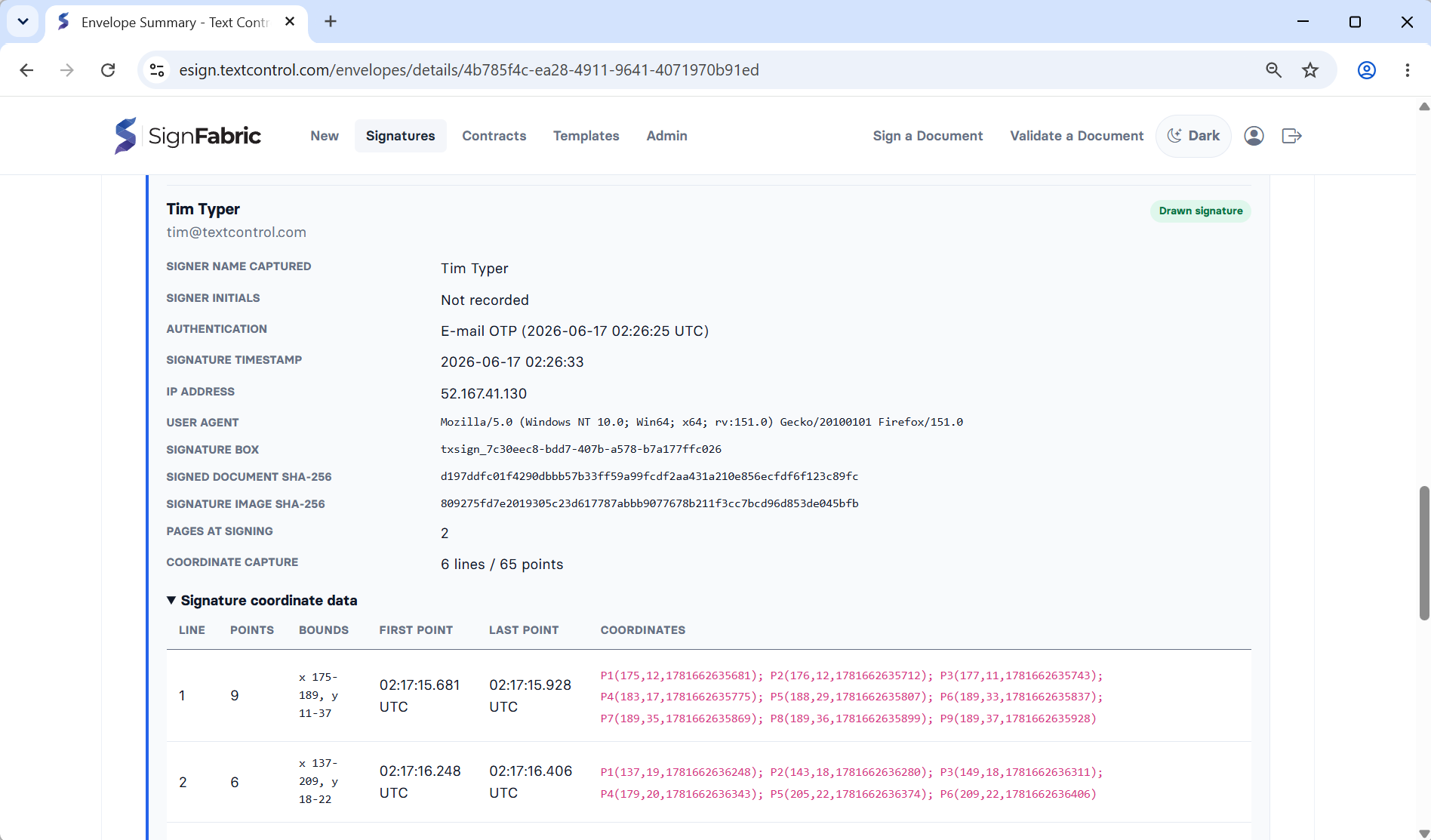
The audit trail captures and displays:
- Envelope identity, sender, creation, sent, and finalized timestamps.
- Certificate evidence, including subject, issuer, thumbprint, validity, provider, and record ID.
- Document integrity data such as validation ID, final PDF hashes, original document hash, and final file size.
- Recipient timeline events.
- Authentication evidence, including email link access, signer account authentication, and email OTP verification.
- Signature evidence including signer name, initials, timestamp, IP address, user agent, signature box, signed document hash, signature image hash, page count, and captured coordinate data.
- Approval evidence for approval recipients, including comments, IP address, user agent, and completion timestamp.
This gives SignFabric a much stronger evidentiary story. When a document is validated or reviewed later, the system can explain not only whether it is valid, but why it is connected to a specific envelope and signing process.
More Flexible Recipient Workflows
SignFabric now supports more advanced envelope workflows beyond a single signer receiving a simple signing link.
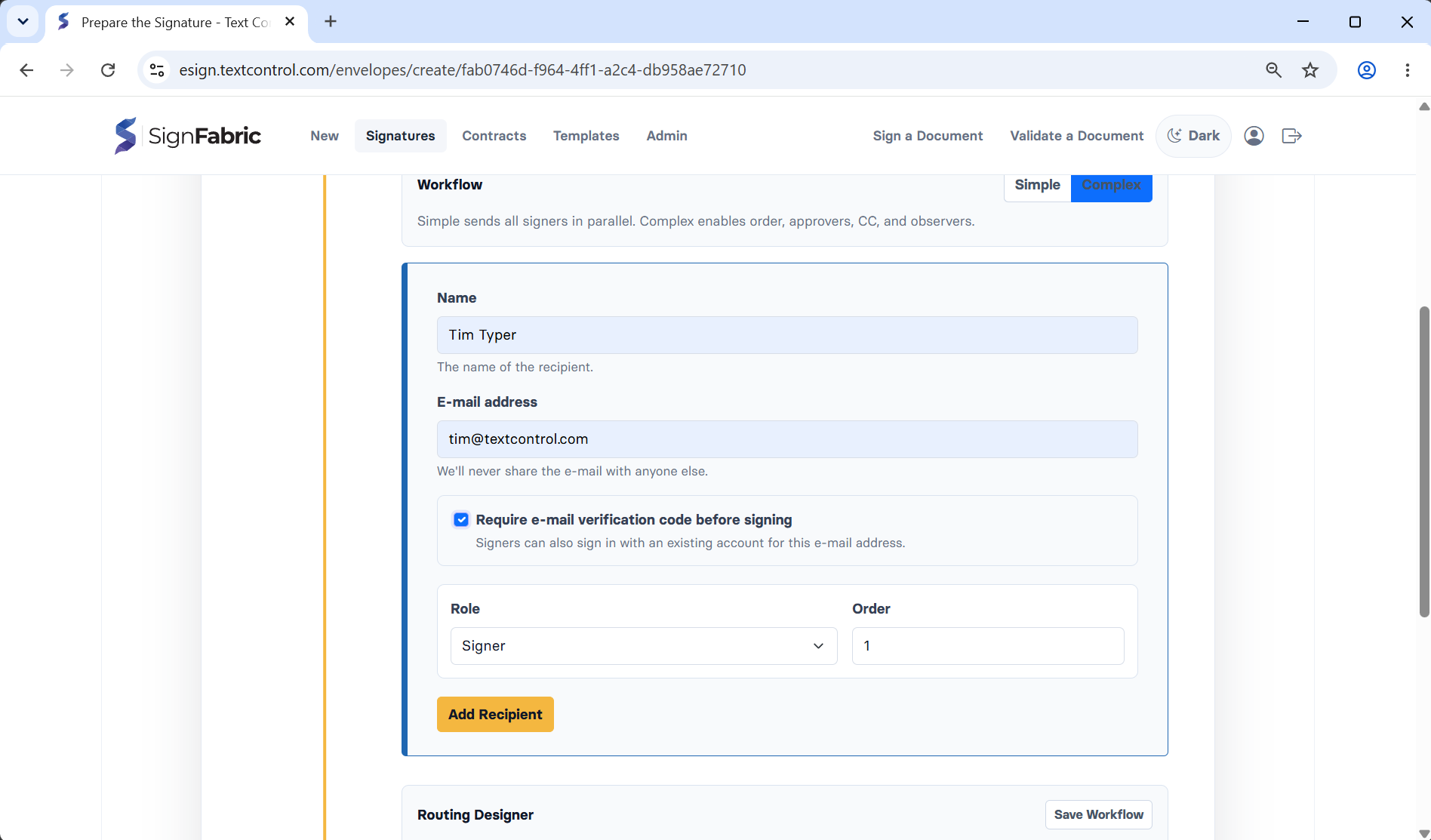
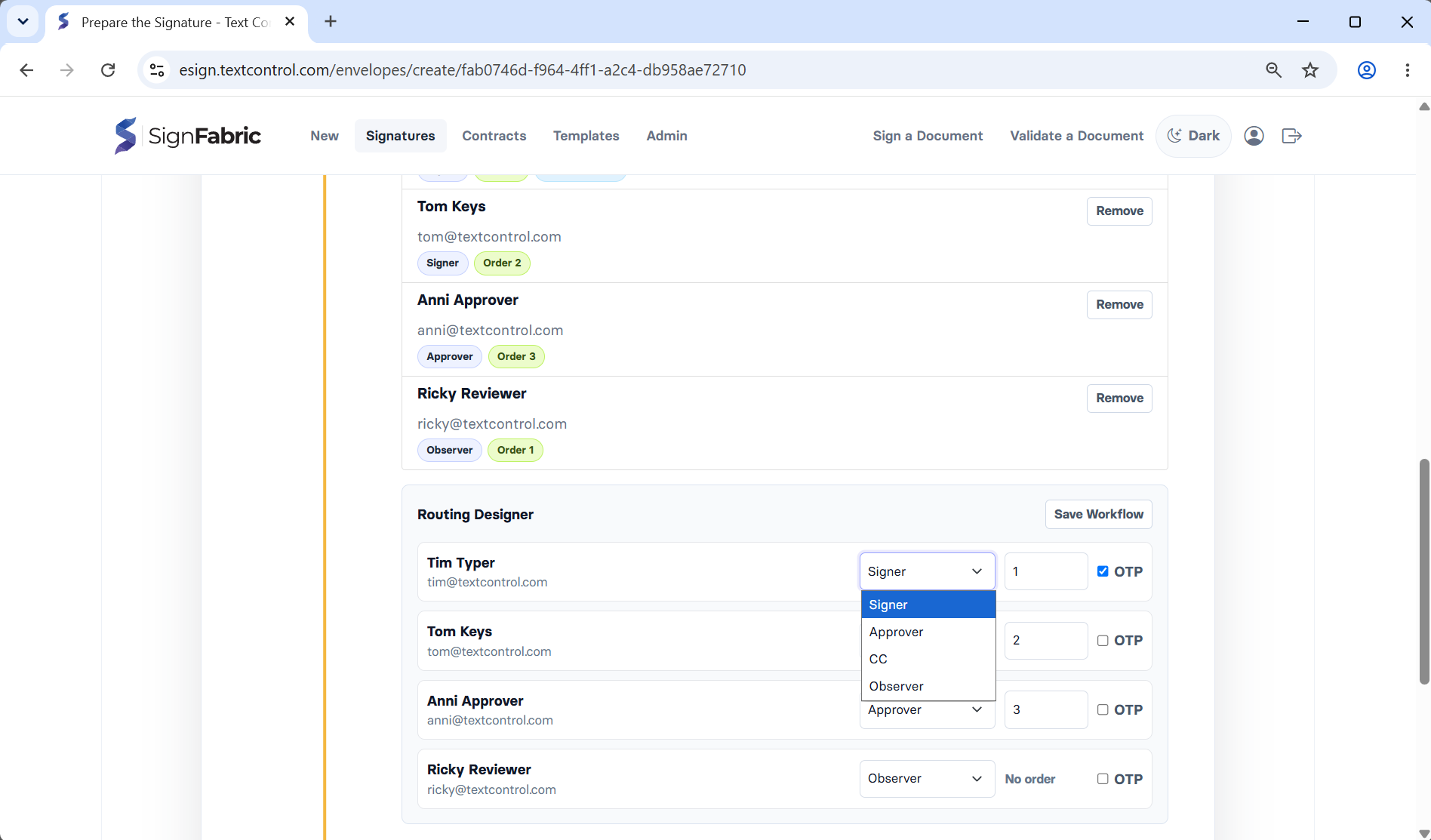
Recipient workflow improvements include:
- Signers, approvers, observers, and notification recipients.
- Routing order support for sequential and grouped recipient steps.
- Activation of the next routing step after blocking recipients complete their work.
- Approver flows with approve or decline decisions.
- Observer and CC-style access to envelope status.
- Signer status tracking across sent, opened, received, signed, and approval states.
This makes SignFabric better suited for real document processes where signatures are only one part of the flow. A contract may need an approval before signing, multiple signers may need to act in order, and some recipients may only need visibility into the final document state.
Email OTP for Signing
The signing workflow now supports email one-time passcodes for recipients who require stronger identity confirmation before opening a document.
When enabled for a signer, the recipient must confirm a code sent to their email address before the document viewer is opened. SignFabric records that authentication method in the envelope evidence so the audit trail can distinguish a basic email link from an OTP-confirmed signing session.
The OTP flow includes:
- Time-limited verification codes.
- Attempt limits.
- Resend handling.
- Automatic trust when an authenticated signer account matches the recipient email.
- Audit trail display of the authentication method and verification time.
This gives senders a middle ground between simple public signing links and full account-based signer authentication.
Contracts and Templates
Templates and contracts have become more central to the product flow. Templates help users reuse document structures instead of rebuilding the same signature setup repeatedly. Contracts support collaborative review before an envelope is created for signing.
Together, they support a more realistic document lifecycle:
- Start with a reusable template or uploaded contract.
- Review or prepare document content.
- Add recipients, routing, fields, and signature requirements.
- Send the envelope.
- Track progress through dashboard and envelope views.
- Validate the final signed PDF and review the audit trail.
The dashboard quick actions now reflect these core creation paths more directly.
Administration and Deployment Reliability
Several admin and deployment improvements make SignFabric easier to operate in production.
Production settings are handled more carefully. When the application runs in a named environment such as Production, writable settings such as SMTP configuration are saved back to the matching environment settings file when it exists. This avoids accidentally updating the base appsettings.json on a deployed machine.
Data Protection keys are now persisted to a configured folder. This is important for encrypted SMTP passwords and local certificate passwords. After publishing the application, the server can continue decrypting stored secrets as long as the persisted key ring remains available.
The configuration model now includes:
AppSettings:DataProtectionKeysPath- A default
./App_Data/data-protection-keyspath - File-system persistence for ASP.NET Core Data Protection keys
- DPAPI protection for keys on Windows
This reduces the need to retype protected SMTP or certificate passwords after deployment.
Access ID Handling
Access ID handling was hardened for production authentication scenarios. In some deployments, a stable user ID can include a tenant and subject value separated by a colon. Signing and validation access IDs also use colon-separated values, so parsing needed to account for owner IDs that contain colons.
The updated parsing treats:
- The first segment as the envelope or contract ID.
- The last segment as the signer ID when present.
- The middle segments as the owner user ID.
New access IDs are encoded with UTF-8, and related decoding paths have been aligned across signing, validation, contracts, templates, details pages, and audit display.
This makes signing links and validation IDs more reliable across local accounts, OIDC deployments, tenant-aware identities, and production environments.
API and Integration Improvements
SignFabric also includes API capabilities for integrations that need to create envelopes or retrieve signing status programmatically.
Recent integration work includes:
- Bearer token support for protected API endpoints.
- A local OAuth client-credentials flow for internal integrations.
- Admin management of local OAuth clients.
- Envelope creation and status APIs.
- Consistent recipient and OTP metadata in workflow models.
These features make SignFabric usable not only as a browser application, but also as a signing service that can be called from other systems.
What This Means for SignFabric
The major updates move SignFabric in a clear direction: From a signing demo toward a practical document workflow product.
The refreshed navigation and dashboard make the application easier to use every day. The audit trail and validation work make signed documents more trustworthy after the signing event. The workflow improvements make SignFabric suitable for more realistic signing processes with routing, approvals, observers, OTP verification, and reusable templates.
Together, these updates give SignFabric a stronger foundation for production use: Clearer operations, better evidence, more flexible workflows, and more reliable deployment behavior.
ASP.NET
Integrate document processing into your applications to create documents such as PDFs and MS Word documents, including client-side document editing, viewing, and electronic signatures.





- Angular
- Blazor
- React
- JavaScript
- ASP.NET MVC, ASP.NET Core, and WebForms
Related Posts
ASP.NETASP.NET CoreeSignatures
Create SignFabric Envelopes from Mail Merge Templates in .NET C#
This article explains how to use TX Text Control to mail merge JSON data into a document template and submit the merged document to the SignFabric API. It shows how your own application can create…
ASP.NETASP.NET CoreeSignatures
Getting Started with SignFabric: From Clone to Your First Signature Envelope
In this blog post, we will guide you through the process of getting started with SignFabric, from cloning the repository to creating your first signature envelope. Whether you are new to…
TX Text Control 34.0 SP5 is Now Available: What's New in the Latest Version
TX Text Control 34.0 Service Pack 5 is now available, offering important updates and bug fixes for all platforms. If you use TX Text Control in your document processing applications, this service…
Introducing TX Text Control AI: Private AI for Real Document Workflows in…
Today, we are excited to introduce the TX Text Control AI Preview, a suite of six NuGet packages and ten sample applications that integrate local generative AI, private knowledge retrieval, and TX…
Meet Us at BASTA! Mainz: Demos, Talks and More
Text Control is returning to BASTA! in Mainz as a sponsor and exhibitor. Visit our booth to meet the team, pick up some conference swag, and get an early look at the upcoming WebAssembly version…