


Sneak Peek 32.0: Introducing Footnotes

Footnotes are a word processing feature that allows users to insert additional information at the bottom of pages. We will introduce this MS Word compatible, fully programmable feature to TX Text Control with version 32.0.

Footnotes are a word processing feature that allows users to insert additional information at the bottom of pages. Without interrupting the flow of the main text, these notes provide additional details or citations. This feature has been requested by many users and is a long awaited feature.
Very popular in academic writing, footnotes are used to cite specific statements or quotations. A superscript number is placed at the appropriate location in the sentence, and the corresponding note is placed at the bottom of the page. If the reference is moved to another page, the associated footnote is also moved to the new page. In this way, the reader has easy access to sources or additional information without interrupting the main flow of the text.
Legal Documents
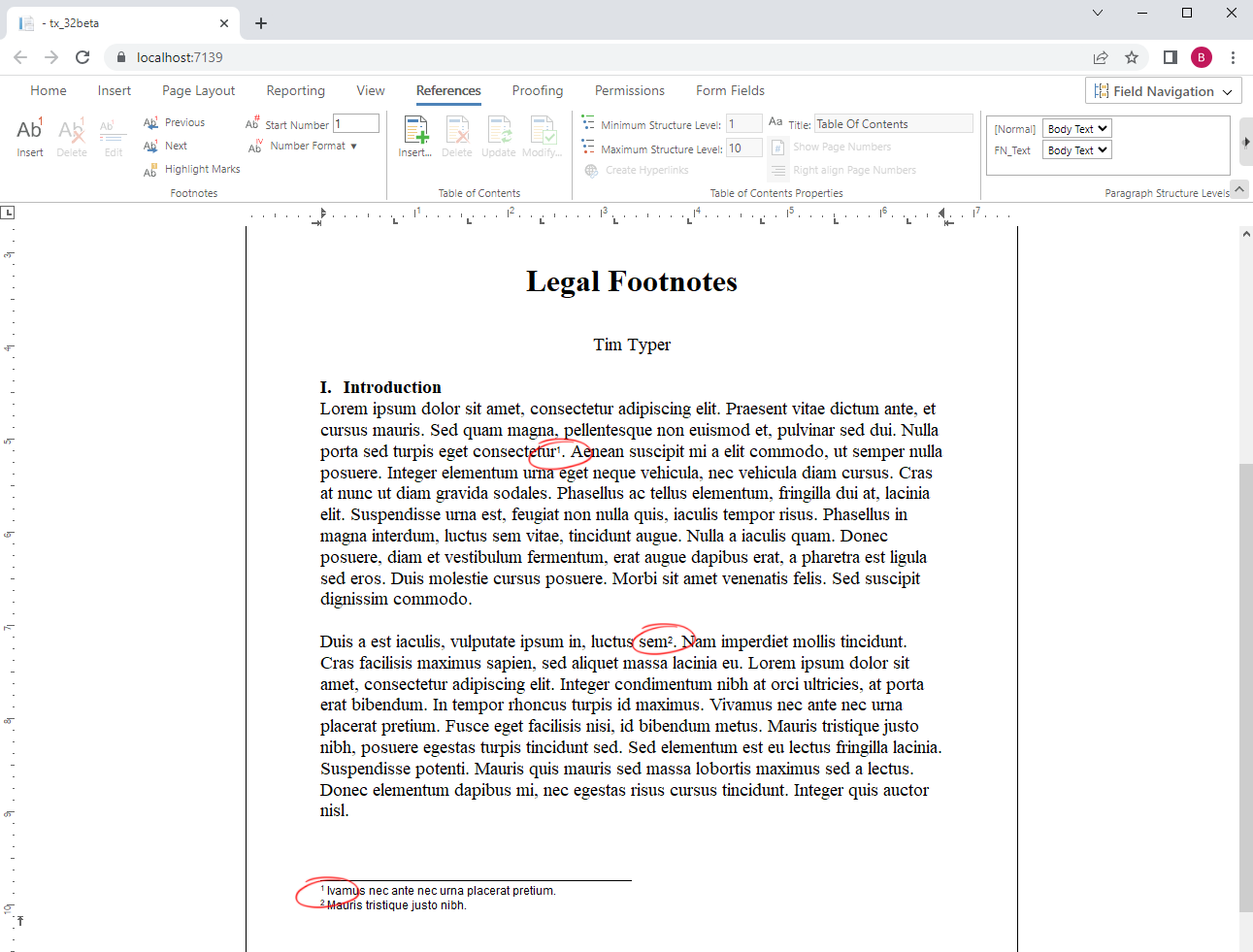
Legal software, one of our main industries where TX Text Control is used, is another area where footnotes are popular. Legal footnotes are especially useful for explaining complex terms or legal citations.
But let's look at the TX Text Control implementation. The following screenshot shows the early beta version 32.0 of the Document Editor for ASP.NET Core.
Ribbon Interface
The ribbon interface provides all the necessary buttons to insert, delete, and manipulate footnotes. In addition, the start number and the format can be adjusted as well.
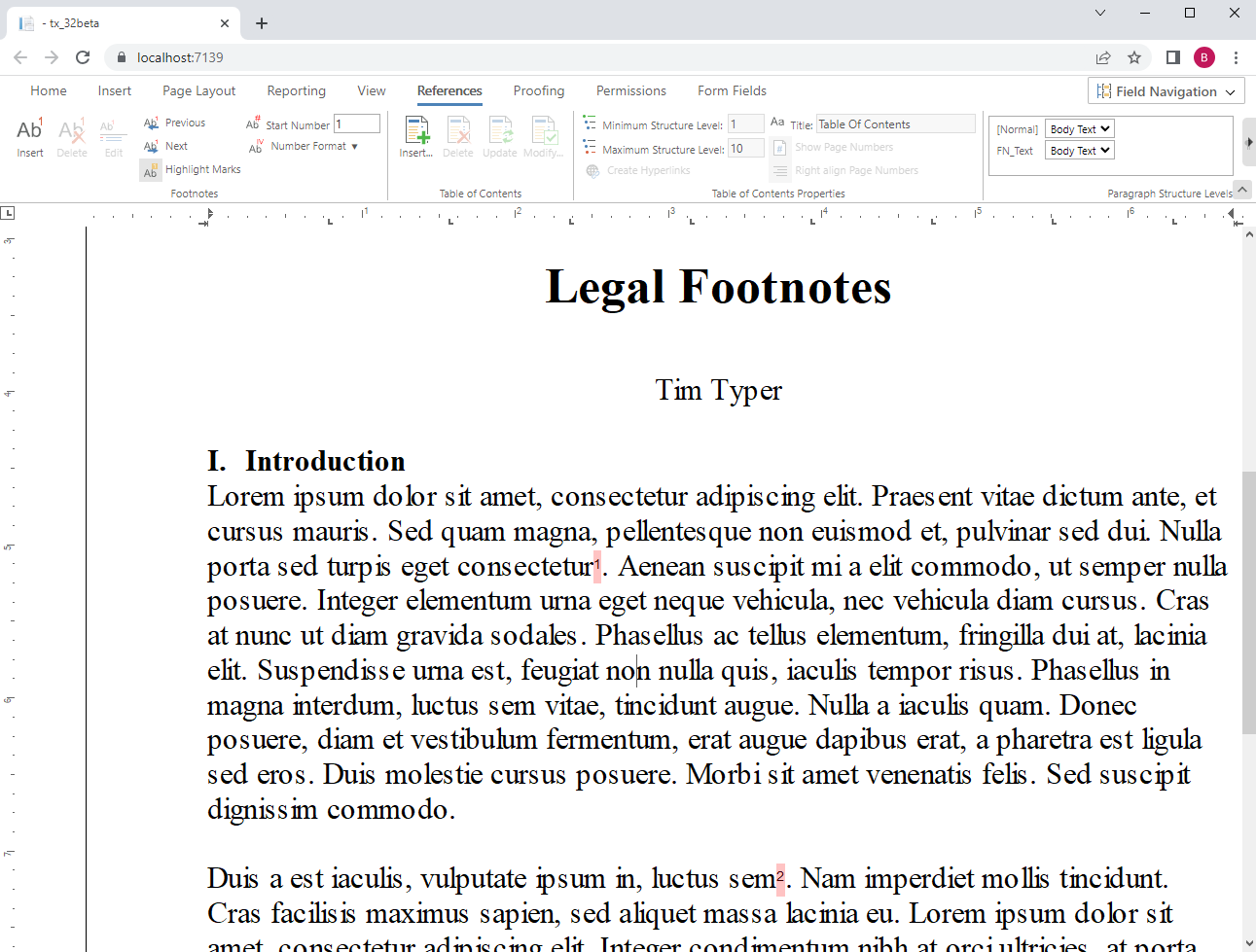
TX Text Control provides the ability to highlight all footnotes in a document to help users find references in a long or complex document.
Formatted Text
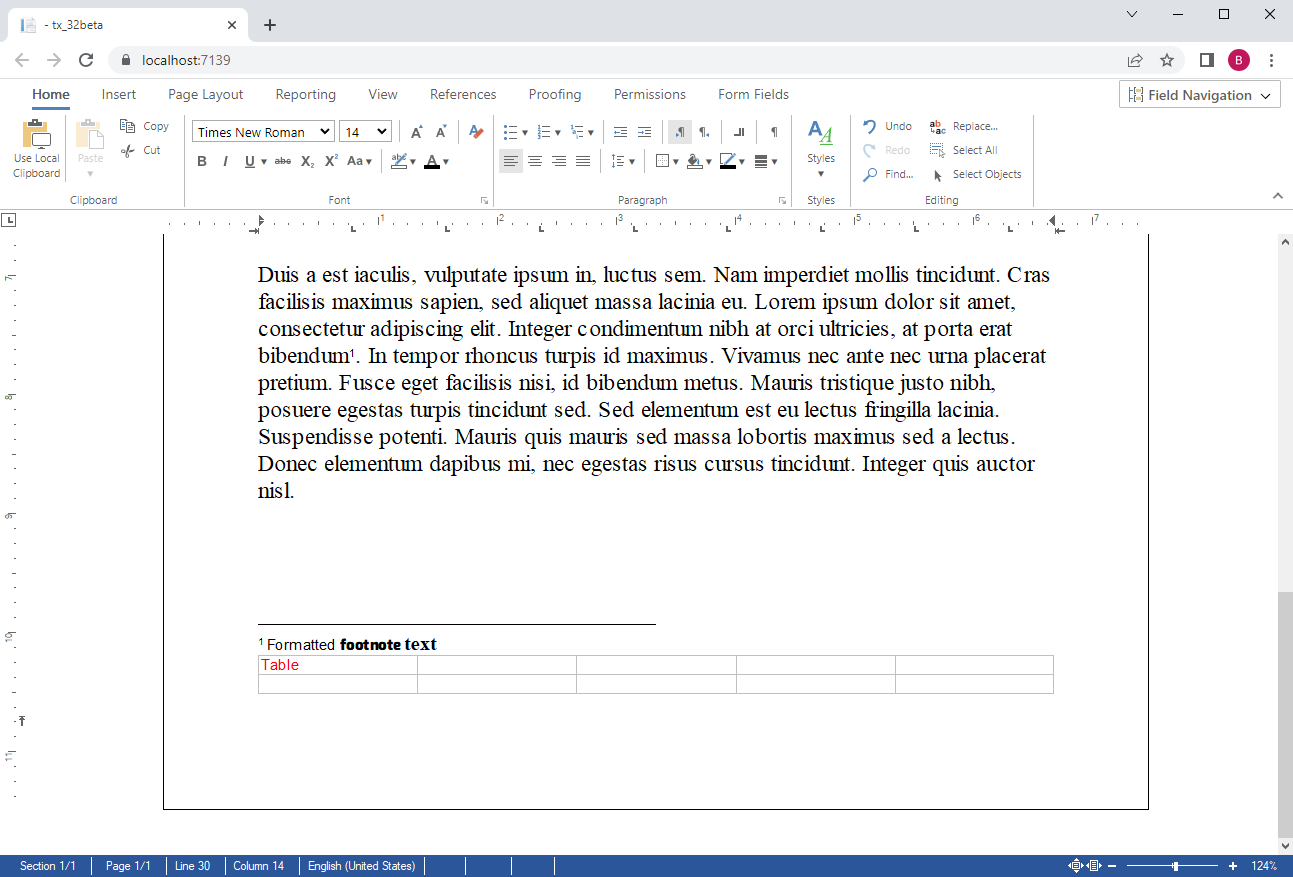
Footnotes can include formatted text and other elements such as tables.
Footnotes can be added programmatically using the FootnoteCollection:
textControl1.Footnotes.Add(new TXTextControl.Footnote("Footnote text"), false);By looping through the FootnoteCollection, you can access each Footnote object to get and set its text, start number, format and other settings.
foreach (TXTextControl.Footnote footnote in tx.Footnotes) {
   var number = footnote.Number;
   var text = footnote.Text;
}
The text of the footnote can be accessed through the TextPartCollection which returns FootnoteText objects to access the Selection to format the selected footnote text.
foreach (IFormattedText part in tx.TextParts) {

  if (part is TXTextControl.FootnoteText footnoteText) {
    footnoteText.Selection.Start = 2;
    footnoteText.Selection.Length = 8;
    footnoteText.Selection.Load("<strong>Test</strong>", StringStreamType.HTMLFormat);
  }

}
Stay tuned for more and keep coding!
ASP.NET
Integrate document processing into your applications to create documents such as PDFs and MS Word documents, including client-side document editing, viewing, and electronic signatures.





- Angular
- Blazor
- React
- JavaScript
- ASP.NET MVC, ASP.NET Core, and WebForms
Related Posts
TX Text Control 34.0 SP4 is Now Available: What's New in the Latest Version
TX Text Control 34.0 Service Pack 4 is now available, offering important updates and bug fixes for all platforms. If you use TX Text Control in your document processing applications, this service…
TX Spell .NET 11.0 SP1 is Now Available: What's New in the Latest Version
TX Spell .NET 11.0 Service Pack 1 is now available, offering important updates and bug fixes for all platforms. If you use TX Spell .NET in your document processing applications, this service pack…
TX Text Control 34.0 SP2 is Now Available: What's New in the Latest Version
TX Text Control 34.0 Service Pack 2 is now available, offering important updates and bug fixes for all platforms. If you use TX Text Control in your document processing applications, this service…
TX Text Control 34.0 SP1 is Now Available: What's New in the Latest Version
TX Text Control 34.0 Service Pack 1 is now available, offering important updates and bug fixes for all platforms. If you use TX Text Control in your document processing applications, this service…
Introducing TX Text Control 34.0: Your Next Leap in Document Processing
We are happy to announce the release of TX Text Control 34.0. This version is packed with new features and enhancements that will elevate your document processing experience. This version…