


New Online Store and License Management Tool Launched

Text Control launched a redesigned account portal and license management system. Customers can manage serial numbers, assign developers to licenses, track subscription status with color-coded indicators, view purchase history, and download product installers from a central dashboard.

After months of planning, development and testing, we released a new online store and license management tool for all Text Control products.
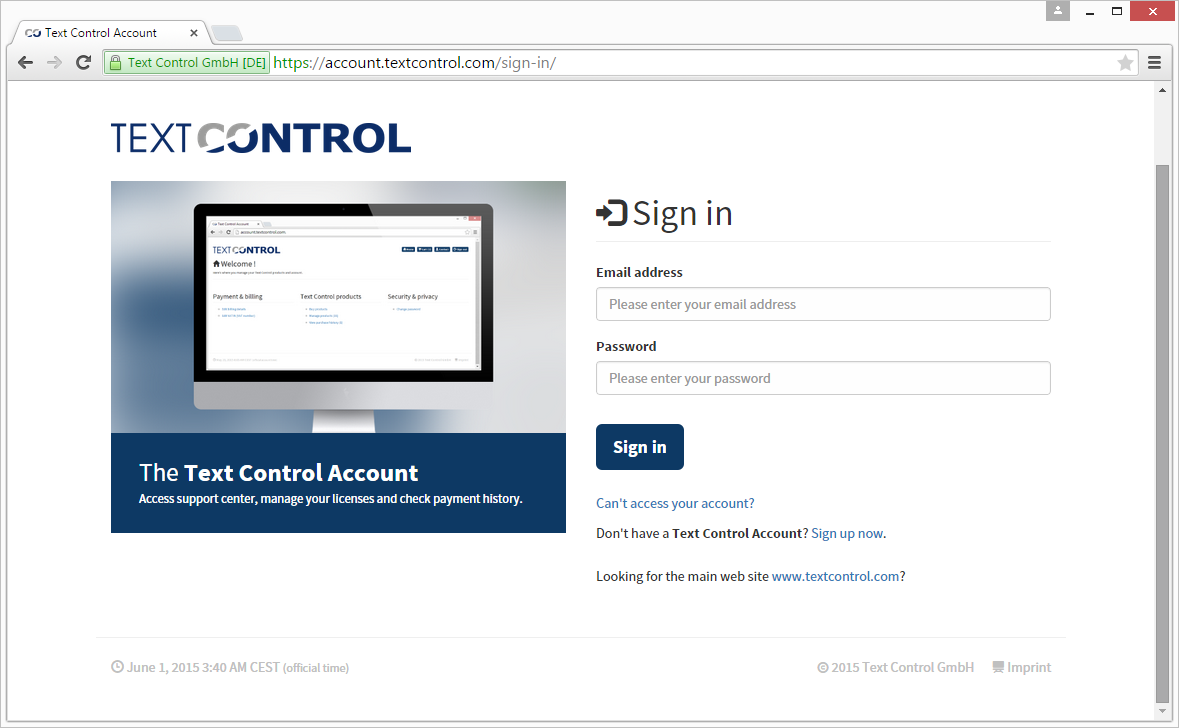
The goal of this new account portal is to make license management very easy for you - our users and customers. This portal is not longer only an online store. It is now the central portal that gives you access to all of your license information, the subscription details, purchase history and assigned developers in your organization. All existing accounts have been ported to the Text Control Account.
Please notice that a user name is not longer required. You can now log in using your e-mail address and your password.
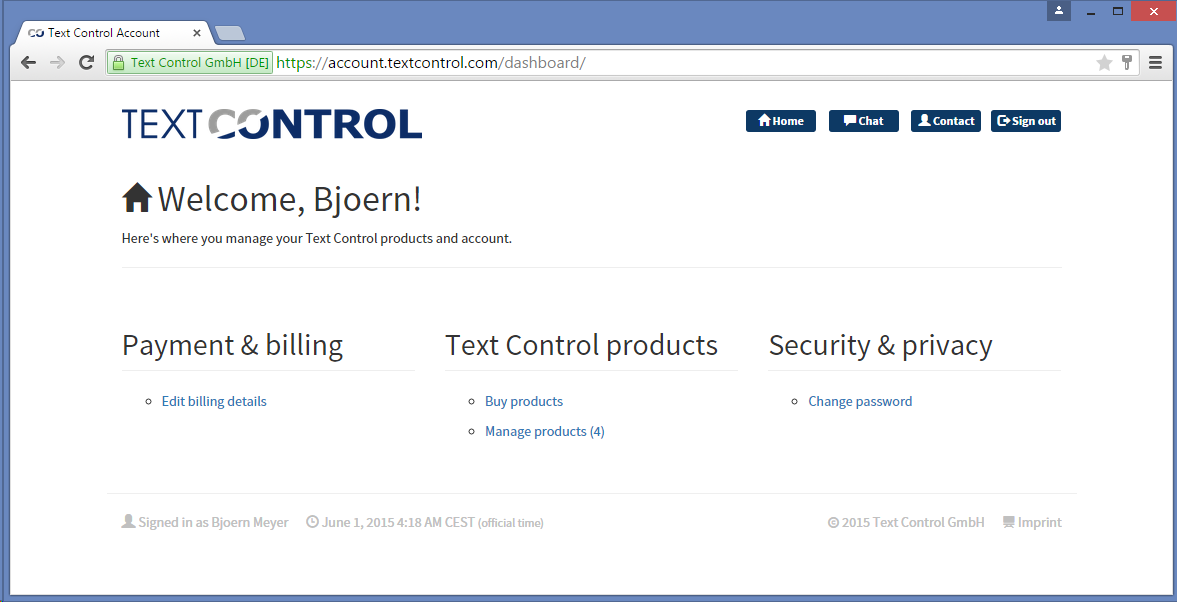
When logged in, you will be entering the main dashboard that allows you to edit your billing details, buy new products, check your purchase history and manage your products:
License Management: Manage Your Products and Assign Your Team
The central location for your Text Control licenses is the new Manage products section:
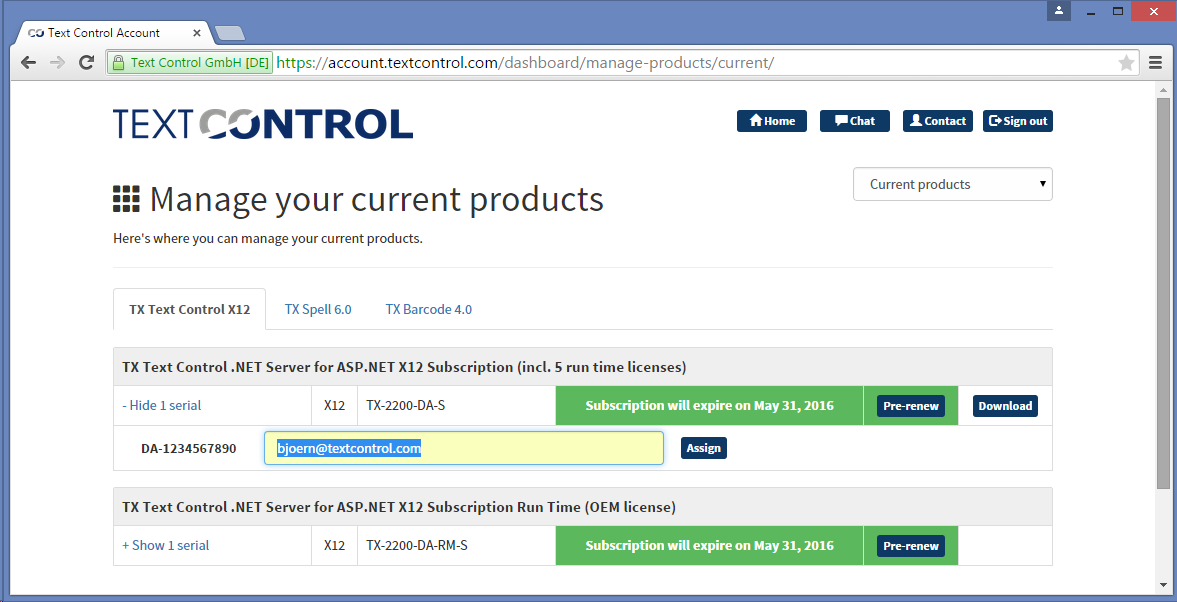
This section allows you to manage the most current products and all older products you own from Text Control. A list of products shows each product with the subscription status, the serial numbers and the assigned developers. And this part is new. Each serial number must be assigned to a developer. On receiving the assignment e-mail, your developers can then download the ZIP files and get access to our Support Center.
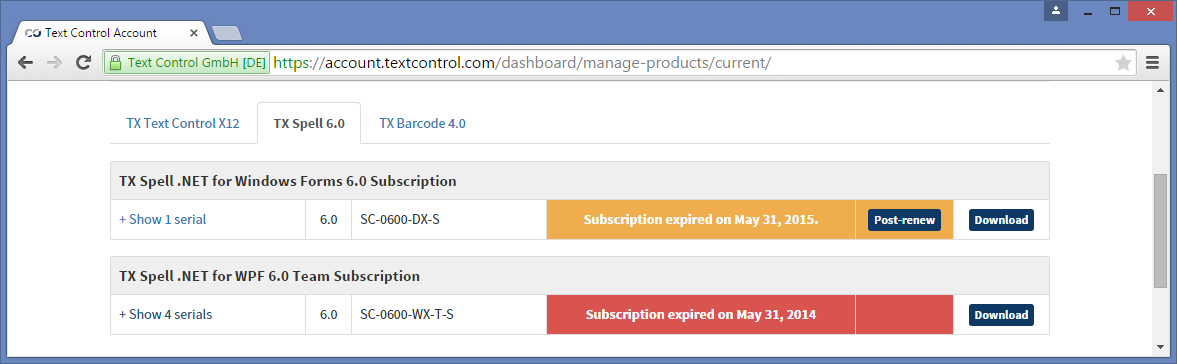
Different colors indicate the status of subscriptions: Green for active, orange for post-renewal phase and red for expired.
This license management tool helps to organize your licenses and to track the used licenses within your development team.
Check your Text Control Account and assign your developers.
As always, we appreciate your feedback and your thoughts - this is what drives Text Control: Your input. Happy coding!
Related Posts
Announcing TX Text Control DS Server 5.0
We are excited to announce the release of TX Text Control DS Server 5.0. This release focuses on extensibility, plugin integration, and developer productivity while continuing to improve the…
TX Text Control 34.0 SP2 is Now Available: What's New in the Latest Version
TX Text Control 34.0 Service Pack 2 is now available, offering important updates and bug fixes for all platforms. If you use TX Text Control in your document processing applications, this service…
TX Text Control 34.0 SP1 is Now Available: What's New in the Latest Version
TX Text Control 34.0 Service Pack 1 is now available, offering important updates and bug fixes for all platforms. If you use TX Text Control in your document processing applications, this service…
Introducing TX Text Control 34.0: Your Next Leap in Document Processing
We are happy to announce the release of TX Text Control 34.0. This version is packed with new features and enhancements that will elevate your document processing experience. This version…
PDF/UA vs. PDF/A-3a: Which Format Should You Use for Your Business Application?
In this blog post, we will explore the differences between PDF/UA and PDF/A-3a, helping you choose the right format for your business needs. We will discuss the key features, benefits, and use…