


Removing Complete Ribbon Tabs from the HTML5 Web Editor

The TX Text Control HTML5 Web editor ribbon bar contains six tabs: File, Home, Insert, Page Layout, Reports, and View. Each tab has a CSS ID that can be targeted with display none to hide it entirely. This approach removes tabs, groups, or individual buttons at the client side.

The HTML5-based Web editor comes with a ready-to-use, fully featured ribbon bar for all commonly used features and formatting options of TX Text Control.
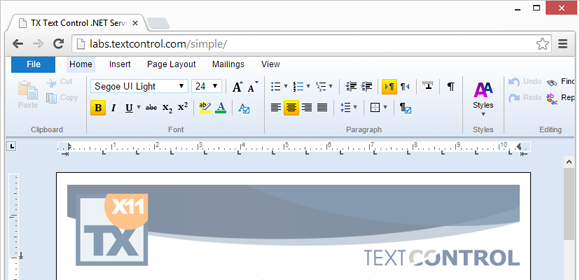
A typical use case for the HTML5 document editor is creating reporting templates. The reporting features are included in the ribbon tab Reports. If you don't want to provide those features to your end-users, you can remove buttons, groups or complete tabs from the ribbon bar. This blog entry shows how to remove such elements using the available CSS file.
In order to remove complete tabs, you can simply use CSS in order to set the Display property of those elements to None:
display: none !important;The ribbon bar consists of 6 ribbon tabs whereas the first tab is the File menu and not really a tab:
| Ribbon tab | CSS name |
| File menu | #tabFile |
| Home | #ribbonTabHome, #tabDefault |
| Insert | #tabInsert |
| Page Layout | #tabPageLayout |
| Reports | #tabReports |
| View | #tabView |
In order to remove the Reports ribbon tab, uncomment the display property in the CSS file provided in the above mentioned article:
#tabReports {
    display: none !important;
}
After this setting, the Reports tab is not displayed including all groups and buttons:
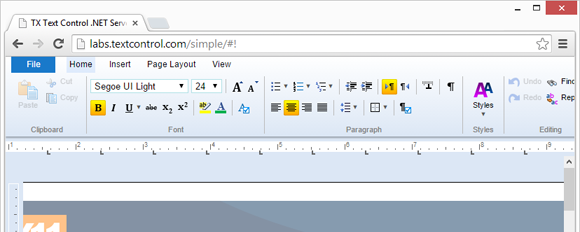
As this is pure client-side CSS, ribbon tabs, groups and buttons can be removed using CSS or Javascript at run-time.
Related Posts
Creating an ASP.NET MVC DocumentViewer Application With Razor
Create a simple ASP.NET (MVC) application that uses the HTML5 document viewer.
Creating an ASP.NET MVC Application With Razor
This tutorial covers integrating TX Text Control .NET Server for ASP.NET into an ASP.NET MVC application. It walks through installing the TXTextControl.Web NuGet package, creating an MVC 5…
Creating Your First ASP.NET Reporting Application
The MailMerge and ServerTextControl components of TX Text Control .NET Server for ASP.NET enable server-side reporting in Web Forms. A template.docx merges with XML data via a button click…
Creating an ASP.NET Web Forms AJAX Application
TX Text Control .NET Server for ASP.NET integrates into Web Forms by dragging the TextControl component from the Visual Studio Toolbox onto a designer form. Setting Dock to Window fills the area.…
Using an Azure Load Balancer with Web.TextControl
When deploying Web.TextControl behind an Azure Load Balancer, the default 5-tuple session persistence breaks editor state. Configuring Source IP Affinity with a 2-tuple or 3-tuple distribution…