


Demo Template: Historical Stock Overview Report

A stock overview report template demonstrates TX Text Control Reporting features: formatted date fields, image placeholders for company logos, trend line charts, and merge blocks with alternating row colors. Yahoo Finance API data is merged through typed business objects in one call.

We just finished a new set of sample templates and demo applications for upcoming conferences to show the power of Text Control's Flow Type Layout Reporting.
The Yahoo! Finance API is a service that Yahoo! provides to download financial data in various formats such as CSV, YQL (an expressive SQL-like language) or RSS. It is a perfect tool to get real-time data for demo reports.
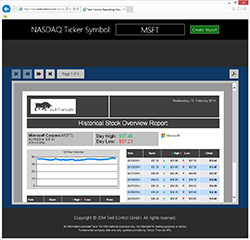
We created a beautiful report template that shows stock information, company logo, current prices, a trend line chart and a list of history prices realized as merge blocks with alternating row styles. The ready-merged report for the stock ticker name 'MSFT' is shown below:
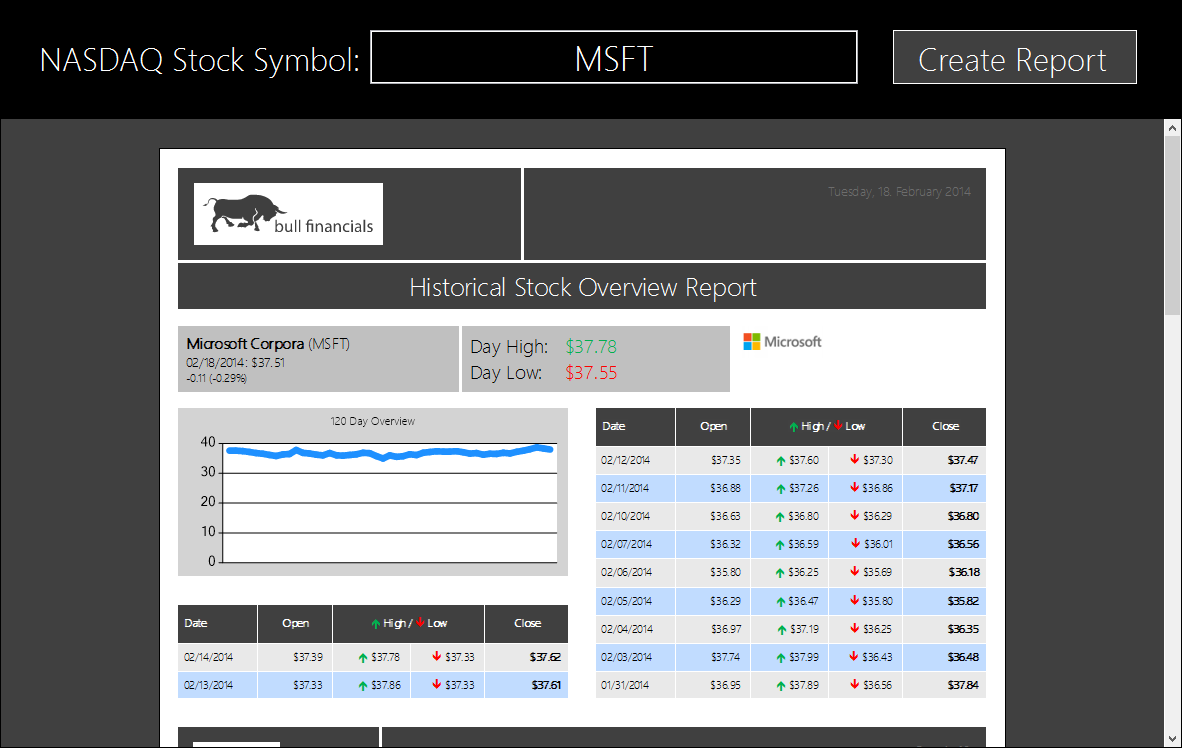
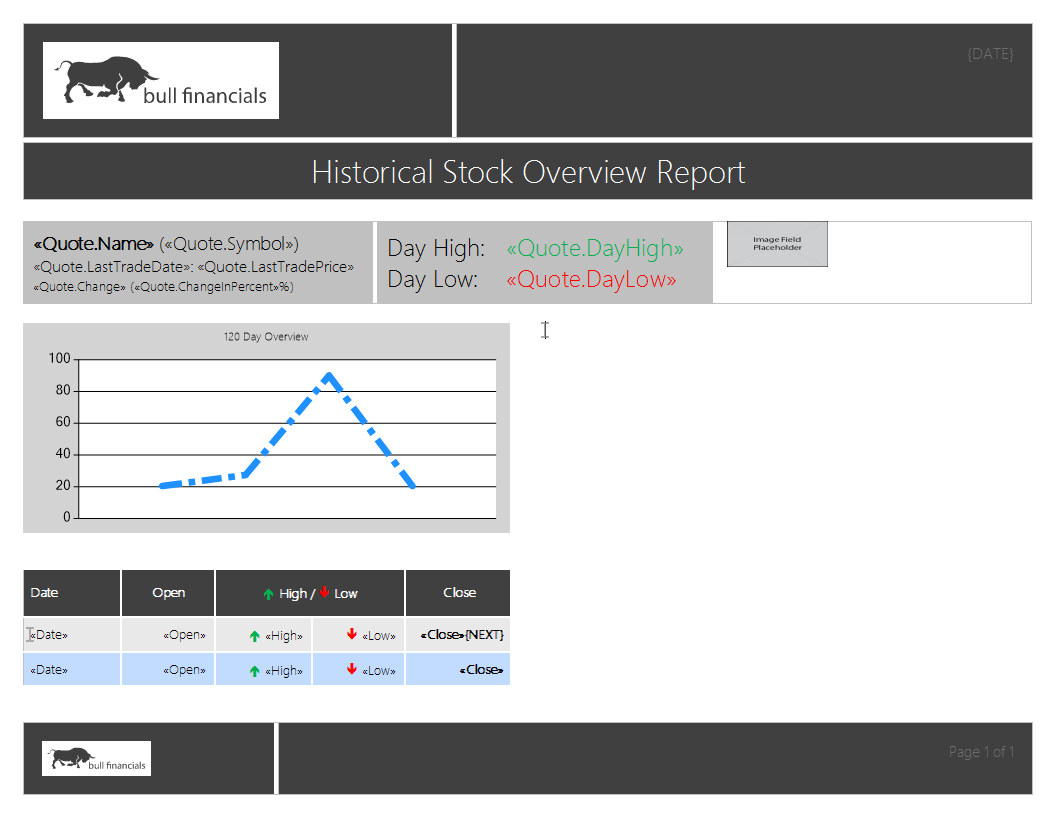
The following screenshot shows the TX Text Control template with some of the various reporting elements for the above report:
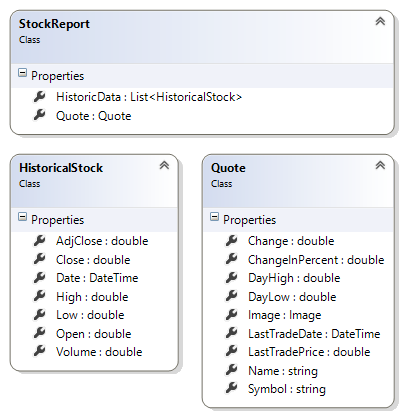
The data source for this report is a business object with the following design:
To merge this template, only one code line is required that passes the object of type StockReport to the MailMerge component:
mailMerge1.MergeObjects(reports);Formatted Date Fields
Date fields can have a specific format that can be defined in the template designer:
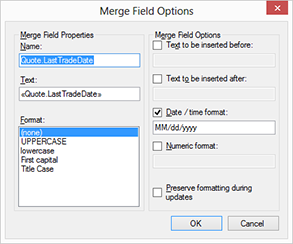
The input of this field is of type DateTime and will be rendered in the following format: MM/dd/yyy. All typical string format switches are supported and can be directly adjusted in the dialog.
Image Placeholders
Images and barcodes can be merged in the same way like merge fields in a reporting template. An image or barcode placeholder is added at design-time to the template and merged with data from files, databases or memory.
In this demo report, the image data is downloaded from a Web Service, converted into a System.Drawing.Image and directly merged as part of the business object. Using Text Control Reporting, you simply pass the business object to MailMerge and everything alse is done automatically. An image object can be added to the template with a given name. The data column must contain either the binary image data as a byte array, an object of type System.Drawing.Image, a file name, a hex or Base64 encoded string.
Trend Line Charts
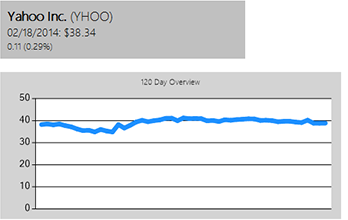
Powerful data visualization in a report or any other documents is essential to get the "big picture". Charts indicate trends and can be used to attractively visualize large volumes of data.
In this demo, all daily stock prices are added to a line chart to indicate a trend. The size and style of charts are added at design-time and merged dynamically.
Merge Blocks
Creating powerful hierarchical reports is the strength of TX Text Control. Nested repeating blocks with master-detail relationship views can be easily inserted. It doesn't matter what's repeated in the block: A table row, paragraphs, images or text frames.
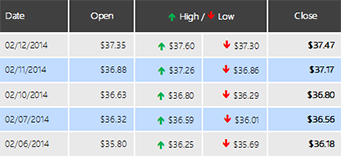
Additionally, this merge block consists of a table header that is repeated on a new page and a new column. The table for the merge block is in a column layout which results in a two column table representation.
Alternating Row Colors
It is important to adjust the display of your tabular data in order to improve the readability. Reading large sets of numbers in long tables can be hard and there are easy ways to improve that. A smart way to accomplish this task are alternating row colors.
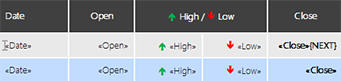
The merge block range includes two table rows that contain identical merge fields. The background color of the second table row is different. In fact, you could also have different merge fields in those rows. At the end of the first row, a NEXT field has been added which switches to the next data record in the middle of a page.
Live Demo - Try it on your own!
We published this sample application and the Text Control Reporting template to our demo server.
Let's scrunch the numbers!
Reporting
The Text Control Reporting Framework combines powerful reporting features with an easy-to-use, MS Word compatible word processor. Users can create documents and templates using ordinary Microsoft Word skills. The Reporting Framework is included in all .NET based TX Text Control products including ASP.NET, Windows Forms and WPF.
Related Posts
MailMerge Class Settings Explained
The MailMerge class provides four properties to control merge output: RemoveEmptyFields, RemoveEmptyLines, RemoveEmptyBlocks, and RemoveEmptyImages. Each property handles unmatched or missing data…
Merge Excel Documents into MailMerge Templates using IncludeText Fields
IncludeText fields in TX Text Control templates reference external Excel files during mail merge. The process loads .xlsx files as temporary ServerTextControl instances, using Bookmark to target…
MailMerge: Conditional Table Cell Colors using Filter Instructions
The TX Text Control MailMerge FieldMerged event exposes TableCell instances during merge for conditional formatting. A CellFilterInstructions class parses filter rules from merge field names and…
MailMerge: Using Filters to Remove Unwanted Rows
TX Text Control merge block filters remove unwanted rows from repeating data during the mail merge process without modifying the underlying source. Filter conditions applied to merge blocks…
ReportingWindows FormsMail Merge
MailMerge: Conditional Rendering of Merge Blocks
TX Text Control X16 provides two approaches to conditionally render merge blocks within MailMerge templates. Setting RemoveEmptyBlocks removes blocks when child data is absent, while…