


Explaining Contract Tracked Changes Automatically Using .NET C# and AI

Learn how to use AI and .NET C# to automatically explain changes to contracts, improving the document review and collaboration processes. This comprehensive guide provides practical implementation strategies and best practices.
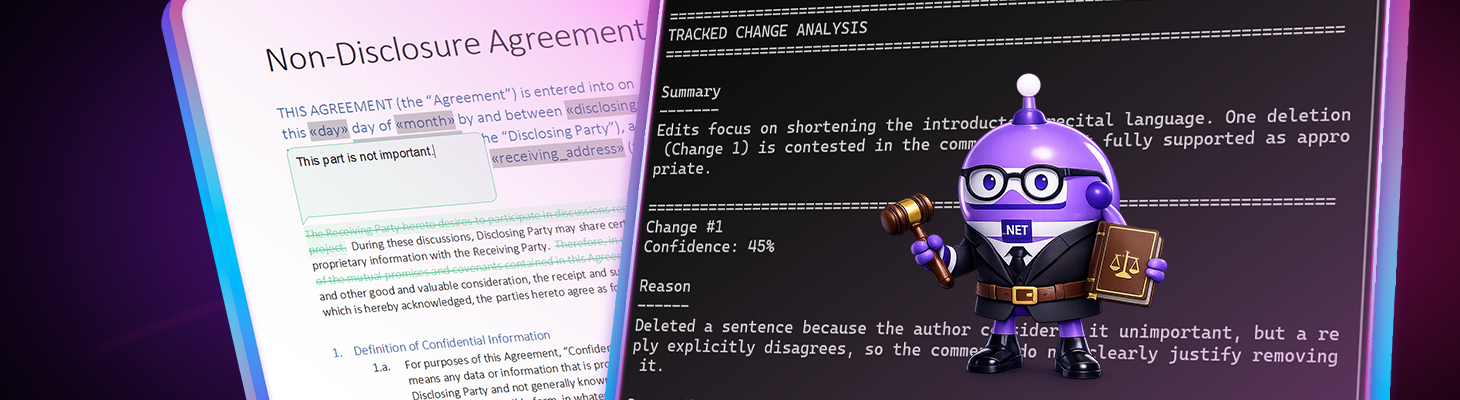
Converting redlines and comments into straightforward, review-ready explanations for legal teams
Anyone who has reviewed a heavily edited contract knows that the real challenge is not identifying what changed, but rather understanding why it changed.
Tracked changes only show insertions and deletions. Comments and replies contain bits of reasoning. However, for lawyers and legal departments, this reasoning is often scattered across various comment threads, reviewers, and review rounds.
This article introduces a practical, .NET-based concept that automatically explains tracked changes in contracts. It does so by connecting the changes to their underlying comments and using AI to summarize the rationale in a clear, consistent, review-ready manner.
Built with TX Text Control for document structure and OpenAI for reasoning, the solution uses standard .NET C# code.
The core problem in contract reviews
In modern legal workflows, contracts rarely follow a direct path. Instead, they evolve through many hands over multiple review cycles, typically involving internal legal teams, external counsel, procurement departments, and business stakeholders. Each party contributes tracked changes, comments, and replies based on their priorities, expertise, and risk perspective.
As this process unfolds, the document accumulates layers of edits and discussions. While tracked changes clearly show what was modified, they do not preserve the full context of why a modification was made. Comments may explain individual decisions, but they are often fragmented and spread across multiple threads or disconnected from the final wording of a clause.
Over time, this creates several challenges. The original intent behind specific changes becomes difficult to understand, especially for reviewers who join the process later. Legal professionals must manually reconstruct the reasoning by reading numerous comments and replies across different versions of the document. During this manual process, there is a real risk that changes without proper justification will be overlooked or that significant legal modifications will slip through without sufficient scrutiny.
Ultimately, what legal teams need is straightforward yet powerful: For every tracked change in a contract, there should be a clear explanation of the reason behind it-or an explicit indication that no justification exists. This clarity transforms contract review from a time-consuming forensic exercise into a focused legal assessment, enabling faster decisions and reducing risk.
The key idea: Let the contract explain its own changes
The solution presented here is based on a simple yet effective idea. Each tracked change in a contract should be paired with an explanation summarizing the rationale behind it. If an explanation does not exist, the system should explicitly state so.
The approach follows four clear steps:
- Collect all tracked changes in the document
- Attach relevant comments and replies to each change
- Use AI to generate concise explanations for each change based on the attached comments
- Receive a clear explanation per change, backed by comment evidence
Importantly, the AI is explicitly instructed to base its explanations solely on existing comments and replies within the document. It is not permitted to infer intent beyond what is documented or to fill in the gaps with assumptions or generalized legal reasoning. If available comments do not clearly justify a tracked change, the AI must state this explicitly and flag the change as lacking sufficient explanation.
These constraints transform tracked changes from isolated redlines into an explainable contract history. Each modification is accompanied by a clear rationale or an explicit indication that further clarification is needed. This gives legal teams immediate insight into the intent and risk associated with every change.
Step 1: Structuring tracked changes and comments using TX Text Control
With TX Text Control, tracked changes and comments are treated as first-class objects. The key is to merge them into a structure that reflects how lawyers think. Each tracked change is represented by an object that holds references to related comments and replies. This structure makes it easy to traverse and associate changes with their justifications.
Lawyers do not review APIs or technical abstractions. Instead, they review documents by focusing on three fundamental questions: What exactly changed? Why was that change made? And is the stated reason legally and commercially acceptable? Therefore, any system intended to support legal review must be built around this perspective and present information in a way that aligns with how legal professionals evaluate contracts.
So we create a C# model that mirrors this mental model.
public sealed class TrackedChangeWithComments
{
    public int ChangeNumber { get; set; }
    public int Start { get; set; }
    public int End { get; set; }
    public string ChangeKind { get; set; }
    public string Author { get; set; }
    public DateTime ChangeTime { get; set; }
    public string ChangedText { get; set; }

    public List<CommentThread> Comments { get; set; }
}
Collecting tracked changes and comments with TX Text Control
The first step is to load the document and iterate through its tracked changes and comments. With TX Text Control, both are available as structured collections. By matching their positions in the document, the comments that explain the tracked changes can be associated with them.
using TXTextControl;
using System.Collections.Generic;

public sealed class TrackedChangeWithComments
{
    public int ChangeNumber { get; set; }
    public int Start { get; set; }
    public int End { get; set; }
    public TrackedChangeKind ChangeKind { get; set; }
    public string Author { get; set; }
    public string ChangedText { get; set; }
    public List<CommentedText> Comments { get; set; } = new();
}

public static List<TrackedChangeWithComments> CollectTrackedChanges(ServerTextControl textControl)
{
    var result = new List<TrackedChangeWithComments>();

    foreach (TrackedChange change in textControl.TrackedChanges)
    {
        int changeStart = change.Start;
        int changeEnd = change.Start + change.Length - 1;

        var entry = new TrackedChangeWithComments
        {
            ChangeNumber = change.Number,
            Start = changeStart,
            End = changeEnd,
            ChangeKind = change.ChangeKind,
            Author = change.UserName,
            ChangedText = change.Text
        };

        // Attach comments that overlap with the tracked change range
        foreach (CommentedText comment in textControl.Comments)
        {
            int commentStart = comment.Start;
            int commentEnd = comment.Start + comment.Text.Length - 1;

            if (commentStart <= changeEnd && commentEnd >= changeStart)
            {
                entry.Comments.Add(comment);
            }
        }

        result.Add(entry);
    }

    return result;
}
Step 2: Sending structured legal context to AI
Now that the tracked changes and comments have been structured, the next step is to prepare the data for AI processing. The goal is to create a clear and concise prompt that gives the AI all the necessary context to generate accurate explanations.
Instead of sending free-form text, the system serializes:
- the full contract text
- all tracked changes
- all related comment threads
into a single JSON payload.
The following example illustrates the structure of the JSON sent to the AI model:
{
  "document": {
    "id": "Master_Service_Agreement_v3.docx",
    "fullText": "This Master Service Agreement (\"Agreement\") is entered into by and between..."
  },
  "changes": [
    {
      "changeNumber": 3,
      "start": 452,
      "length": 167,
      "end": 618,
      "changeKind": "Insertion",
      "author": "External Counsel",
      "changeTime": "2026-01-08T14:32:00Z",
      "changedText": "The liability of the Service Provider shall be limited to...",
      "comments": [
        {
          "start": 452,
          "length": 167,
          "end": 618,
          "author": "External Counsel",
          "creationTime": "2026-01-08T14:34:00Z",
          "commentText": "Align limitation of liability with our standard template.",
          "commentedText": "The liability of the Service Provider shall be limited to...",
          "replies": [
            {
              "start": 452,
              "length": 167,
              "end": 618,
              "author": "Internal Legal",
              "creationTime": "2026-01-08T15:02:00Z",
              "commentText": "Accepted. Updated to match the 2025 template wording.",
              "commentedText": "The liability of the Service Provider shall be limited to...",
              "replies": []
            }
          ]
        }
      ]
    },
    {
      "changeNumber": 7,
      "start": 1021,
      "length": 124,
      "end": 1144,
      "changeKind": "Deletion",
      "author": "Procurement",
      "changeTime": "2026-01-09T09:18:00Z",
      "changedText": "The customer shall provide quarterly forecasts...",
      "comments": [
        {
          "start": 1021,
          "length": 124,
          "end": 1144,
          "author": "Procurement",
          "creationTime": "2026-01-09T09:20:00Z",
          "commentText": "This requirement is operationally difficult for the business.",
          "commentedText": "The customer shall provide quarterly forecasts...",
          "replies": []
        }
      ]
    }
  ]
}
Step 3: Enforcing structured, review-safe output
Rather than allowing the AI to respond with free-form prose, the output is constrained to a strict JSON schema. This is a critical design decision for legal workflows because contract review requires consistency, traceability, and predictable results. While a narrative answer may sound convincing, it can be difficult to validate and compare across changes, as well as integrate into downstream review tooling.
With a structured schema, the AI must produce the same set of fields for every tracked change. Each item contains a short, plain-language explanation of why the change was made, a list of quoted comments supporting that explanation, and a confidence score helping reviewers quickly identify items requiring closer attention. If the comments do not clearly justify a change, the AI must explicitly state so and add one or more open questions. This creates a reliable guardrail against invented intent because the system demands evidence and allows the model to admit uncertainty.
The result is a review-safe output format in which every explanation is grounded in the document discussion. Unclear changes are highlighted instead of glossed over, and reviewers can trust the analysis because it is structured, inspectable, and easy to audit.
The following JSON sample illustrates the expected output format:
{
  "overallSummary": "Most edits were made to clarify liability wording and align definitions with the latest company template. Two changes lack clear comment justification and should be confirmed with the author.",
  "changeAnalyses": [
    {
      "changeNumber": 5,
      "explanation": "The limitation-of-liability clause was reworded to align with the standard template language requested by external counsel.",
      "supportingComments": [
        {
          "author": "External Counsel",
          "quote": "Align this section with the standard limitation-of-liability language from the template."
        },
        {
          "author": "Internal Legal",
          "quote": "Accepted. Updated clause to match our current template wording."
        }
      ],
      "confidence": 0.9,
      "openQuestions": []
    },
    {
      "changeNumber": 12,
      "explanation": "The change appears to narrow the scope of indemnification, but the attached comments do not clearly explain the intent behind this adjustment.",
      "supportingComments": [
        {
          "author": "Procurement",
          "quote": "Can we make this less strict?"
        }
      ],
      "confidence": 0.52,
      "openQuestions": [
        "Was the intent to narrow indemnification scope (legal risk change) or to simplify wording without changing meaning?",
        "Which template or precedent clause should this indemnification language match?"
      ]
    }
  ]
}
Step 4: Presenting results for lawyers, not developers
JSON is ideal for systems, but lawyers need clarity. That's why the analysis is converted into a readable format. For example:
Change #5
Confidence: 90%

Reason
------
The clause was reworded to align with standard limitation-of-liability language.

Supporting comments
-------------------
- External Counsel: "Align with standard liability clause."
This information can be used in various ways. For example, it can be embedded directly into the document as annotations, displayed in a review dashboard alongside tracked changes, or exported to other legal review tools. The important point is that every tracked change is now accompanied by a clear, AI-generated explanation that legal teams can easily understand and act on.
The complete output for a document with multiple tracked changes might look like this:
========================================================================
TRACKED CHANGE ANALYSIS
========================================================================

Summary
-------
Edits focus on shortening the introductory recital language. One deletion (Change 1) is contested in the comments and not fully supported as appropriate.

========================================================================
Change #1
Confidence: 45%

Reason
------
Deleted a sentence because the author considered it unimportant, but a reply explicitly disagrees, so the comments do not clearly justify removing it.

Supporting comments
-------------------
- BjoernMeyer: "This part is not important."
- : "I think that this is important"

Open questions
--------------
- Given the disagreement in the thread, should this recital sentence be retained, revised, or moved rather than deleted? What specific reason makes it 'important' (e.g., establishing purpose/consideration/scope)?

========================================================================
Change #2
Confidence: 78%

Reason
------
Deleted the longer consideration phrase to create a shorter version of the introductory clause.

Supporting comments
-------------------
- BjoernMeyer: "Shorter version"

========================================================================
Change #3
Confidence: 30%

Reason
------
Inserted "Therefore" (apparently to preserve the transition) after deleting the longer phrase, but there is no comment thread evidence explicitly explaining this insertion.

Open questions
--------------
- Is the intent of inserting "Therefore" to maintain grammar/flow after deleting the longer consideration language, or does it serve a substantive drafting purpose?
A pattern for modern legal document workflows
Although contracts are the primary use case, the same pattern applies to:
- Regulatory filings
- Compliance documentation
- Internal policies
- Any legal document requiring review and approval
Thanks to the precise document structure of TX Text Control and the reasoning capabilities of AI, .NET developers can build legal tools that are faster, safer, and easier to review. The system enforces structured input and output, ensuring that every tracked change aligns with legal workflows. This approach saves time and reduces risk by providing clear insights into the rationale behind every modification.

Download and Fork This Sample on GitHub
We proudly host our sample code on github.com/TextControl.
Please fork and contribute.
Requirements for this sample
- TX Text Control .NET Server 34.0
- Visual Studio 2026
- OpenAI API Key
ASP.NET
Integrate document processing into your applications to create documents such as PDFs and MS Word documents, including client-side document editing, viewing, and electronic signatures.





- Angular
- Blazor
- React
- JavaScript
- ASP.NET MVC, ASP.NET Core, and WebForms
Related Posts
Introducing Text Control Agent Skills
Text Control Agent Skills are structured definitions that teach AI coding assistants how to build applications with the TX Text Control Document Editor. Each skill contains step-by-step…
ASP.NETASP.NET CoreTracked Changes
Inspect and Process Track Changes in DOCX Documents with TX Text Control…
Collaborative document editing is a core requirement in many modern applications. In this article, we will explore how to inspect and process track changes in DOCX documents using TX Text Control…
AI-Ready Legal Documents: What to Fix Before Adding AI
Summerization, analysis, and risk detection: AI can help legal professionals process documents faster and more efficiently. However, before integrating AI into your legal document workflows, it's…
Automating PDF/UA Accessibility with AI: Describing DOCX Documents Using TX…
This article shows how to use TX Text Control together with the OpenAI API to automatically add descriptive texts (alt text and labels) to images, links, and tables in a DOCX. The resulting…
Transforming Legal Review with AI and TX Text Control: A Smarter, Faster…
AI is revolutionizing legal document review by providing faster, more consistent, and cost-effective analysis to help legal professionals identify risks and streamline workflows. TX Text Control…