


This blog post contains outdated information.
The cited code snippets may be workarounds, and be part of the official API in the meantime.
Evaluating TX Text Control .NET Server using Trial Tokens

This article shows how to evaluate the TX Text Control document editor for ASP.NET using trial tokens in an ASP.NET 6 web application.

In order to evaluate TX Text Control .NET Server, it is possible to download the trial version for a local installation of all requirements or to create a trial token to use our trial backend server. In case you are using the trial backend, no trial download or local installation is required to evaluate specific components of TX Text Control.
This tutorial shows how to use the trial token to evaluate the document editor of TX Text Control .NET Server in an ASP.NET Core web application.
Create a Trial Token
-
In a first step, a trial token must be created on our website.
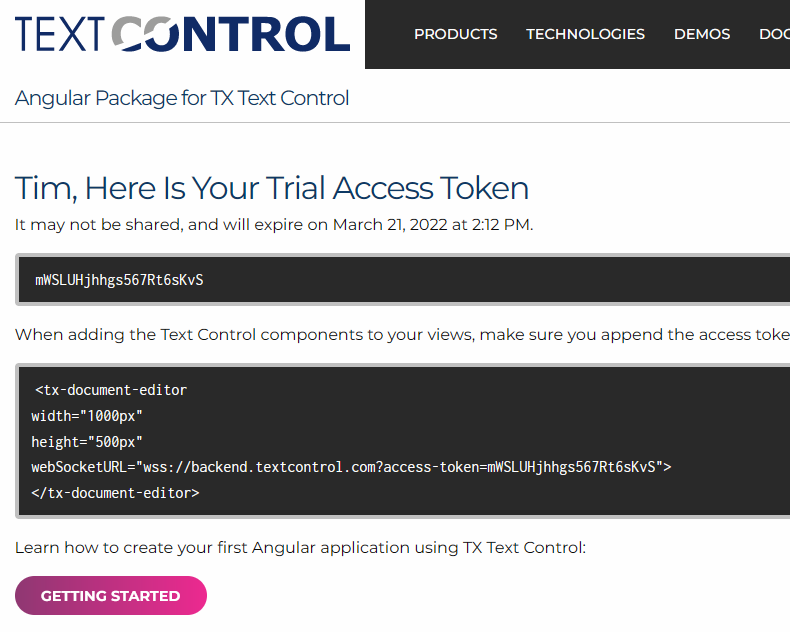
After following the steps to create the token, you should see the following page that displays information about your trial token.
Creating the Application
Make sure that you downloaded the latest version of Visual Studio 2022 that comes with the .NET 6 SDK.
-
In Visual Studio 2022, create a new project by choosing Create a new project.
-
Select ASP.NET Core Web App (Model-View-Controller) as the project template and confirm with Next.
-
Choose a name for your project and confirm with Next.
-
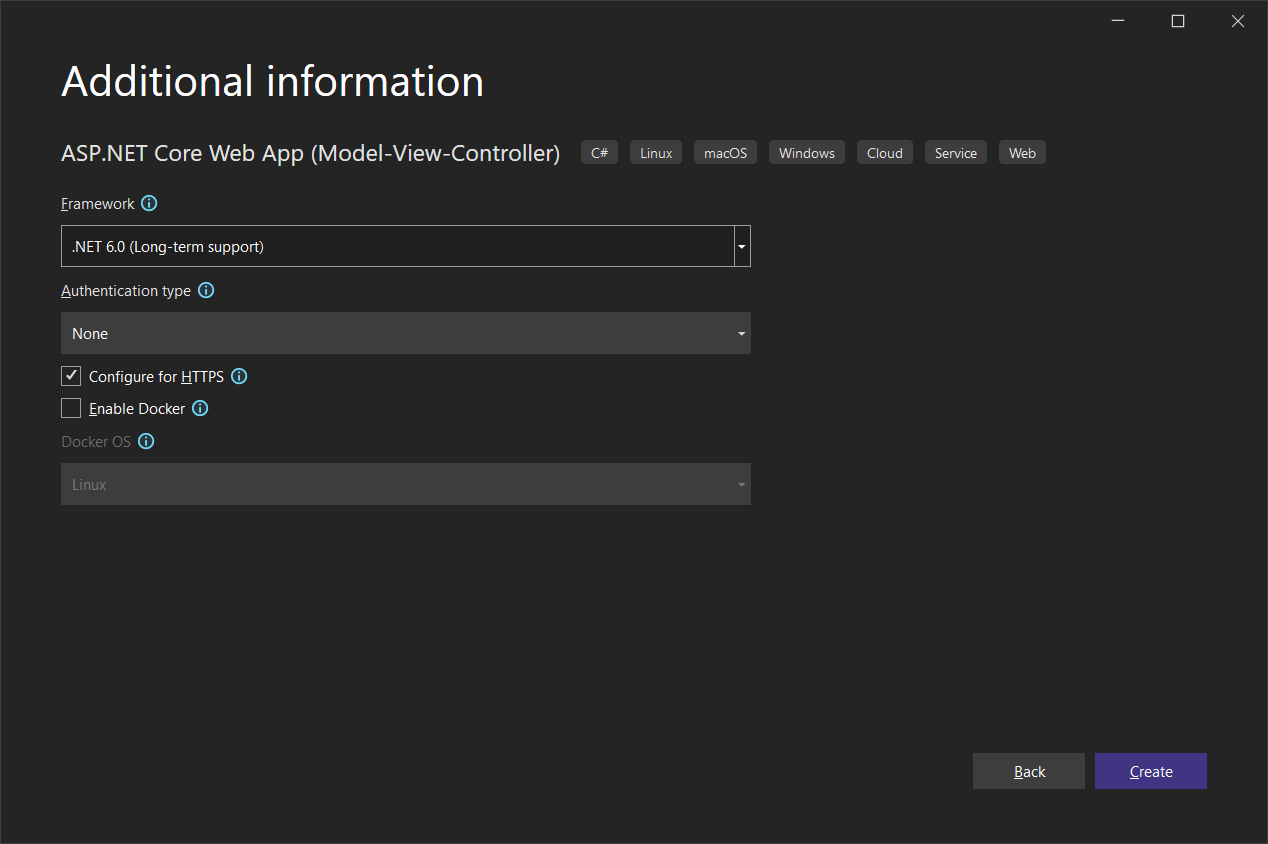
In the next dialog, choose .NET 6 (Long-term support) as the Framework and confirm with Create.
Adding the NuGet Package
-
In the Solution Explorer, select your created project and choose Manage NuGet Packages... from the Project main menu.
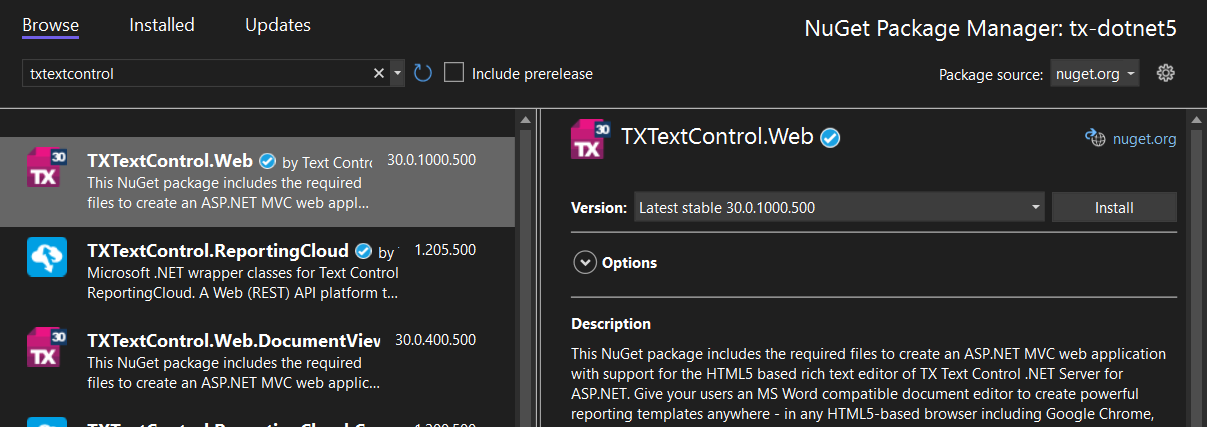
Browse for txtextcontrol.web and Install the latest version of the TXTextControl.Web package.
Configure the Application
-
Open the Program.cs file located in the project's root folder. Add the following code after the entry
app.UseStaticFiles();:// serve static linked files (JavaScript and CSS for the editor) app.UseStaticFiles(new StaticFileOptions { FileProvider = new Microsoft.Extensions.FileProviders.PhysicalFileProvider( System.IO.Path.Combine(System.IO.Path.GetDirectoryName( System.Reflection.Assembly.GetEntryAssembly().Location), "TXTextControl.Web")), RequestPath = "/TXTextControl.Web" }); // enable Web Sockets app.UseWebSockets(); // attach the Text Control WebSocketHandler middleware app.UseMiddleware<TXTextControl.Web.WebSocketMiddleware>();
Adding the Control to the View
-
Find the Index.cshtml file in the Views -> Home folder. Replace the complete content with the following code:
@using TXTextControl.Web.MVC @Html.TXTextControl().TextControl(settings => { settings.WebSocketURL = "wss://backend.textcontrol.com?access-token=mWSLUHjhhgs567Rt6sKvS"; }).Render() -
Replace the trial token (line 5: mWSLUHjhhgs567Rt6sKvS) with your generated trial token from step 1.
This code adds the Text Control document editor to the view and uses the WebSocketURL property to connect to the trial backend.
-
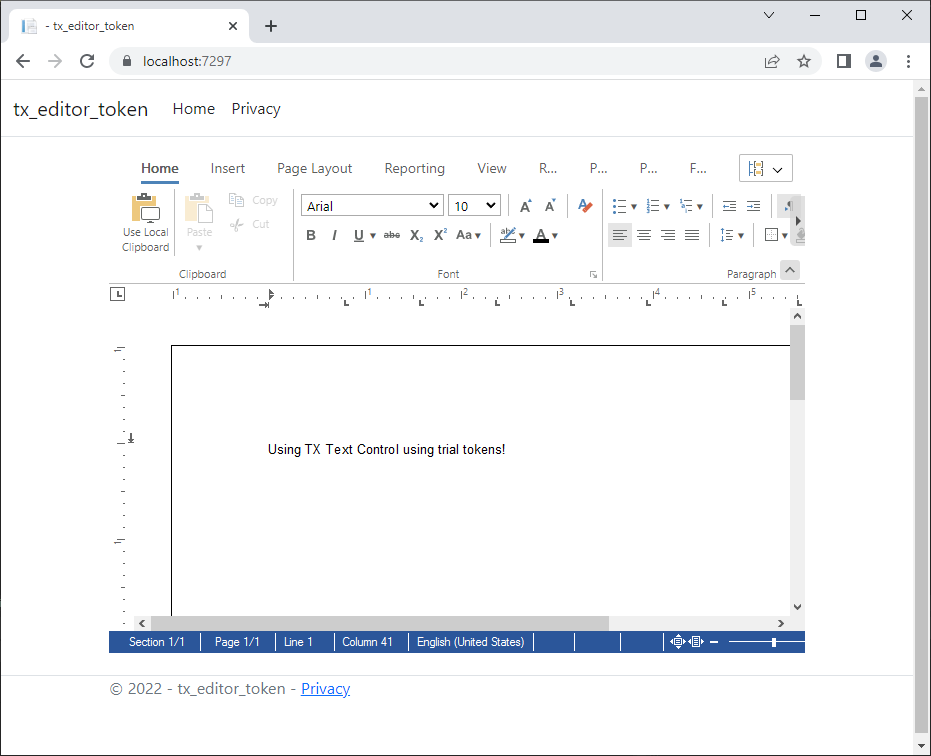
Compile and start the application to see the document editor in your web application.
ASP.NET
Integrate document processing into your applications to create documents such as PDFs and MS Word documents, including client-side document editing, viewing, and electronic signatures.





- Angular
- Blazor
- React
- JavaScript
- ASP.NET MVC, ASP.NET Core, and WebForms
Related Posts
ASP.NETASP.NET CoreDocument Repository
File Based Document Repository with Version Control in .NET with TX Text Control
In this article, we will explore how to implement a file-based document repository with version control in .NET using TX Text Control. This solution allows you to manage and track changes to your…
Create Fillable PDFs from HTML Forms in C# ASP.NET Core Using a WYSIWYG Template
Learn how to generate PDFs from HTML forms in ASP.NET Core using a pixel-perfect WYSIWYG template. Extract form fields from a document, render a dynamic HTML form, and merge the data server-side…
Why HTML to PDF Conversion is Often the Wrong Choice for Business Documents…
In this article, we explore the challenges of HTML to PDF conversion for business documents in C# .NET and present alternative solutions that offer better performance and reliability. Discover why…
ASP.NETASP.NET CoreTracked Changes
Inspect and Process Track Changes in DOCX Documents with TX Text Control…
Collaborative document editing is a core requirement in many modern applications. In this article, we will explore how to inspect and process track changes in DOCX documents using TX Text Control…
Text Control at BASTA! Spring 2026 in Frankfurt
This week, we sponsored the BASTA! Spring 2026 conference in Frankfurt, Germany. We had a booth in the exhibition area and presented our products to the attendees. We also had the opportunity to…