


Sneak Peek Reporting X10: New Sample Templates

With the release of TX Text Control X10 and the improved template designer TX Text Control Words, we will ship a new sample database and updated sample templates. Those templates give an overview of the most typical scenarios for Text Control Reporting. They show how to use repeating blocks, prefixed field names to specify related data tables, the newly introduced string formatter and connected barcodes and image placeholders. The Shipping Label template shows how to use NEXT fields to…

With the release of TX Text Control X10 and the improved template designer TX Text Control Words, we will ship a new sample database and updated sample templates.
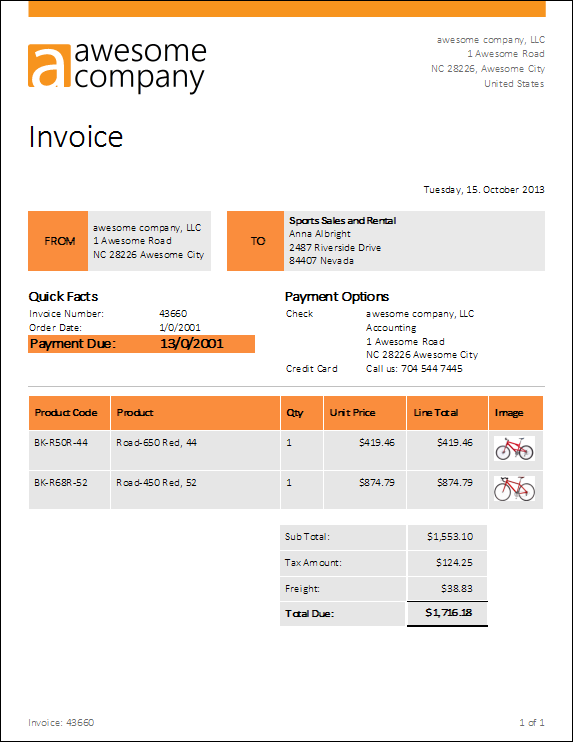
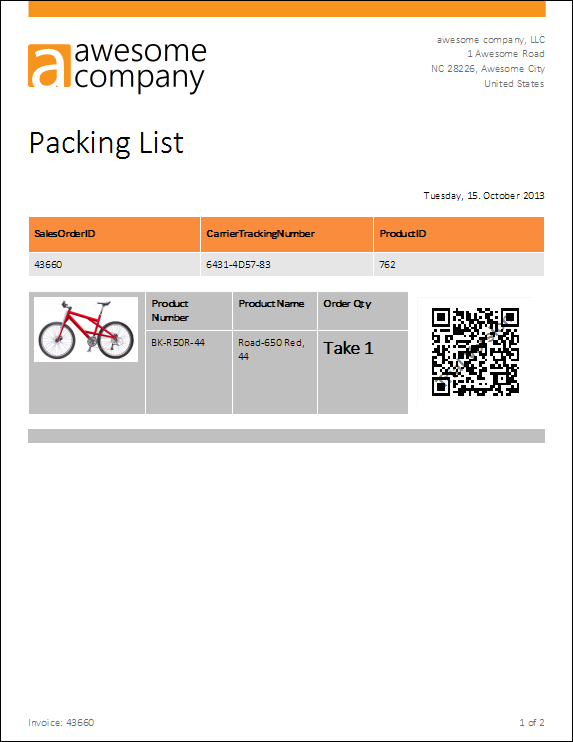
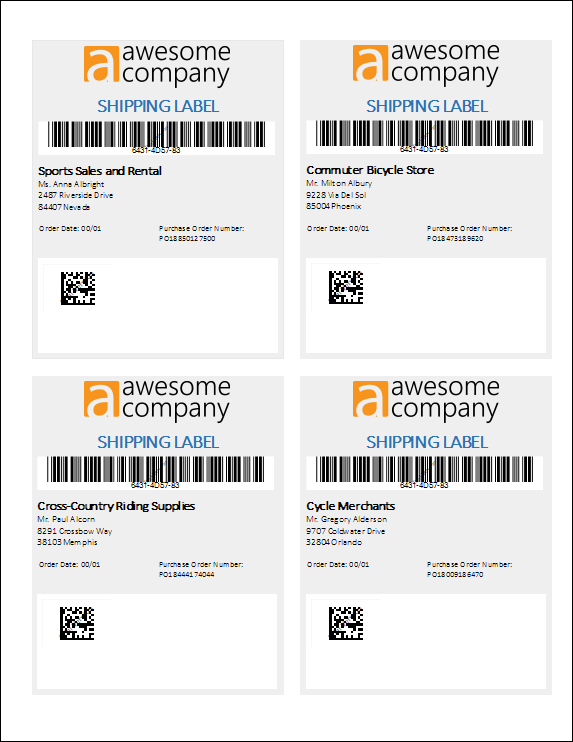
Those templates give an overview of the most typical scenarios for Text Control Reporting. They show how to use repeating blocks, prefixed field names to specify related data tables, the newly introduced string formatter and connected barcodes and image placeholders. The Shipping Label template shows how to use NEXT fields to create pixel-perfect labels.
TX Text Control Words comes with an XML sample database that is used as the data source for the sample templates. It represents a typical business database with tables for customer details, orders and products.
These sample templates give you an easy start to play with the reporting functionality. You can change field attributes, insert new merge blocks, change the image placeholder connections and even change the XML file to see how your changes affect the results.
You will see how easy reporting can be with TX Text Control X10 - stay tuned for more.
Related Posts
TX Text Control 34.0 SP2 is Now Available: What's New in the Latest Version
TX Text Control 34.0 Service Pack 2 is now available, offering important updates and bug fixes for all platforms. If you use TX Text Control in your document processing applications, this service…
TX Text Control 34.0 SP1 is Now Available: What's New in the Latest Version
TX Text Control 34.0 Service Pack 1 is now available, offering important updates and bug fixes for all platforms. If you use TX Text Control in your document processing applications, this service…
Introducing TX Text Control 34.0: Your Next Leap in Document Processing
We are happy to announce the release of TX Text Control 34.0. This version is packed with new features and enhancements that will elevate your document processing experience. This version…
PDF/UA vs. PDF/A-3a: Which Format Should You Use for Your Business Application?
In this blog post, we will explore the differences between PDF/UA and PDF/A-3a, helping you choose the right format for your business needs. We will discuss the key features, benefits, and use…
Validating PDF/UA Documents in .NET C#
Creating accessible and compliant PDF documents is becoming an increasingly important requirement across industries. In this blog post, we explore how to validate PDF/UA documents using Text…