


Converting 3rd-party User Dictionaries to TX Spell .NET

TX Spell .NET supports open dictionary formats including Hunspell from OpenOffice.org. A Dictionary Converter tool migrates third-party dictionaries like ComponentOne SpellChecker to the native .txd format, while user dictionaries use plain text word lists with encoding headers.

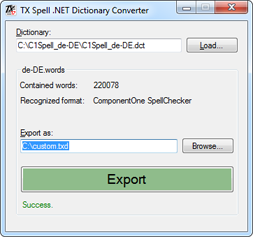
One of the key principles designing TX Spell .NET was the support for open dictionary formats. TX Spell .NET fully supports the OpenOffice.org Hunspell dictionaries which gives you access to more then 80 dictionaries out-of-the-box.
The TX Spell .NET user dictionaries are simple text-based word list files with an encoding indicator at the beginning. This easy concept allows you to create your own user dictionaries without a special dictionary manager (which, of course, is shipped with TX Spell .NET as well). The internal processing and handling of all dictionaries makes this possible.
No proprietary format is required to store the dictionaries. Internally, both dictionaries are converted into a high-performance dictionary that makes the performance outstanding. That implies that it doesn't matter which format you choose to create your own dictionaries - internally, they have the same performance.
We got many requests regarding other 3rd-party dictionaries and how to convert them into a TX Spell .NET compatible format. Most vendors offer a possibility to export the user dictionaries as text files. They can be directly used in TX Spell .NET when adding the encoding at the beginning as the first entry. For example:
SET iso-8859-1
We started a project to convert various dictionary formats directly into a TX Spell .NET compatible format.
Currently, TX Spell .NET Dictionary Converter is able to convert the following dictionary formats to TX Spell .NET's *.txd format:
- ComponentOne® SpellChecker (*.dct)
You can download the dictionary converter here:
TX Spell .NET Dictionary Converter
(TXSpell_DicConverter.zip)
We would like to extend this conversion tool. Which other formats do you need to convert?
Modified: It is not neccessary to convert user dictionaries from Keyoti's RapidSpell. They are plain text files and can be used directly in TX Spell .NET by adding the encoding flag at the beginning. If you are using binary *.DICT files from Keyoti's RapidSpell, please contact us.
Related Posts
Service Pack 1 for TX Spell .NET 7.0 Released
Text Control released Service Pack 1 for TX Spell .NET 7.0, covering both the Windows Forms and WPF editions. The update addresses known issues since the initial release. Users should review the…
TX Text Control X11 Sneak Peek: Language Detection
TX Spell .NET 5.0, shipping with TX Text Control X11, adds automatic language detection for over 30 languages. The DetectLanguageScopes method identifies language boundaries in mixed-language text…
Sneak Peek TX Spell 5.0: Language Detection Engine
TX Spell .NET 5.0 introduces a language detection engine that identifies over 30 languages from text with minimal sampling. Built on the Unicode Bidirectional Algorithm, it returns language scopes…
TX Spell .NET ActiveX Package Goes CodePlex
The TX Spell .NET ActiveX Package wraps the Windows Forms spell checker in a COM-visible user control, enabling VB6 application integration. Published on CodePlex as an open-source Visual Studio…
TX Text Control RapidSpell .NET for Windows Forms 16.0 Released
TX Text Control RapidSpell .NET for Windows Forms 16.0 shipped with a spell checker interface redesigned for stable, high-speed performance. The royalty-free component ships with dictionaries for…