


Inspect and Process Track Changes in DOCX Documents with TX Text Control with .NET C#

Collaborative document editing is a core requirement in many modern applications. In this article, we will explore how to inspect and process track changes in DOCX documents using TX Text Control with .NET C#.
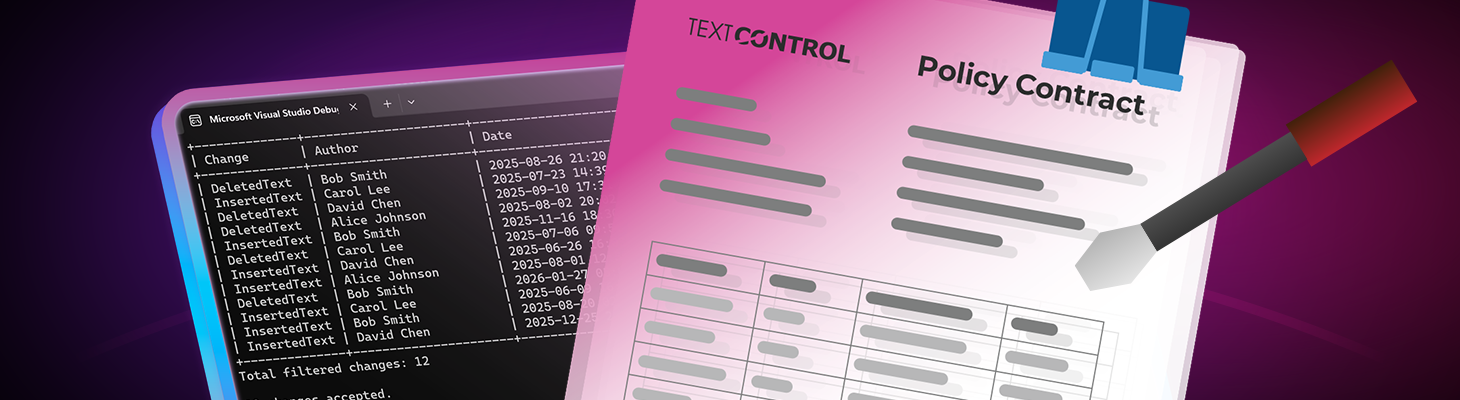
Many business applications require collaborative document editing. Rarely are contracts, NDAs, insurance policies, or technical documentation written by a single author. Instead, documents move through multiple reviewers, each of whom proposes changes before the final version is approved.
This is where the Track Changes feature becomes essential.
TX Text Control offers a fully functional document editor UI that supports track changes from the start. Users can visually review revisions, see insertions and deletions, and accept or reject changes directly in the editor, similar to traditional word processors.
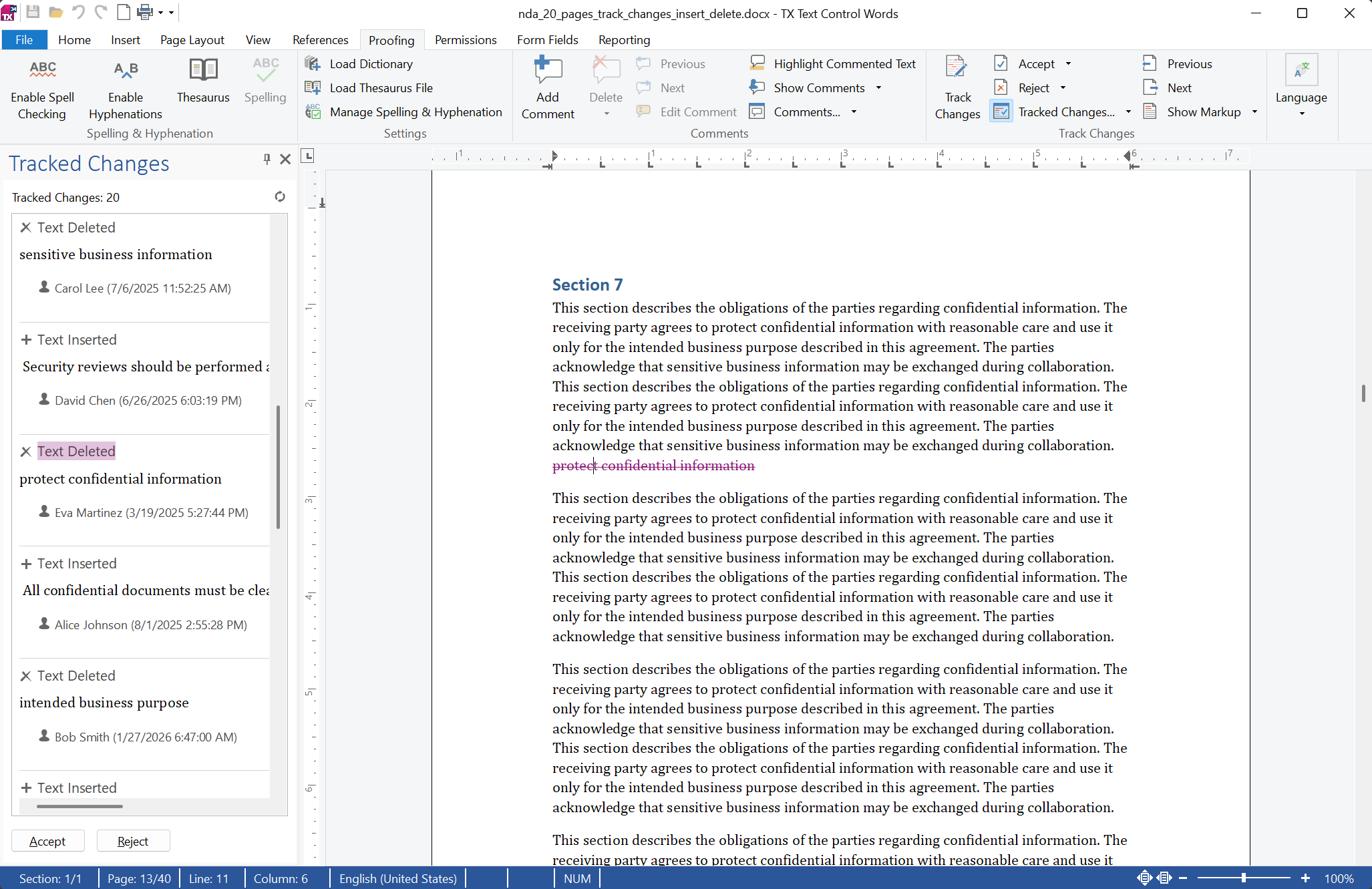
However, in many modern document pipelines, revisions must also be processed programmatically. Backend services may need to inspect changes, filter them by author, or automatically accept or reject revisions. This is particularly useful in AI-driven document workflows, automated contract reviews, and compliance validation systems.
With TX Text Control, developers can load MS Word (Office Open XML) documents with tracked revisions and inspect them programmatically. They can also filter revisions by author or date and automatically accept or reject changes as part of a document workflow.
Track Changes in Automated Document Pipelines
In many systems today, documents are not reviewed inside Microsoft Word. Instead, they are processed inside web applications or automated backend pipelines. In these scenarios, it's crucial to have programmatic access to track changes to ensure that revisions are properly reviewed and processed.
Typical scenarios include:
- Contract negotiation platforms
- Insurance document review workflows
- Legal document approval systems
- Automated compliance validation
Applications can generate audit reports of document modifications, automatically accept or reject changes, filter revisions by author or date, and enforce review policies before finalizing documents by accessing tracked revisions programmatically. TX Text Control makes these revisions accessible directly from .NET code through the Tracked
Loading a DOCX Document with Tracked Changes
The first step is loading the Word document into the TX Text Control document library:
using TXTextControl;
using System.Globalization;

using var textControl = new ServerTextControl();
textControl.Create();

textControl.Load("nda.docx", StreamType.WordprocessingML);
After loading the document, all the tracked revisions in the DOCX file are accessible through the TrackedChanges collection.
Filtering Changes by Author, Type, or Date
One of the most powerful aspects of TX Text Control is the ability to inspect and filter tracked changes programmatically.
For example, you may want to:
- Review changes from a specific author
- Focus on insertions or deletions only
- Analyze revisions made within a specific time range
The following filters can be defined:
// ---- Filters ----
string? filterAuthor = "Alice Johnson";
ChangeKind? filterKind = null;        // e.g. ChangeKind.Insertion
DateTime? fromDate = null;            // e.g. new DateTime(2025, 1, 1)
DateTime? toDate = null;              // e.g. new DateTime(2026, 1, 1)

// Accept or reject filtered changes
bool acceptChanges = true;
These filters enable highly flexible review workflows. For example, you could automatically approve all contributions from a trusted author and flag deletions for manual review. You could also generate a report of all changes made in the last week to ensure compliance with review policies.
Collecting the Relevant Revisions
After defining the filters, you can query the document's tracked revisions using LINQ.
// ---- Collect filtered changes ----
var changes = textControl.TrackedChanges
    .Cast<TrackedChange>()
    .Where(c =>
        (filterAuthor == null || c.UserName == filterAuthor) &&
        (filterKind == null || c.ChangeKind == filterKind) &&
        (fromDate == null || c.ChangeTime >= fromDate) &&
        (toDate == null || c.ChangeTime <= toDate))
    .ToList();
This creates a filtered list of revisions based on defined criteria. Applications can use this information for reporting, auditing, or making automated document decisions. For instance, you could automatically accept all insertions from a specific author while flagging deletions for manual review.
The sample also writes a report to the console of all tracked changes, showing the type of change, author, and timestamp. This feature is useful for auditing document modifications and ensuring that all revisions are properly reviewed.
+--------------+----------------------+----------------------+
| Change       | Author               | Date                 |
+--------------+----------------------+----------------------+
| InsertedText | Alice Johnson        | 2025-02-24 00:16     |
| DeletedText  | Alice Johnson        | 2025-08-02 20:02     |
| InsertedText | Alice Johnson        | 2025-08-01 12:55     |
| DeletedText  | Alice Johnson        | 2024-10-01 06:52     |
+--------------+----------------------+----------------------+
Total filtered changes: 4

4 changes accepted.
Automatically Accepting or Rejecting Changes
After analyzing revisions, an application can automatically accept or reject them. This is particularly useful in automated workflows such as:
- Accepting changes from approved reviewers
- Rejecting changes from unauthorized authors
- Finalizing documents before PDF export
// ---- Apply decision (accept or reject) ----
foreach (var change in changes)
{
    textControl.TrackedChanges.Remove(change, acceptChanges);
}

Console.WriteLine($"{changes.Count} changes {(acceptChanges ? "accepted" : "rejected")}.");
This step applies the final decision directly to the document. After processing, you can save the document with all the revisions accepted or rejected as needed. This ensures that the final version reflects the desired changes before distribution or archiving.
Real-World Workflow Example
Imagine a platform for negotiating contracts where multiple parties collaborate on a document. Each party can propose changes, and the system automatically accepts revisions from trusted legal teams while flagging changes from external consultants for manual review. This workflow ensures that all modifications are properly vetted while streamlining the review process.
- A contract template is generated automatically.
- Multiple reviewers propose changes.
- The backend application analyzes tracked revisions.
- Changes from authorized reviewers are accepted.
- The final document is exported to PDF.
With TX Text Control, the entire workflow runs inside a .NET backend service without relying on Microsoft Word automation. This approach is scalable and reliable, making it suitable for modern, cloud-based applications.
Exporting the Final Document
Once all revisions have been processed, the document can be exported to any supported format such as:
- DOCX for further editing
- PDF for distribution
- PDF/A for archiving
textControl.Save("nda_final.pdf", StreamType.AdobePDF);Conclusion
The Track Changes feature is one of the most important in collaborative document workflows. It ensures transparency during the editing process and provides a clear record of document modifications.
TX Text Control allows developers to go far beyond traditional editing. They can inspect, filter, report, and process tracked revisions automatically using simple .NET code.
This enables powerful solutions such as:
- Automated contract review systems
- Compliance-driven document workflows
- Legal document approval pipelines
- AI-assisted document processing platforms
By combining a full-featured editing UI with powerful server-side automation, TX Text Control allows you to build modern document systems that support interactive collaboration and fully automated revision processing.
Frequently Asked Questions
Yes. TX Text Control provides a fully functional document editor UI that supports track changes similar to traditional word processors. Users can review revisions visually, see insertions and deletions, and accept or reject changes directly in the editor.
Yes. TX Text Control exposes document revisions through the TrackedChanges collection. Developers can inspect revisions, filter them by author or date, generate reports, and automatically accept or reject changes using standard .NET code.
Yes. Each tracked revision contains metadata such as the UserName of the author. This allows applications to filter changes created by specific reviewers, enabling workflows like accepting changes only from approved contributors.
Yes. Each revision exposes a ChangeKind property that identifies the type of modification, such as insertions, deletions, or formatting changes. This allows applications to process different types of edits independently.
Yes. Each revision includes a ChangeTime timestamp. This makes it possible to filter revisions within a specific time range, which is useful for audit logs, compliance reports, or review phase analysis.
Yes. TX Text Control allows applications to accept or reject tracked changes programmatically. This enables automated workflows such as accepting changes from trusted reviewers, rejecting unauthorized edits, or finalizing documents before exporting them.
Yes. The TX Text Control Document Editor allows developers to build browser-based document editing environments that support track changes, comments, and collaborative editing while still enabling server-side automation and processing.
Yes. After accepting or rejecting revisions, documents can be exported to formats such as DOCX, PDF, or PDF/A. This allows applications to finalize documents after the review process is complete.
No. TX Text Control processes Word documents without requiring Microsoft Office automation. All document processing happens directly inside your .NET application or backend service, making it suitable for cloud, container, and server environments.
Yes. Because tracked revisions are accessible programmatically, applications can integrate AI-assisted document analysis. For example, AI systems can review revisions, flag risky changes, or automatically accept or reject modifications based on predefined policies.

Download and Fork This Sample on GitHub
We proudly host our sample code on github.com/TextControl.
Please fork and contribute.
Requirements for this sample
- TX Text Control .NET Server 34.0
- Visual Studio 2026
ASP.NET
Integrate document processing into your applications to create documents such as PDFs and MS Word documents, including client-side document editing, viewing, and electronic signatures.





- Angular
- Blazor
- React
- JavaScript
- ASP.NET MVC, ASP.NET Core, and WebForms
Related Posts
Explaining Contract Tracked Changes Automatically Using .NET C# and AI
Learn how to use AI and .NET C# to automatically explain changes to contracts, improving the document review and collaboration processes. This comprehensive guide provides practical implementation…
Text Control at BASTA! Spring 2026 in Frankfurt
This week, we sponsored the BASTA! Spring 2026 conference in Frankfurt, Germany. We had a booth in the exhibition area and presented our products to the attendees. We also had the opportunity to…
From Legacy Microsoft Office Automation to a Future-Ready Document Pipeline…
In this article, we will explore how to transition from traditional office automation to a modern document pipeline using C# and .NET. We will discuss the benefits of adopting a future-ready…
We are Gold Partner at Techorama Belgium 2026
Text Control has officially signed the contract to become a Gold Partner of Techorama Belgium 2026! Techorama is one of the largest and most prestigious technology conferences in Belgium,…
Text Control Sponsors & Exhibits at BASTA! Spring 2026 in Frankfurt
Text Control is proud to announce that we will be sponsoring and exhibiting at BASTA! Spring 2026 in Frankfurt. We will be showcasing our latest products and features, and we look forward to…