


A Rule-Based PHI and PII Risk Scanner for Documents Using C# .NET

In this article, we explore how to implement rule-based text analysis in C# .NET to detect Protected Health Information (PHI) and Personally Identifiable Information (PII) within documents. We will utilize regular expressions and Text Control's ServerTextControl to efficiently identify sensitive data, ensuring compliance with data protection regulations.
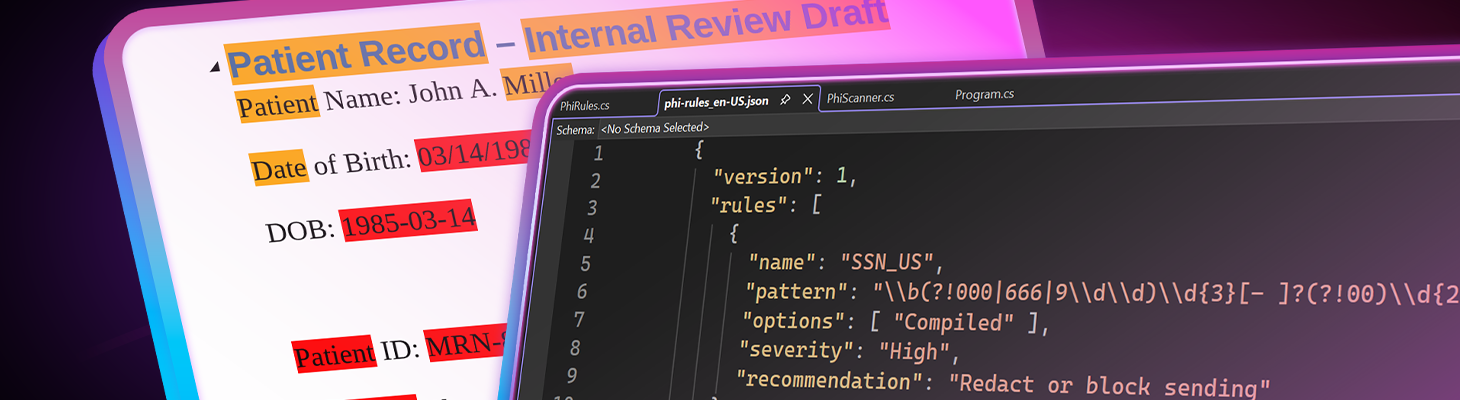
One of the most common and costly compliance failures in modern software systems is sending documents that accidentally contain protected health information (PHI) or personally identifiable information (PII). Although document generation and editing workflows are well understood, content risk analysis is often added too late, if at all.
In this article, we present an explainable, rule-based approach to detecting sensitive information in documents. This approach uses C#, JSON-defined detection rules, and TX Text Control for document processing and visual feedback.
PHI and PII - What They Are
Personally Identifiable Information (PII) and Protected Health Information (PHI) include data that can directly or indirectly identify an individual, such as names, contact details, financial identifiers, and health records. PHI is especially sensitive and subject to strict regulations like HIPAA, GDPR, and similar data-protection frameworks worldwide. Most data breaches are accidental, often caused by documents being shared or exported without proper review. A PHI and PII risk scanner helps detect and flag sensitive content before it leaves the system. This proactive approach reduces compliance risk and protects both users and organizations.
Our goal is not to achieve perfect classification but rather to detect risks early, raise user awareness, and control blocking or redaction before documents leave the system.
Why Rule-Based PHI Detection Still Matters
Although machine learning approaches to PHI detection have become more popular, they typically require substantial data sets and computational resources and are often difficult to interpret. In contrast, rule-based systems offer transparency and ease of implementation and can be tailored to specific organizational needs. Modern AI-based named entity recognition (NER) systems are powerful but come with trade-offs:
- Non-deterministic results
- Limited explainability
- Regulatory challenges in sensitive domains
- Dependency on external services or models
A rule-based approach, by contrast:
- Is fully deterministic
- Can be audited and versioned
- Works offline
- Is explainable down to every individual match
From a scientific perspective, this approach aligns with constraint-based classification. Rather than relying on probabilistic inference, this approach defines detection based on formal patterns, contextual constraints, and validation functions. This allows for precise control over what constitutes sensitive information and how it is identified.
The Core Idea
The system is built around three core principles. First, the document text is analyzed as a linear string. This allows rules to operate on a consistent and predictable representation of the content. Second, all detection rules are stored in JSON format, which makes them easy to maintain, extend, and adapt without changing the code. Third, any findings produced by these rules are mapped back into the original document to provide clear visual feedback to the user.
The output of this process is a set of findings. Each finding contains the matched text, the name of the triggering rule, its severity, the exact location within the document, and a recommended action for addressing the issue.
Rule Structure (JSON)
Each rule specifies what should be detected and the level of confidence that the match represents PHI or PII. The rules are defined in JSON format, allowing for easy updates and customization. Below is an example of a rule that detects the date of birth:
{
  "name": "DOB_Textual_Context",
  "pattern": "\\b(March|April|May|June|July|August|September|October|November|December)\\s+\\d{1,2},\\s+\\d{4}\\b",
  "options": ["Compiled", "IgnoreCase"],
  "severity": "High",
  "recommendation": "Redact or block sending",
  "context": {
    "keywords": ["born", "date of birth", "dob"],
    "windowBefore": 30,
    "windowAfter": 5
  }
}
Key Concepts
| Concept | Description |
|---|---|
| Pattern | A regular expression that defines the structural shape of the sensitive information to be detected. |
| Context | Keywords or phrases that should be present near the detected pattern to increase confidence in the match. |
| Severity | A classification of the risk level associated with the detected information (e.g., Low, Medium, High). |
| Recommendation | Guidance on what action to take when the rule is triggered (e.g., review, redact, block). |
This separation enables the same concept, such as date of birth, to be expressed as multiple independent rules.
- numeric dates
- written-out dates
- ISO dates
Why Context Matters
Contextual keywords can significantly improve detection accuracy. For instance, the pattern of a date of birth could match many numeric sequences within a document. However, if the context includes words such as "born" or "date of birth," there is substantially more confidence that the match is indeed a date of birth.
A date alone is not PHI. However, when combined with context, it becomes a strong indicator of sensitive information. This is an example of context-sensitive pattern recognition. A match is only accepted if it satisfies a lexical pattern and a semantic neighborhood constraint. This approach dramatically reduces false positives while maintaining high recall for risky content.
Structural Validation (Example: Credit Cards)
Some types of sensitive information, such as credit card numbers, can undergo further validation using structural checks. For instance, credit card numbers can be verified using the Luhn algorithm, a simple checksum formula that validates various identification numbers.
Rules can reference validators:
{
  "name": "CreditCard_Generic",
  "pattern": "\\b(?:\\d[ -]*?){13,19}\\b",
  "validator": "luhn",
  "normalize": "digitsOnly",
  "severity": "High"
}
The Luhn algorithm filters out random digit sequences, increasing confidence that a match represents real financial data. This is an example of post-match semantic validation, which is a common technique in information retrieval systems.
From Text Analysis to Document Highlighting
Once the text analysis engine identifies potential PHI or PII matches, these findings need to be communicated back to the user effectively. This is achieved by mapping the linear text positions of the findings back into the document's structure using TX Text Control's robust document model.
Using TX Text Control, we can load, analyze, highlight, and re-export documents entirely in .NET. This allows us to provide visual feedback directly within the document, highlighting sensitive information for user review.
using var tx = new TXTextControl.ServerTextControl();

tx.Create();

tx.Load("phi_sample_patient_record.docx", TXTextControl.StreamType.WordprocessingML);

// Text Control uses one CRLF for line breaks
var text = tx.Text.Replace("\r\n", "\n");
The text is the scanned for PHI/PII using the rule engine. The results are written to the console for debugging purposes.
var scanner = JsonRulePhiScanner.FromJsonFile("phi-rules_en-US.json");
var findings = scanner.Scan(text);

bool block = findings.Any(f => f.Severity == FindingSeverity.High);
At this point, the system has structural knowledge of all detected risks. The next step is to highlight these findings in the document for user review.
foreach (var finding in findings)
{
    Console.WriteLine($"Found: {finding.MatchText}");
    Console.WriteLine($"  Rule: {finding.Detector}");
    Console.WriteLine($"  Severity: {finding.Severity}");
    Console.WriteLine($"  Recommendation: {finding.Recommendation}");

    Console.WriteLine($"  Location: {finding.StartIndex} - {finding.StartIndex + finding.Length}");

    tx.Select(finding.StartIndex, finding.Length);

    tx.Selection.TextBackColor = finding.Severity switch
    {
        FindingSeverity.Low => System.Drawing.Color.Yellow,
        FindingSeverity.Medium => System.Drawing.Color.Orange,
        FindingSeverity.High => System.Drawing.Color.Red,
        _ => System.Drawing.Color.Transparent
    };
}

tx.Save("phi_sample_patient_record_scanned.docx", TXTextControl.StreamType.WordprocessingML);

Console.WriteLine($"Total Findings: {findings.Count}");
Sample Output
After processing, the document will highlight any detected PHI or PII. This allows users to review the document and take appropriate action before sharing or storing it.
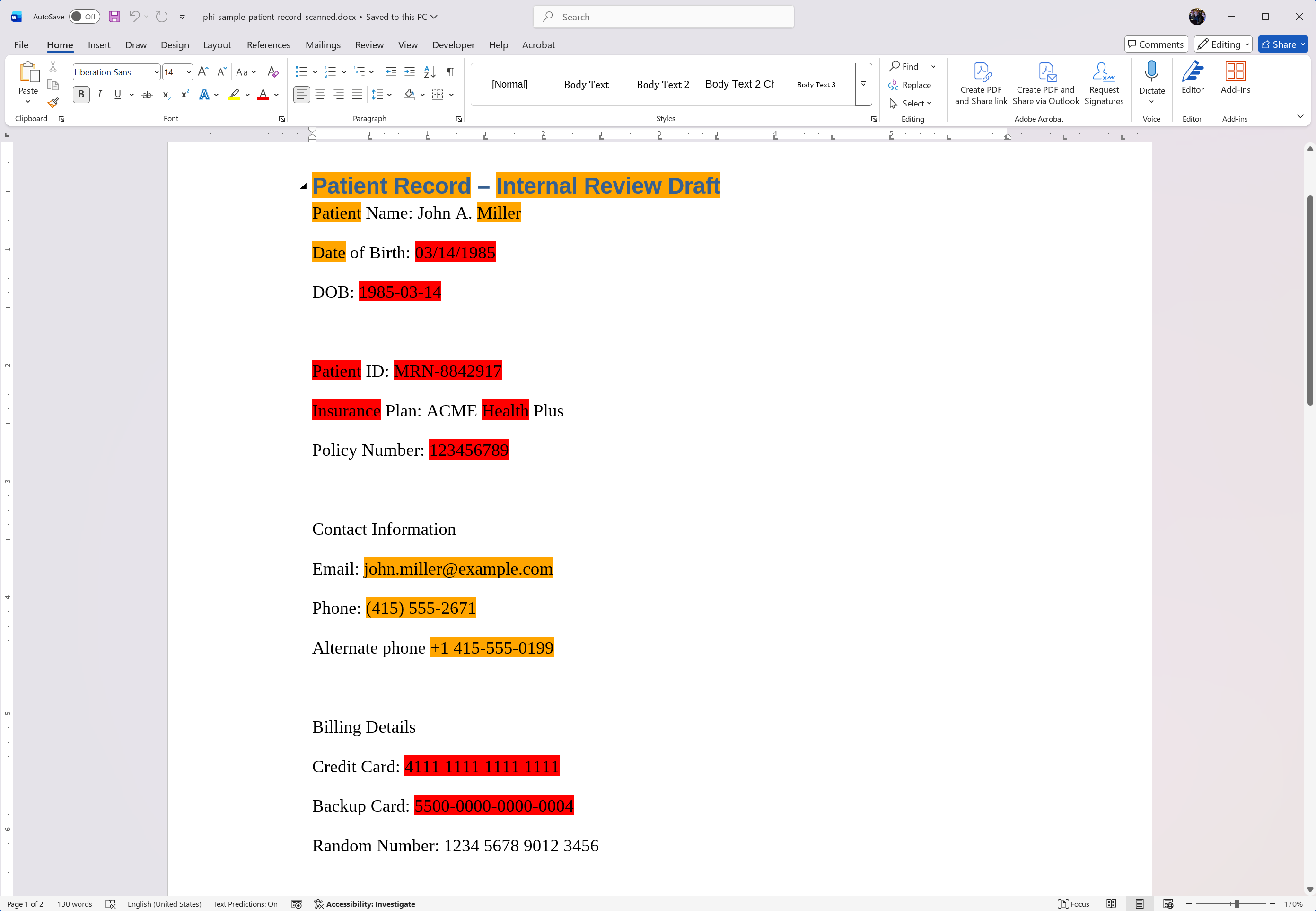
Because our findings are structured, we can generate detailed reports or logs for auditing purposes. Each finding includes the matched text, rule name, severity level, location, and recommended action.
PHI / PII Scan Results
============================================================

HIGH RISK - BLOCK / REDACT
--------------------------
[ 1] SSN_US @ 412-423
     → "078-05-1120"
     → Redact or block sending

[ 2] CreditCard_Generic @ 298-317
     → "4111 1111 1111 1111"
     → Redact or block sending

[ 3] DOB_Textual_Context @ 512-527
     → "March 14, 1985"
     → Redact or block sending


MEDIUM RISK - REVIEW
--------------------
[ 4] Email @ 182-205
     → "john.miller@example.com"
     → Warn and review

[ 5] Phone_US @ 223-237
     → "(415) 555-2671"
     → Warn and review


LOW RISK - INFORMATIONAL
------------------------
[ 6] Medical_Keywords_Generic @ 611-620
     → "allergies"
     → Warn and review (medical content keyword)

------------------------------------------------------------
Total Findings: 6
Conclusion
Detecting PHI and PII in documents is a critical task for ensuring compliance with data protection regulations. A rule-based approach offers transparency, explainability, and ease of implementation, making it a viable solution for many organizations.
By leveraging C#, JSON-defined rules, and TX Text Control for document processing, we can create an effective system for identifying and managing sensitive information. This approach not only helps mitigate risks but also empowers users to make informed decisions about document handling.

Download and Fork This Sample on GitHub
We proudly host our sample code on github.com/TextControl.
Please fork and contribute.
Requirements for this sample
- TX Text Control .NET Server 34.0
- Visual Studio 2026
ASP.NET
Integrate document processing into your applications to create documents such as PDFs and MS Word documents, including client-side document editing, viewing, and electronic signatures.





- Angular
- Blazor
- React
- JavaScript
- ASP.NET MVC, ASP.NET Core, and WebForms
Related Post
Converting the Selected Text to "Sentence Case" using JavaScript and Regular…
Sentence case is a mixed case style that uses both uppercase and lowercase letters in sentences, headlines, and titles. This JavaScript function converts selected text into sentence case using…