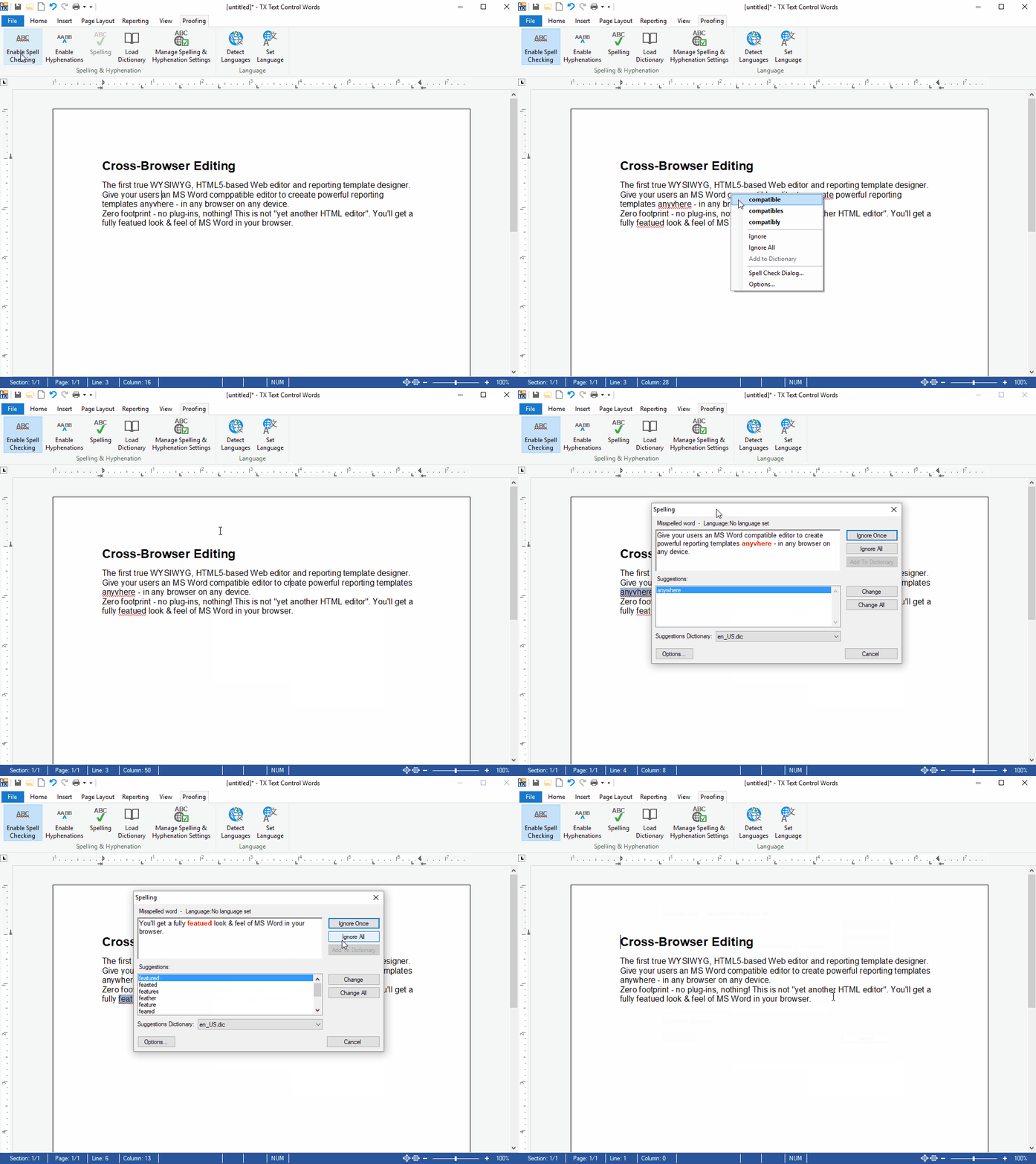
Using TX Spell .NET for WPF you can add extremely fast, highly reliable and very accurate spell checking to your TX Text Control based applications.
Get the right word ranked at position 1 or 2 in more than 97% of all cases.
Based on the analysis of thousands of test documents, the expected suggestion is ranked at position 1 or 2 in more than 97% of all cases. The algorithm includes the measurement of the distance between the keys on the currently used keyboard. Many different factors are evaluated and rated to create the accurate list of suggestions.
Experience the performance: Test the new suggestion engine live!

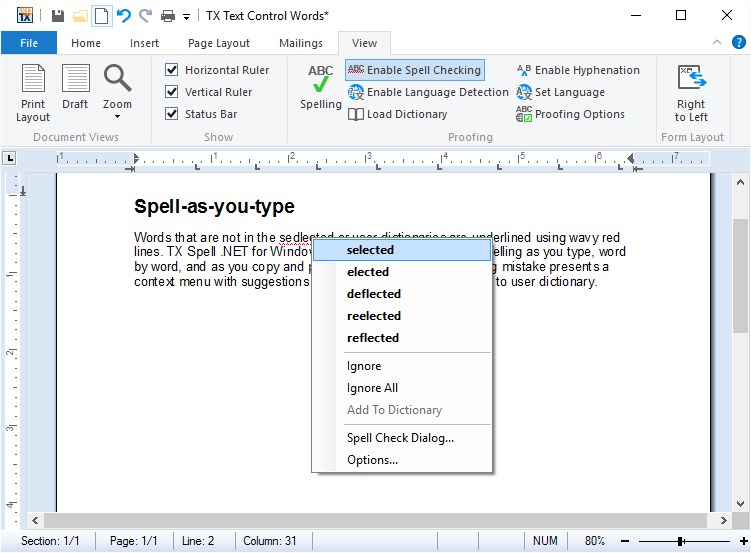
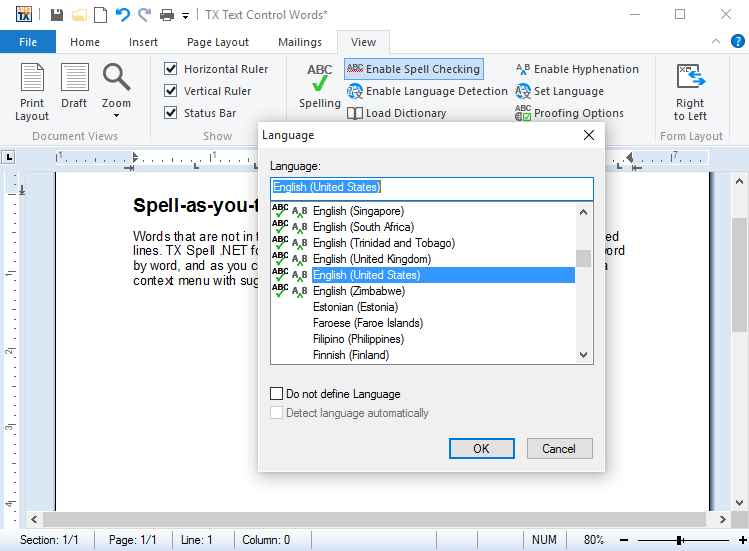
Words that are not in the selected or user dictionaries are underlined using wavy red lines. TX Spell .NET for WPF persistently checks spelling as you type, word by word, and as you copy and paste. Right-clicking on a spelling mistake presents a context menu with suggestions and options to Ignore All or Add to user dictionary.
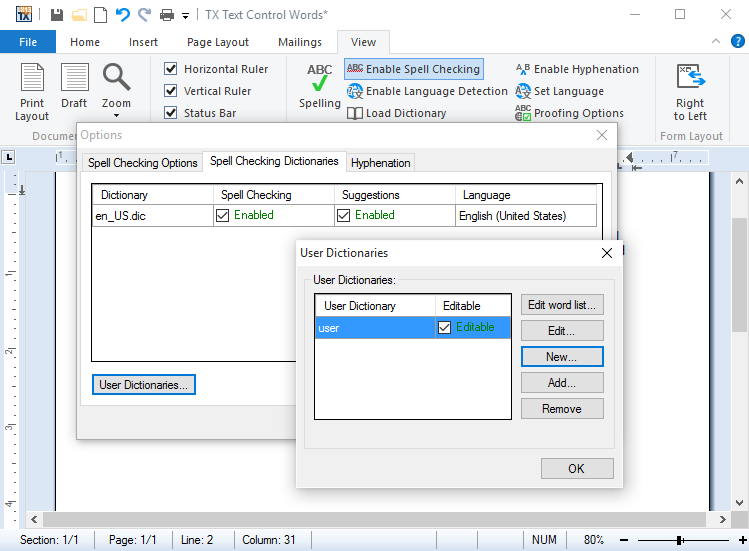
Unrecognized words and specialist vocabulary, such as legal or medical terms, can be added to a user dictionary. To assist end-users maintain their user dictionaries, TX Spell .NET for WPF ships with a user dictionary editor:
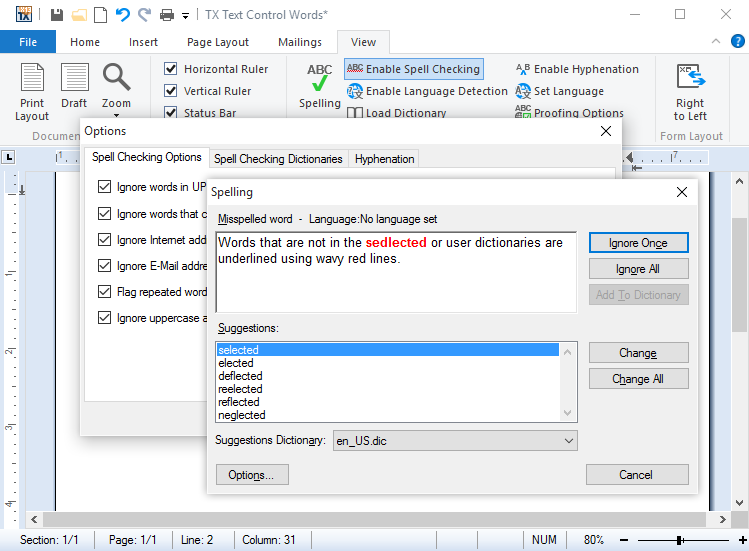
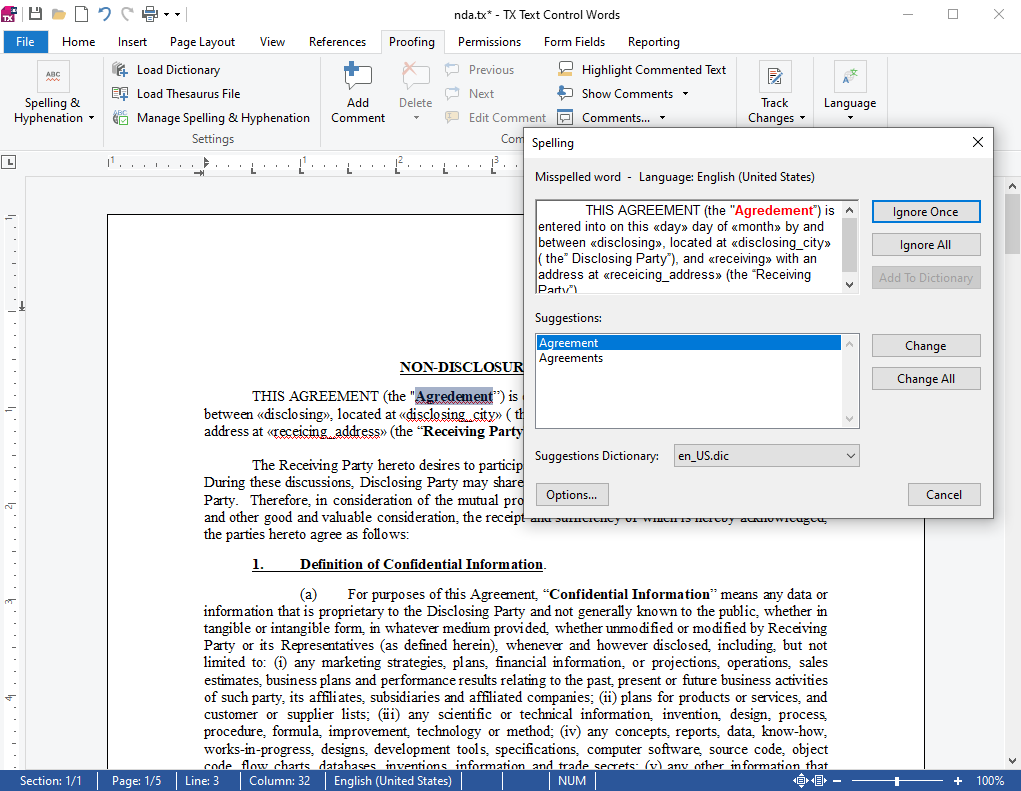
Using the integrated dialog box, you can see which words are incorrectly spelled, replace the word with one of the suggestions, ignore the spelling mistake just this once, or ignore it completely.
The options dialog box allows you to specify which kinds of words should be ignored and whether repeated words should considered a spelling mistake or not.
The options dialog box is accessed directly from the above spelling dialog.
Unlike most spell checkers, TX Spell .NET for WPF supports multi-lingual documents. For example, it is possible to check a document, which contains English, German, French and Spanish text without having to manually switch between dictionaries.
TX Spell .NET for WPF was developed by the same team of engineers, which maintains TX Text Control. Hence, the spell checking component enjoys a deep integration within the main word processing component. Integrating TX Spell .NET for WPF into TX Text Control requires no code - it can be easily connected using the Visual Studio designer:
Using TX Spell .NET for WPF, it is possible to perform spell checking on multiple TextControls on a single form. It is not necessary to have one instance of the spell checker, for each instance of TextControl. This dramatically reduces the required memory and speeds up the spell checking process.