Server-Side Document Creation

In a modern corporate environment, business processes demand that information is immediately accessible to employees inside an enterprise network and to workers on the road. Typically, this information needs to be continually up-to-date and available in a multitude of formats (such as HTML, XML, DOC, RTF, GIF or JPEG).

Typical Applications

  • Robust PDF generation following corporate design rules
  • Simultaneous creation of documents on the server
  • Report generation using data from a database and disparate XML files
  • Integration into enterprise workflow applications

Example Application: Sales Report Generation

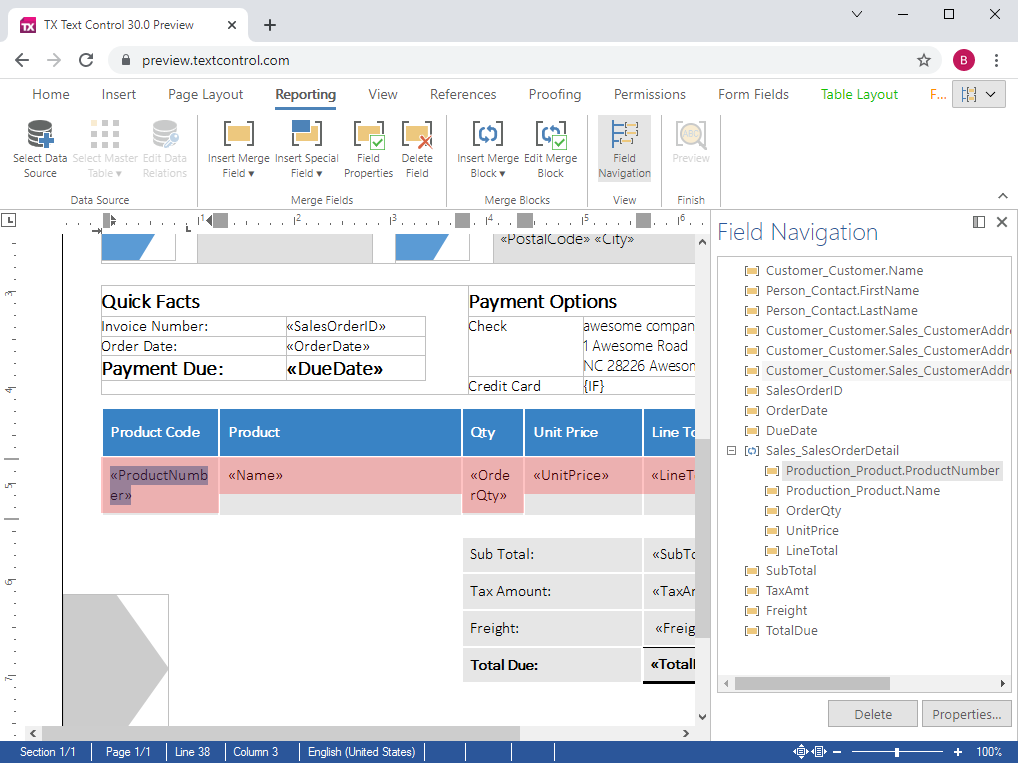
Sales managers and representatives need to be able to access up to date sales information at any time, anywhere. TX Text Control Server for ASP.NET (incl. Windows Forms) is often used to generate such aesthetically pleasing sales reports on-the-fly, using data stored in XML files and/or databases.

In addition to allowing word processing documents to be formatted using templates, TX Text Control Server for ASP.NET (incl. Windows Forms) offers developers an API to format documents directly from program code.

Developers, for example, can specify that when certain elements of an XML file or records from a database appear in a sales report, that they are made bold, italic or underlined. All character, document and page settings can be set from program code.

Once the sales data has been formed into a report, the document can be saved to a wide range of formats (amongst others, XML, DOC, RTF or PDF), sent to the printer or e-mailed to sales representatives who are on the road.

Using TX Text Control Server for ASP.NET (incl. Windows Forms) to create documents does not only guarantee that document data is always up to date, but also does it save storage space on the server. As all documents are created on demand, they do not have to be saved locally - documents are generated and immediately served to the client.

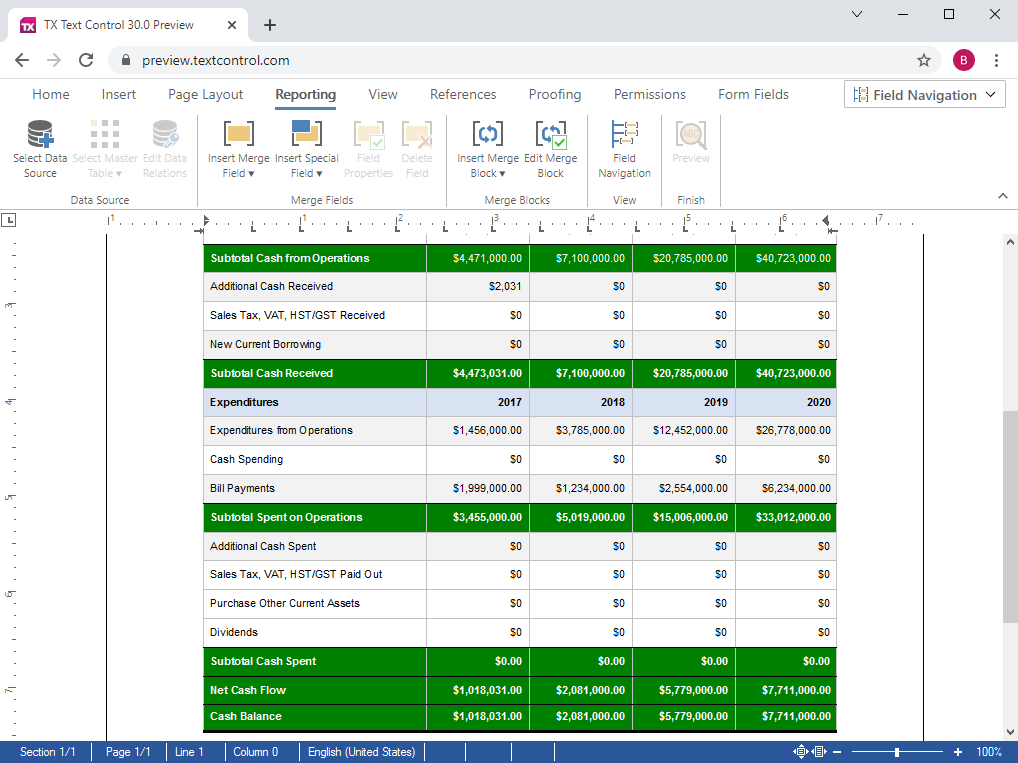
Use TX Text Control Server for ASP.NET (incl. Windows Forms) to create documents. This screenshot illustrates data from a database being used to build a Microsoft Word document.
 

Example Application: Document Management

Document management is the process of managing documents through their lifecycle. Modern document management systems allow documents to be created, reviewed, stored and published in a wide range of formats.

TX Text Control Server for ASP.NET (incl. Windows Forms) can bind to most databases and read XML files and is thus the ideal component for the creation and publishing of documents.

Content is typically stored in a database, XML and image files on a server. TX Text Control Server for ASP.NET (incl. Windows Forms) can access this information and mold it into word processing documents in the layout desired by the content consumer. The look and feel of documents can be defined either in a template or set from program code.

For example, a document management system that is designed to create newspapers, stores all the articles, complete with photographs, in one or more databases. Editors decide which articles with which photographs should appear on which page.

Once the composition of the newspaper is complete, the dissemination of the print-ready document may commence.

The requirements for the end format are very different: The printing house requires a high resolution PDF file, subscribers to the Internet edition of the newspaper need HTML, GIF and JPEG, while the subscribers of the download edition require a low resolution, encrypted PDF version.

Using TX Text Control Server for ASP.NET (incl. Windows Forms) all these formats can be generated with minimum effort. From a programming point of view, saving to PDF is exactly the same effort as saving to any other supported format.


Building highly efficient word processing applications

Traditionally, managers have thought about client side applications, when wishing to equip an entire workforce with a word processing tool. Often, they do not realize that the task at hand may be better solved using either a pure server-based solution, or a hybrid solution that involves server and client components.

Pure server-based

For applications in which data from disparate data sources (databases, XML, form data) is merged with pre-defined templates, or in which documents are programmatically modified or converted, a server-based application that deploys TX Text Control Server for ASP.NET (incl. Windows Forms) is an ideal choice.

Hybrid solutions (client/server)

Applications that are used by a vast user-base, spread out amongst several physical locations are ideally suited to deploy the TX Text Control Server for ASP.NET (incl. Windows Forms) browser component. Part of the application runs on the server, the other part in Microsoft Internet Explorer.

We would like to talk to you about your personal word processing requirements. Please contact one of our pre-sales engineers.

Contact a pre-sales engineer

  1. Give us a call! Our engineers are waiting to assist you:
    Telephone Numbers
  2. Leave us your telephone number and we will call you back within one business day:
    Call Me Back
  3. Send us an e-mail and we will write back within one business day:
    Contact the Sales Department

We look forward to speaking to you.


Products

Support

Downloads

Corporate

Buy Now