
ClickOnce is a new .NET application deployment technology that makes it possible to deploy a Windows Forms based application through Internet Explorer.
From Microsoft MSDN:
With ClickOnce running, a Windows Forms application is as simple as clicking a link in a web page. For administrators, deploying or updating an application is simply a matter of updating files on a server; no need to individually touch every client.
The interesting part is that no administrator rights are required to install the application.
Easy to Deploy
The end-user simply clicks on a link and the application installs itself automatically. If updates are available, the application downloads and installs them automatically. Thus, developers can be certain that end-user are always up to date.
Creating the Application
- In Visual Studio 2005, create a new Windows application.
- Add TX Text Control .NET for Windows Forms to the form, as described in the TX Text Control .NET for Windows Forms documentation.
- In the Solution Explorer, right-click on your project and select Add -> Existing Item....
- Browse to the TX Text Control .NET for Windows Forms installation folder and - with the exception of TXTextControl.dll - select all redistributable files from the BIN folder and confirm with Add.
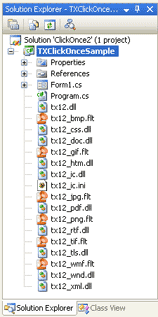
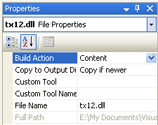
- Select all newly added files in the Solution Explorer and set the Build Action property in the Properties window to Content.
- Set the Copy to Output Directory property to Copy if newer.
- Right-click on the project file and select Properties.
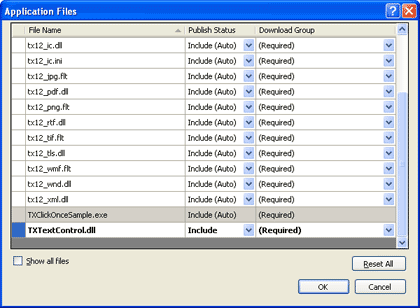
- On the last tab Publish, click on Application Files....
- All added files should be set to Publish Status -> Include (Auto).
- Select TXTextControl.dll and specify the same Publish Status -> Include and close the dialog box with OK.
- Choose Publish (your project name) from the Build menu entry.
- Select a location to publish the application. Default is http://localhost/your project name/.
- Accept the next two dialog pages with Next and Finish.
After the application has been successfully published, you can browse to the specified location with Internet Explorer. The following screen will appear:
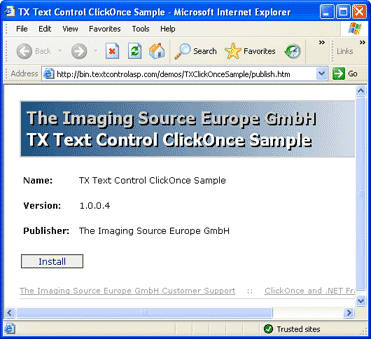
Click on Install to start the installation. .NET is verifying the application requirements:
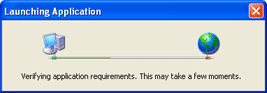
If the pre-requisites are okay (in this case .NET Framework 2.0), the distributable files will be downloaded locally:
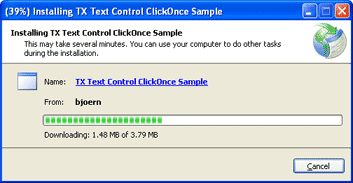
After the installation, the application will start automatically and can be used.
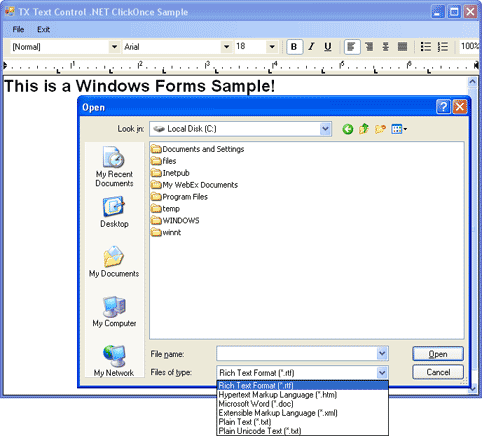
In this sample, a start menu entry has additionally been created, so that the end user is able to start the application from the start menu. If a newer version is available on the server, the updates will be installed automatically.
Using ClickOnce requires that the target client already have the .NET Framework 2.0 installed. Additionally, Internet Explorer must be used to install the application. Please do not hesitate to contact me, if you have any questions about this. I look forward to discuss this with you.
